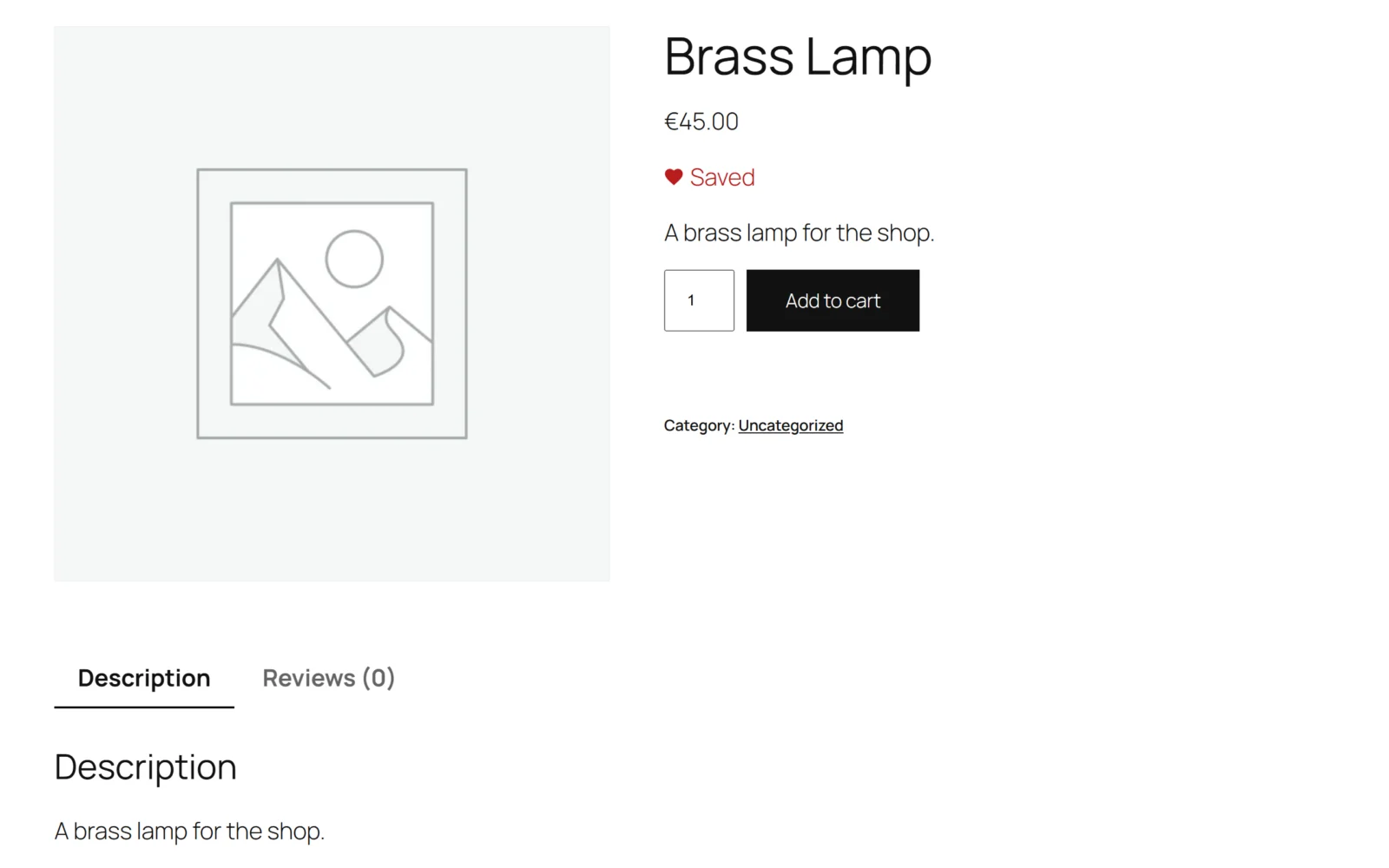
Shoppers save products to wishlists they can name and share — guests included, with their lists carried onto the account when they log in — and you see which products are saved most.
Gatemi Wishlist for WooCommerce adds a save button to your product pages and shop listings, a wishlist page shoppers can share by link, and — for you — a plain answer to the question a wishlist is really worth asking: *which products are people saving and not buying yet?*
Guests can save, and nothing is lost when they sign up. A guest's wishlist lives against a first-party cookie; the moment they log in, those lists are moved onto the account rather than copied, so nothing is duplicated and their share links keep working. Stores that would rather require an account can switch guests off — and then the button says "Log in to save" instead of failing after the click.
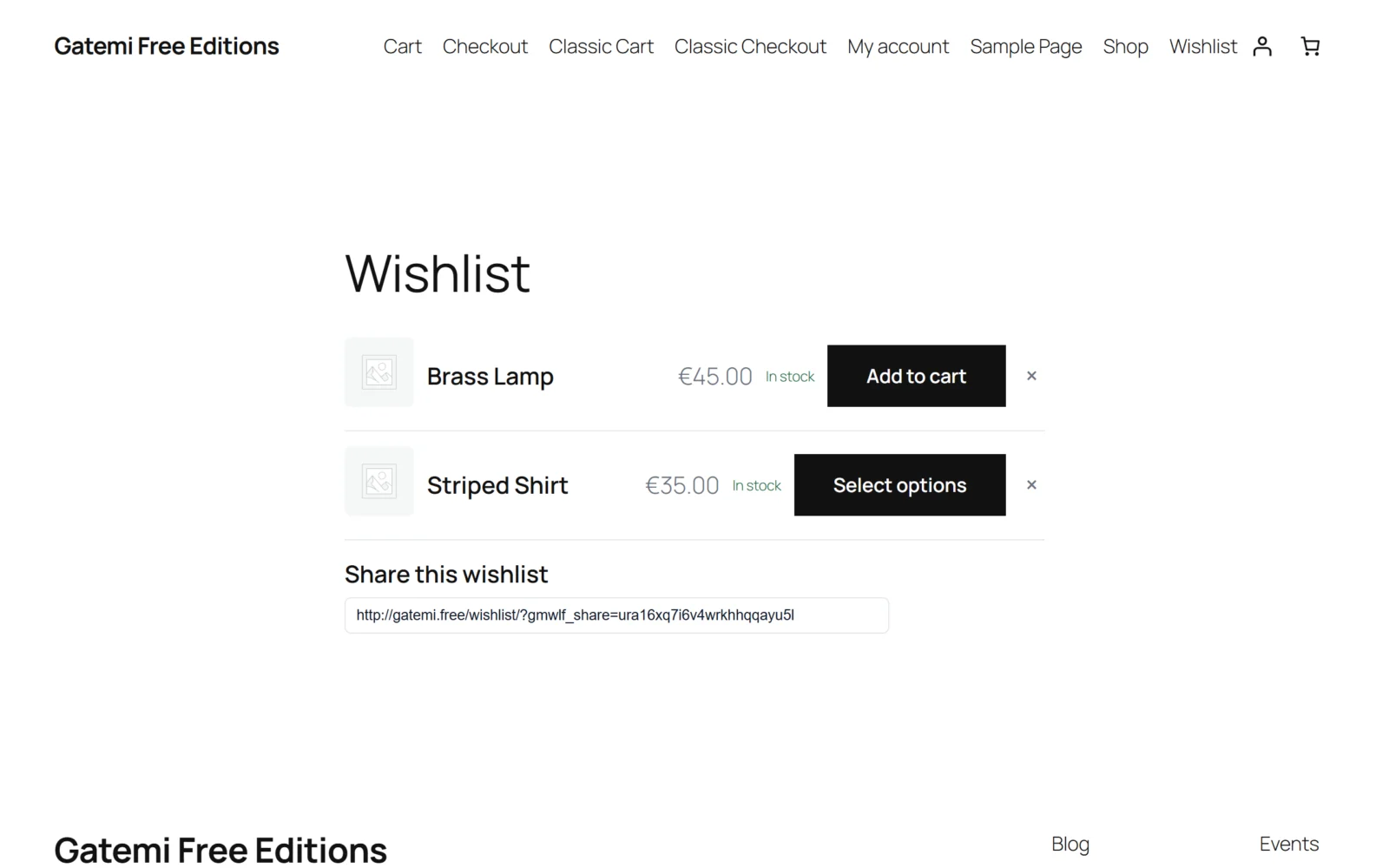
Sharing is a random key, never a list number. A share URL carries a random token, so nobody can walk from one wishlist to the next by changing a number in the address bar. Turning sharing off closes existing links too, not just the button that makes new ones.
Features
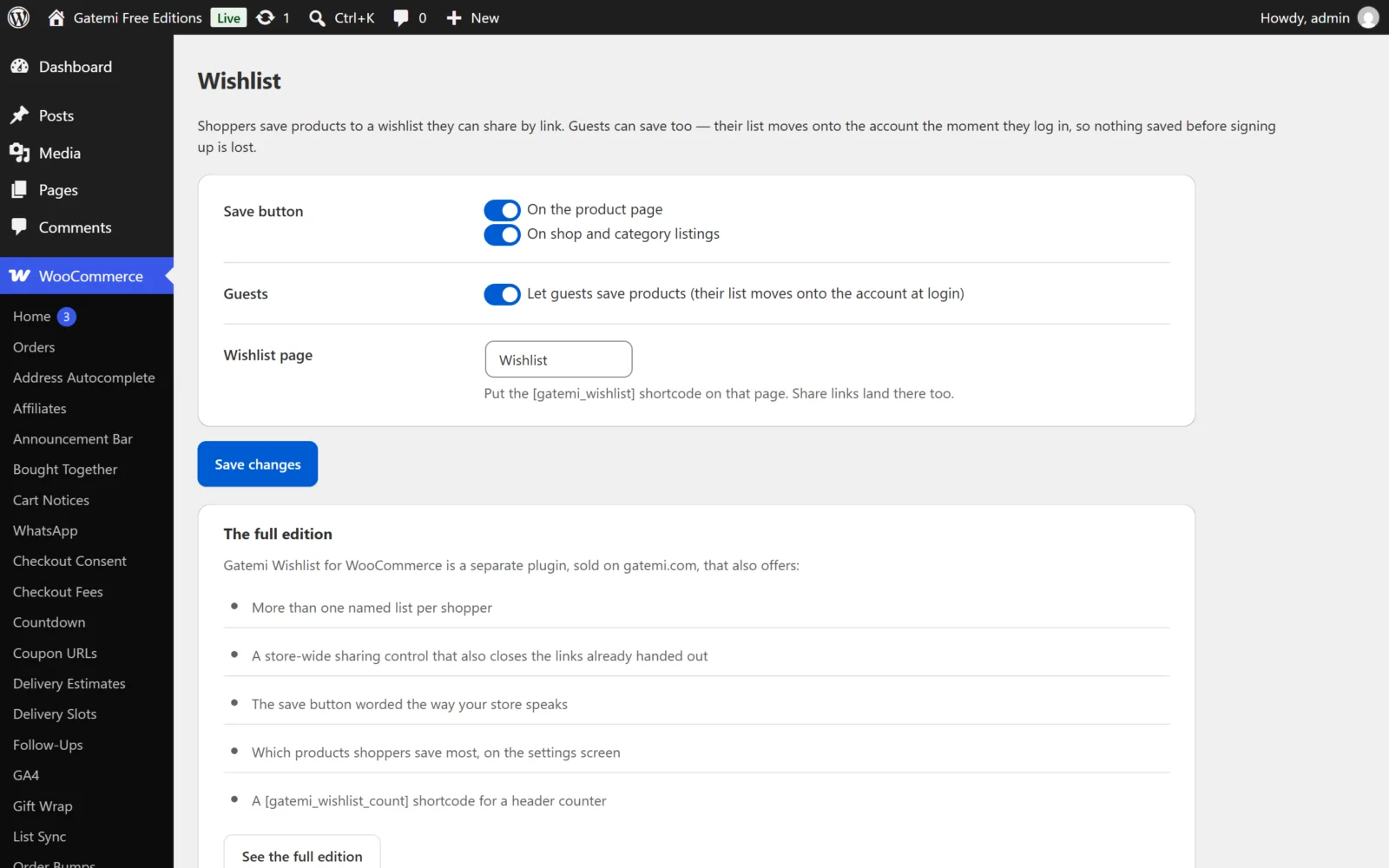
Save button on the product page and on shop/category listings, each switchable, with your own label
Multiple named wishlists per shopper, with a cap you control by filter
Guest wishlists, merged onto the account at login
Share a wishlist by link; shared views are strictly read-only
Wishlist page via the [gatemi_wishlist] shortcode, plus [gatemi_wishlist_count] for a header counter
Stock and price shown on the wishlist, with add-to-cart for what is available
"Most saved products" on the settings screen
Every license includes
One year of updates and priority support, delivered straight to your WordPress dashboard.
Use on 1, 5 or 25 sites depending on your license — local, staging and development sites are always free.
30-day money-back guarantee — full refund, no questions asked.
Keeps working after expiry — if you choose not to renew, the plugin keeps running exactly as installed; it simply stops receiving updates and support until you do.
Requires WordPress 6.4+ · PHP 7.4+ · tested up to WordPress 7.0. Works with the classic and block checkout alike.
Free edition or full edition?
This plugin has a free edition. It is a complete plugin in its own right, and upgrading keeps every setting and every record, so you can start free and buy when you need more.
What the full edition adds
What the full edition adds
Free
Full
Switch link sharing off, closing existing links
—
✓
Custom save-button label
—
✓
"Most saved products" insight on the settings screen
—
✓
Included in both editions (5)
Save button on the product page and shop listings, each switchable
Wishlist page via [gatemi_wishlist], with stock, price and add-to-cart
Guest wishlists, moved onto the account at login (never copied)
Share by random key; shared views are strictly read-only
Idempotent saving through a UNIQUE index
License
Single Site, Plus — 5 Sites, Agency — 25 Sites
Frequently asked questions
How does the license work?
Every license includes one year of updates and priority support, delivered straight to your WordPress dashboard. Choose the tier that matches how many production sites you run: 1, 5 or 25.
Which license do I need?
Count your live production sites — that's it. Local, staging and development sites (localhost, *.test, staging.*, dev.* and similar) are always free and never use up an activation.
What happens if I don't renew?
Nothing breaks. The plugin keeps working exactly as installed — it simply stops receiving updates and support until you renew. Renewing later reinstates both immediately.
Can I upgrade my license later?
Yes. Contact support any time and we'll move you to a higher tier — you only pay the difference, and your key and activations carry over.
Can I use it on client sites?
Absolutely. The Plus (5 sites) and Agency (25 sites) tiers are built for agencies — and if you run several Gatemi plugins across client stores, All Access usually works out cheaper.
What if it's not right for my store?
Tell us within 30 days and we refund the order in full — no questions asked. See the refund policy.
Changelog
Every release reaches your WordPress dashboard as an ordinary update while your licence is active.
Version 1.0.1Latest
Fixed: "Add to cart" on the wishlist page now sends a variable product, or any product that needs choices, to its own page with WooCommerce's own button wording, instead of to the cart with an error; a simple product still goes straight into the cart.
Fixed: a draft or private product can no longer be saved to a wishlist, and one saved earlier no longer appears on the wishlist page or on a shared link.
Fixed: logging in no longer gives a shopper more wishlists than your store allows; the products they saved as a guest are added to their existing list instead.
Fixed: guest wishlists and share links created from now on work on stores whose database compares text case-sensitively.
Improved: the "Add to cart" link on the wishlist page is styled as a button on block themes.
New: A Gatemi menu in the WordPress admin lists your Gatemi plugins with a link to each one's settings; this plugin's screen also stays under WooCommerce.
Improved: The settings screen has a refreshed design and fits a phone screen.
New: Translated into nine languages: Arabic, Chinese (Simplified), Dutch, French, German, Italian, Portuguese (Brazil), Russian and Spanish.
Improved: Tested with WordPress 7.1.
WordPress 6.4+ · PHP 7.4+
Version 1.0.0
First release.
WordPress 6.4+ · tested up to 7.0 · PHP 7.4+
5 reviews for Wishlist for WooCommerce
Rated 4 out of 5
Andrés (verified owner)–
Funciona bien, echo en falta alguna opción más. Hay una cosa que movería en la pantalla de Wishlist. Muy digno.
Rated 4 out of 5
Paul (verified owner)–
No real problems, but it took me a while to configure. Wishlist is a sensible bit of software.
Rated 4 out of 5
Irene N. (verified owner)–
Correcto, sin entusiasmar. La documentación de Wishlist podría ser más clara.
Rated 5 out of 5
rachel h (verified owner)–
Very happy indeed. I’ve rolled Wishlist out on three client sites now. Top marks.
Rated 5 out of 5
Simon W. (verified owner)–
Been on the shop since spring with no trouble at all. I haven’t had to think about Wishlist once, and that’s the point. Full marks.






Andrés (verified owner) –
Funciona bien, echo en falta alguna opción más. Hay una cosa que movería en la pantalla de Wishlist. Muy digno.
Paul (verified owner) –
No real problems, but it took me a while to configure. Wishlist is a sensible bit of software.
Irene N. (verified owner) –
Correcto, sin entusiasmar. La documentación de Wishlist podría ser más clara.
rachel h (verified owner) –
Very happy indeed. I’ve rolled Wishlist out on three client sites now. Top marks.
Simon W. (verified owner) –
Been on the shop since spring with no trouble at all. I haven’t had to think about Wishlist once, and that’s the point. Full marks.