
Everything lives on WooCommerce → Wishlist, which needs the manage_woocommerce capability.
- Free edition settings are stored in the option
gmwlf_settings. - Full edition settings are stored in
gmwl_settings.
They are separate options, so after moving to the full edition you set these choices once more.
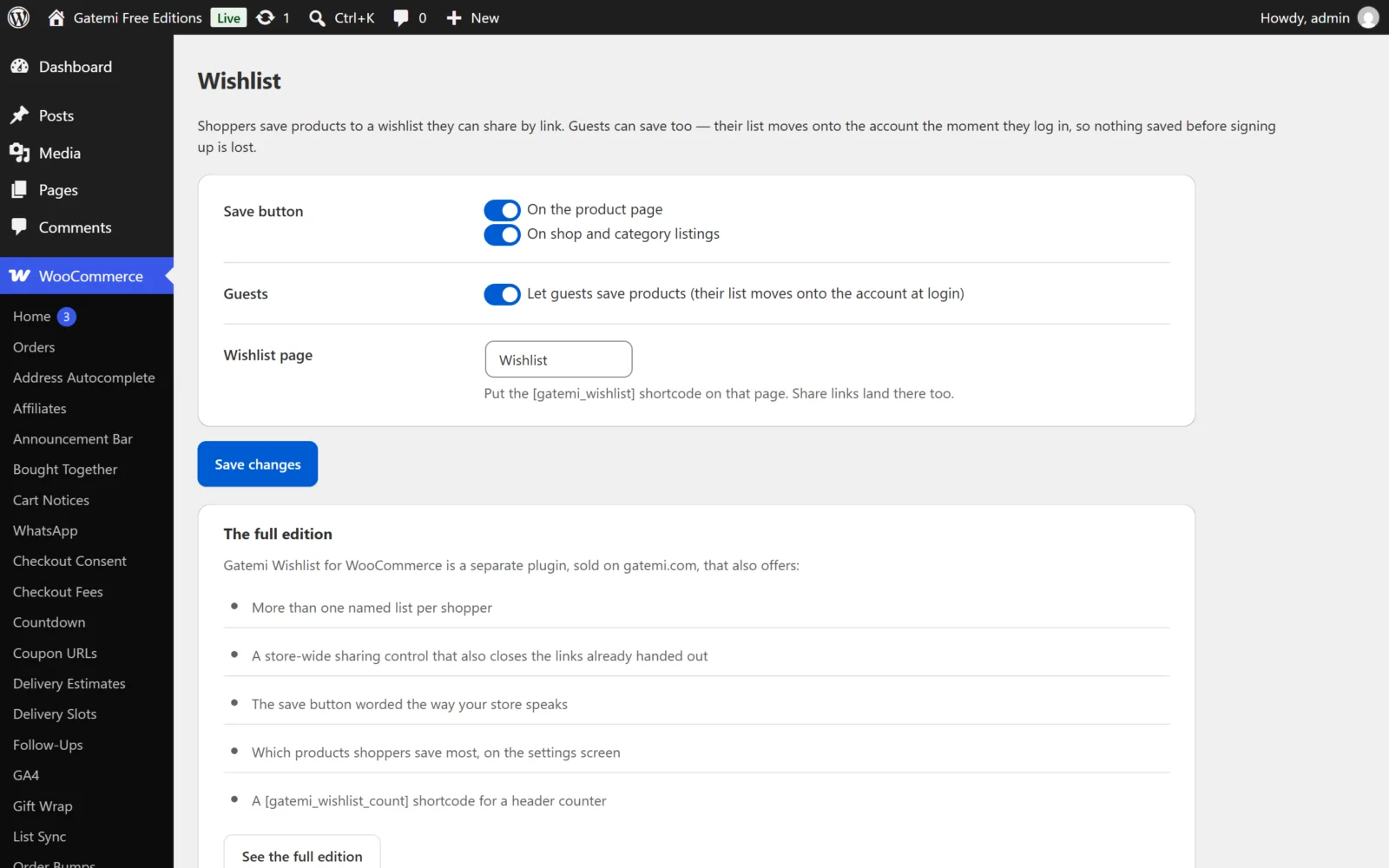
Both editions
| Label | Key | Default | What it does |
|---|---|---|---|
| On the product page | on_product |
on (yes) |
Shows the save button on single product pages, after the add-to-cart form. |
| On shop and category listings | on_archives |
on (yes) |
Shows the save button below each product in the shop loop. |
| Let guests save products (their list moves onto the account at login) | allow_guests |
on (yes) |
Off: signed-out visitors see Log in to save instead of the button, and the save endpoint refuses them. |
| Wishlist page | page_id |
none (0) |
The page holding [gatemi_wishlist]. Share links are built on this page's address. |
The free edition groups the first two under Save button, then Guests and Wishlist page.
Full edition
The full edition's screen has two sections.
Where the save button appears
| Label | Key | Default | What it does |
|---|---|---|---|
| On the product page | on_product |
on | As above |
| On shop and category listings | on_archives |
on | As above |
| Button label | button_label |
empty ("Add to wishlist") | The words on the button before a product is saved. The saved state always reads Saved. |
How wishlists work
| Label | Key | Default | What it does |
|---|---|---|---|
| Let guests save products (their lists move onto the account at login) | allow_guests |
on | As above |
| Let shoppers keep more than one list | multiple_lists |
on | Allows up to 20 lists per shopper (filterable with gmwl_max_lists). Off: one list each. |
| Let shoppers share a list by link (switching this off closes existing links too) | sharing |
on | Off: every share link answers "This wishlist is not available", including links already handed out. On again, the same links work again. |
| Wishlist page | page_id |
none | As above |
A shopper's first list is created automatically, named My wishlist, the first time they save something. On the wishlist page, a shopper with more than one list sees a row of tabs to switch between them, and each list has its own share link.
Version 1.0 has no storefront form for creating a second list: the save button always saves to the shopper's first list. Further lists are created through the gmwl_create_list endpoint (see the Developer reference), for example from a theme's own button.
Most saved products
Below the settings, the full edition lists the 10 products saved on the most wishlists, with the count beside each. It counts list entries, so a shopper who saves one product on two lists counts twice. Nothing is listed until shoppers have saved something.
For developers
A table of every filter the full edition applies. See the Developer reference.
License & updates
The card takes your gatemi.com licence key (GM-XXXXX-XXXXX-XXXXX-XXXXX-XXXXX), shows its status and offers Deactivate on this site. An expired licence keeps the plugin working; it only stops updates.
What the wishlist page shows
For each saved product that is still published:
- the product image and name, linking to the product,
- its price, as WooCommerce formats it,
- In stock or Out of stock,
- for an in-stock, purchasable product, an add-to-cart button: a simple product goes straight into the cart; anything else (a variable product, say) uses WooCommerce's own button and wording, which takes the shopper to the product to choose options,
- on the shopper's own list, a × to remove it.
A product that has since been deleted, or set to draft or private, simply drops out of the list. Below the list, the shopper sees Share this wishlist with the link to copy. A shared view shows none of the controls.