
Both editions keep their fields on WooCommerce → Registration Fields, in one shared option, gmrf_fields. Each field is one entry, keyed by its field key.
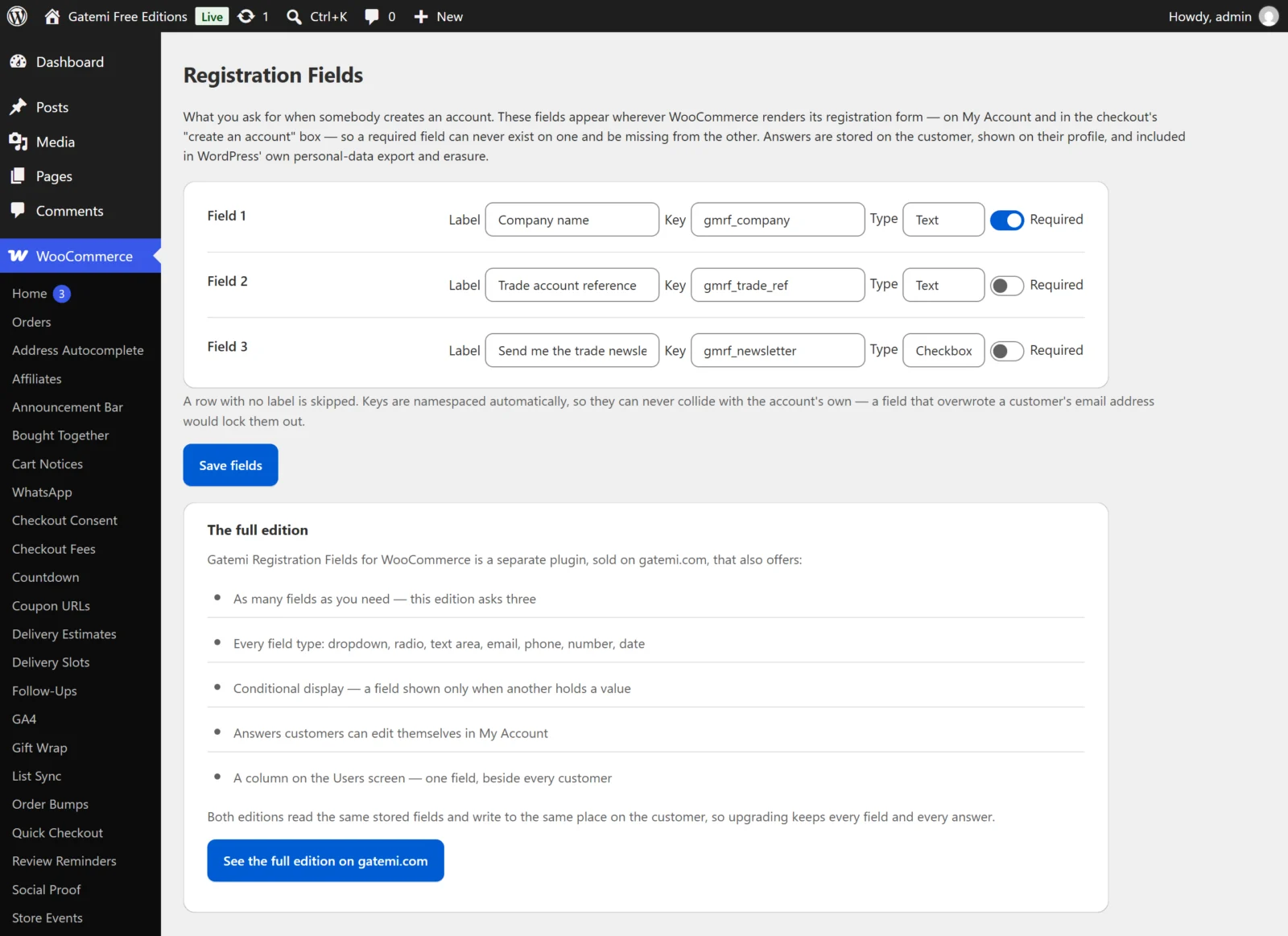
Free edition: three field rows
The screen shows Field 1, Field 2 and Field 3. Each row has:
| Control | Stored as | Default | What it does |
|---|---|---|---|
| Label | label |
empty | What the customer reads. A row with no label is skipped. |
| Key | the entry's key, and key |
made from the label | The field's internal name. Prefixed with gmrf_ once, so company becomes gmrf_company. |
| Type | type |
Text | Text or Checkbox. |
| Required | required |
off | Refuses the registration with "Label is a required field." when empty. |
Press Save fields. Clearing a row's label and saving removes that field from the form. Answers already given stay on the customers.
Fields the full edition configured that this edition does not show — past the third, of another type, switched off, or with a condition — are kept in the option untouched, and the screen says so. They come back when you upgrade. A field with a condition is never shown here at all, rather than shown without its condition.
Full edition: the field list — Full edition
Any number of rows. Add another field adds one; Remove takes one out ("It stops being asked; answers already given stay on the customers who gave them."). Each row:
| Control | Stored as | Default | What it does |
|---|---|---|---|
| Label | label |
empty | A field with no label is dropped |
| Key | entry key | from the label | Prefixed with gmrf_ once |
| Type | type |
Text | One of nine types, below |
| Order | priority |
0 | Lower comes first |
| Placeholder | placeholder |
empty | Hint text inside the box |
| Options (one per line) | options |
empty | For Dropdown and Radio buttons |
| Show only when this field | show_if |
empty | Another field's key — see conditions below |
| holds this value | show_value |
empty | The value that field must hold; empty means "any answer" |
| On | enabled |
on | Off: the field is not asked, its answers stay |
| Required | required |
off | Must be answered when shown |
| On the profile | show_admin |
on | Shown under Registration details on the user's profile |
| Customer can edit it later | editable |
off | Shown and saved on My Account → Account details |
Rows also carry a CSS class the field is printed with.
The nine field types
| Type | Stored as | What is kept |
|---|---|---|
| Text | text |
Plain text |
| Text area | textarea |
Plain text with line breaks |
| Dropdown | select |
The chosen option |
| Radio buttons | radio |
The chosen option |
| Checkbox | checkbox |
1 when ticked, nothing when not |
| Email address | email |
A valid email address, else nothing |
| Phone number | tel |
Plain text |
| Number | number |
A number, else nothing |
| Date | date |
YYYY-MM-DD, else nothing |
Options are typed one per line, either as a label alone or as key|Label:
retail|Shop
trade|Trade account
Wholesale
The key is what is stored; the label is what the customer and you read. A label alone makes its own key (Wholesale → wholesale).
A type that WordPress cannot recognise — for example one an extension added and has since been removed — is stored as plain text, the strictest reading.
Conditions
Show only when this field / holds this value shows a field only when another field on the form holds a value. Example: a checkbox gmrf_trade "I am a trade customer", and a text field "Company number" with Show only when this field gmrf_trade and the value left empty — the company number is asked only when the box is ticked.
The condition is decided on the server when the form is submitted. A field hidden by its condition is neither required nor stored.
Full edition: settings — Full edition
Stored in the option gmrf_settings:
Show one field as a column on the Users screen
- Key:
users_column· Default: off - With Which field (
users_column_field, default — None —) set, Users gets a column with that field's answer beside every customer.
Capability required to edit this screen
- Key:
capability· Default:manage_woocommerce - Who may open WooCommerce → Registration Fields. An empty value falls back to
manage_woocommerce.
License & updates
Enter the key from your gatemi.com account and press Activate. The card shows the status, how many of your sites are in use, and a Deactivate on this site button. Stored in gmrf_license. Without a key the plugin makes no external requests.
On the user's profile
Both editions add Registration details to Users → Edit user:
- a user who can
edit_users(an administrator, a shop manager) sees each answer in a text box and can change it; - anyone else sees the answers as text, and saving their profile leaves the answers unchanged.
Full edition: only fields with On the profile ticked are listed.