
When B2B reverse charge applies in the EU, what a WooCommerce shop must check and keep, what to do when VIES is down, and how to set it up.
A business customer in another EU country types a VAT number at your checkout and expects the VAT to come off. Sometimes it should. Often it should not. This guide covers when it should, what you have to check before you take it off, what to keep afterwards, and how to do all of it in WooCommerce.
Not legal or tax advice. This article explains the general EU rules and how our plugins behave. National rules differ, and your own situation may have exceptions. Check with your accountant or tax adviser before you change how your shop charges VAT.
The short version
For a sale to a business in another EU member state, the VAT usually comes off your invoice and the customer accounts for it in their own country. That is what people call reverse charge.
Before you take the VAT off, you need four things to be true:
- The customer's VAT number is valid, and you checked it — usually against the European Commission's VIES service.
- The number belongs to the same country as the customer.
- The customer is not in your own country. A business in your own country still pays your VAT.
- You actually want reverse charge to run on your shop at all.
And afterwards you need to be able to prove what you checked, when, and what the answer was — possibly years later.
The rest of this guide explains each of those, then shows how to set it up in WooCommerce.
Where the rules come from
The rules sit in the EU VAT Directive, Council Directive 2006/112/EC. Each member state writes them into its own law, so the exact wording you deal with is your country's, but the shape is the same everywhere.
There are two cases, and they use different articles.
Selling goods to a business in another member state. This is an intra-Community supply of goods. Article 138 exempts it from VAT in the seller's country when the goods are sent to another member state and the buyer is a taxable person identified for VAT in a member state other than the one the goods leave. Since 1 January 2020 — after the "quick fixes" amendment, Directive (EU) 2018/1910 — the buyer's VAT identification number is a condition of the exemption, not just a formality. The buyer then declares the purchase (an intra-Community acquisition) in their own country.
Selling services to a business in another member state. For most business-to-business services, Article 44 puts the place of supply where the customer is established. Article 196 then makes the customer, not you, liable for the VAT when you are not established in their country. That shift of liability is the reverse charge in the strict sense.
The European Commission's Your Europe page on cross-border VAT puts both in plain words: you do not charge VAT on goods to a business customer with a valid EU VAT number when the goods go to their country, and for services the customer pays VAT at the rate in their own country.
Two more obligations come with both cases:
- The invoice. The Commission's VAT invoicing page lists what a full invoice needs. For these sales that includes the customer's VAT identification number and, where the customer is liable for the VAT, the words "Reverse charge" (Article 226 of the Directive).
- The recapitulative statement (often called the EC Sales List). You report these sales to your own tax authority, with each customer's VAT number. The VIES FAQ notes that the number you put on that statement must be correct.
There are also special domestic reverse-charge regimes for particular sectors in some countries. They are a different thing and are not covered here.
The four checks, and the failure each one prevents
1. The number is valid — and you checked it
A VAT number typed into a form is a claim. The customer may have made a typo, used an old number, or simply typed a number that is not theirs.
The Commission runs VIES (the VAT Information Exchange System) so that a business can confirm a number. In the Commission's own words on the VIES site, there is no EU-level VAT database: each check is sent to the database of the member state that issued the number, and the reply comes back in a few seconds. The answer is either valid or invalid — or the service, or that member state's part of it, is unavailable.
What goes wrong without it: you remove the VAT for a customer whose number is not valid. The exemption does not apply, so you owe the VAT you did not charge.
VIES also has a habit worth knowing: it wants the number as one string, upper case, no spaces or dots. Customers type de 123 456 789 and DE-123.456.789. A checker that sends what was typed will be told "invalid" about perfectly good numbers. A good checker cleans the number first.
2. The number's country matches the customer's country
A VAT number starts with a country prefix. A German business has a DE number. If your customer's billing address is in Germany but their number starts FR, something does not add up: either the number belongs to a different business, or the customer is buying for a French entity and the address is wrong.
What goes wrong without it: a valid number from one country is used to claim an exemption on a sale that is really going somewhere else.
Two prefixes do not match the country code you might expect:
- Greece files under
EL, notGR. WooCommerce stores a Greek address with the country codeGR, but a Greek VAT number startsEL. VIES lists Greece as "EL-Greece". A checker that simply compares the billing country with the prefix will refuse every Greek customer. - Northern Ireland uses
XI. Since 1 January 2021, VIES no longer checks UK (GB) numbers, but it does checkXInumbers for businesses trading goods under the arrangements for Northern Ireland. HMRC explains on GOV.UK that theXIprefix is used for goods moving between Northern Ireland and the EU, and is not needed for services. Note that WooCommerce has no separate country for Northern Ireland — its addresses are "United Kingdom (UK)", codeGB— which matters below.
3. The customer is not in your own country
This is the check people forget. A Dutch shop selling to a Dutch business charges Dutch VAT, whatever VAT number the customer has. Reverse charge for services needs a supplier who is not established in the customer's country; the goods exemption needs the goods to leave your country. Neither is true for a domestic sale.
What goes wrong without it: every domestic trade order goes out without VAT, and the shop is short its own VAT rate on all of them. Because the customer's number really is valid, nothing looks wrong at the checkout. It shows up at the end of the quarter.
We wrote a whole post on this one: Reverse charge in your own country: why domestic B2B is still taxed.
4. You meant it
Some shops sell only to consumers, or only domestically, or have an accountant who wants every invoice to carry VAT. A plugin should let you switch reverse charge off, and when it is off nothing should come off.
What evidence to keep
An exemption is something you may have to explain to a tax inspector years later. "The checkout said it was fine" is not an explanation. What you want on each order is:
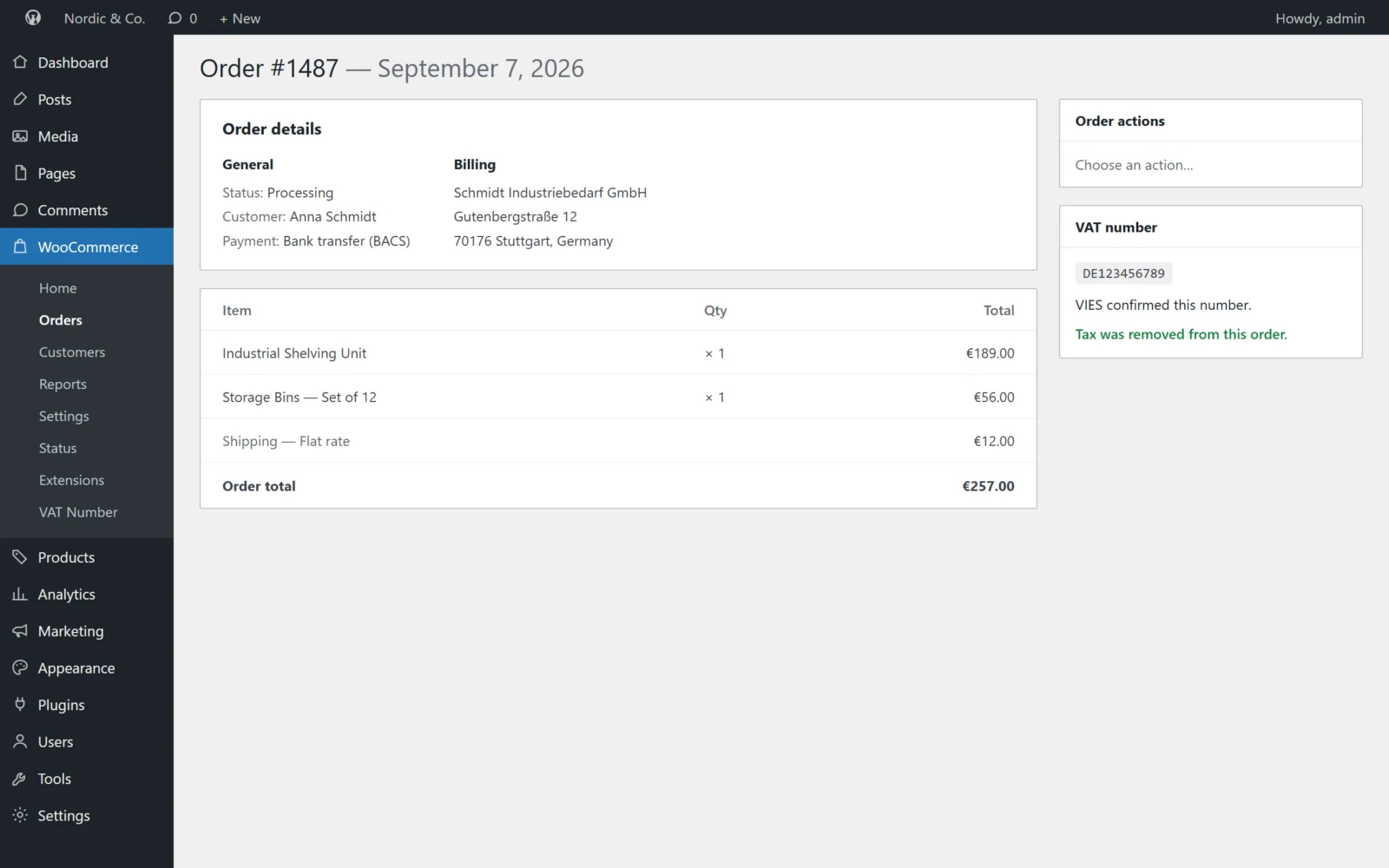
- The number as it was checked — cleaned up, not as typed.
- The answer — valid, invalid, or unavailable.
- When you checked.
- The name and address VIES returned, if any. Some member states do not disclose them; the VIES help says those fields then show
---. - Whether the VAT actually came off on this order.
- The consultation number, if you have one.
That last item needs explaining. The VIES help text says that if you put your own VAT number in the requester field, the reply contains a unique consultation number, and that you should keep it if you want to be able to prove to a tax administration that you checked a given number at a given time and got a given reply. Without your own number in the request, VIES answers the question but gives you nothing to show for it afterwards. More on this in What a VIES check proves (and what it doesn't).
The same VIES help adds an important caution: a valid VAT number is only one of the elements of evidence for the goods exemption or for services being taxed in another member state. For goods, you also need evidence the goods left your country. A VAT plugin keeps the VAT-number half of the file. Transport documents, invoices and the recapitulative statement are the rest, and they are yours to keep.
When VIES is down
VIES depends on 27 national databases plus Northern Ireland's. Its own help pages list routine maintenance windows for many of them — some nightly, some at weekends. It also refuses requests when too many arrive at once. At some point a customer will place an order while their country's database is not answering.
You then have two choices:
- Fail closed: treat the number as not confirmed and charge the VAT. If the number turns out to be valid, you refund the VAT afterwards.
- Fail open: accept the number anyway and take the VAT off.
Failing closed costs you a refund and a slightly annoyed customer. Failing open can cost you the VAT, if the number turns out not to be valid — and you have no proof you checked. The VIES FAQ itself says that if you believe a customer is not a taxable person, you should not exempt the supply.
We explain the trade-off in more detail in VIES is down: what your checkout should do.
Doing it in WooCommerce
What WooCommerce gives you
WooCommerce has tax rates, tax classes and a per-customer VAT exempt flag (WC_Customer::set_is_vat_exempt()). When that flag is set, WooCommerce calculates the cart without tax.
What WooCommerce core does not have is a VAT number field, a VIES check, or any rule about when the exempt flag should be set. That is plugin territory.
Classic checkout and block checkout
WooCommerce has two checkouts, and a plugin has to handle both:
- The classic checkout (the
[woocommerce_checkout]shortcode) builds its form from thewoocommerce_checkout_fieldsfilter and runs a set of PHP hooks as the customer types and submits. - The Checkout block — the default on new stores — is rendered in the browser and talks to WooCommerce through the Store API. It fires none of the classic checkout hooks. Fields are added through WooCommerce's own Additional Checkout Fields API (WooCommerce 8.9 and later).
A plugin that only hooks into the classic checkout shows nothing at all on a block checkout. Check which one your shop uses before you trust any VAT plugin.
The safe place to apply the exemption on both is the customer's own VAT-exempt flag. The classic cart, the Cart and Checkout blocks and the Store API all read their totals through it, so the totals the customer sees and the totals on the order agree.
A worked example
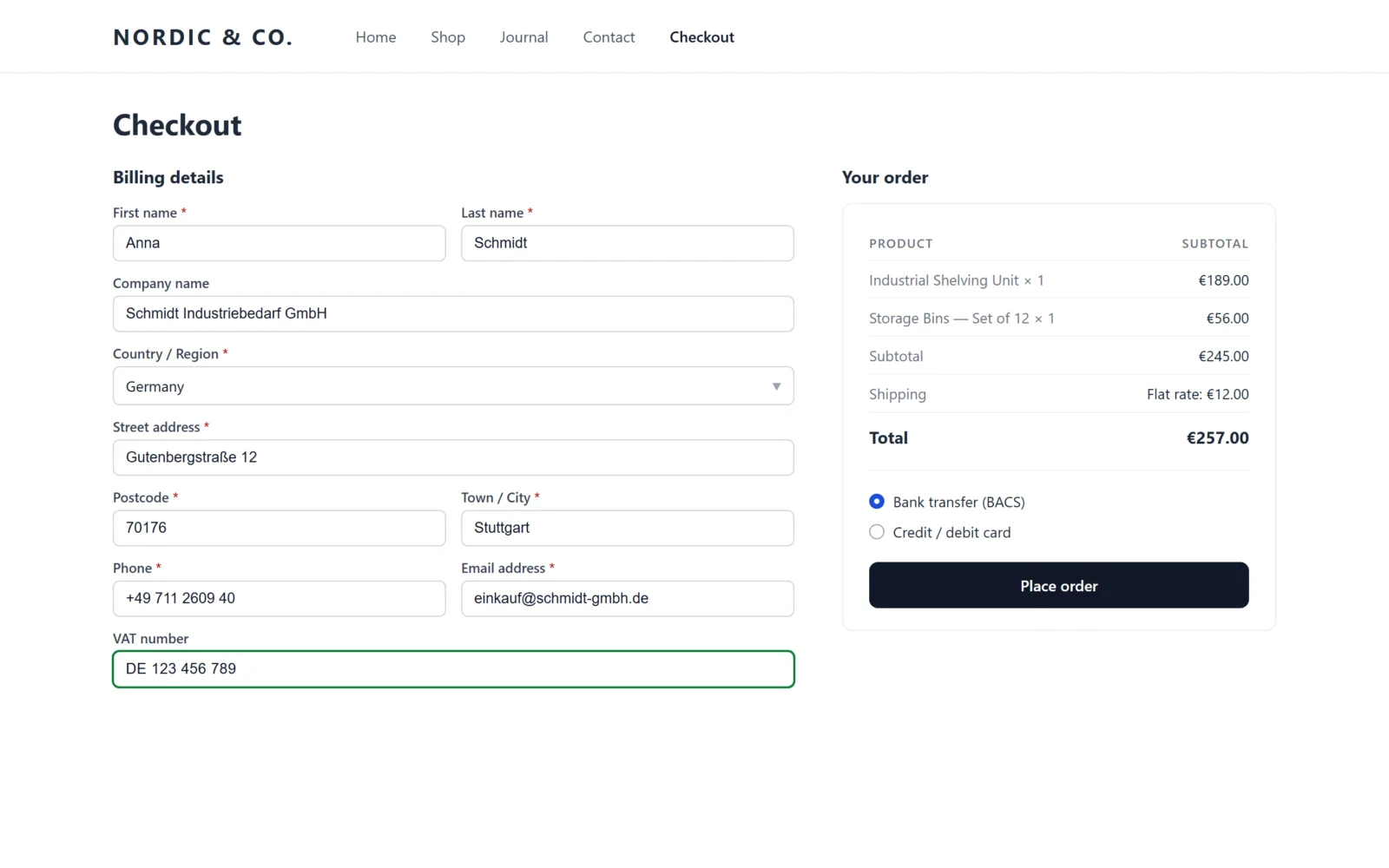
Take an example shop: Brouwer Koffie, an online shop in the Netherlands selling espresso machines to cafés and offices across the EU. Its WooCommerce store address is in Amsterdam, so its own country is NL. For the arithmetic, assume the Dutch standard rate is 21% — check the current rate for your own country before relying on any number here. Every order below is €1,000 before VAT.
| Customer | Billing country | VAT number given | VIES says | VAT charged | Why |
|---|---|---|---|---|---|
| Café in Berlin | DE | DE123456789 | valid | €0 | Valid, country matches, not NL |
| Office in Utrecht | NL | NL123456789B01 | valid | €210 | Valid, but in Brouwer's own country |
| Café in Munich | DE | FR12345678901 | valid | €210 | Number is French, address is German |
| Hotel in Athens | GR | EL123456789 | valid | €0 | EL is Greece's prefix for country GR |
| Bar in Lyon | FR | FR12345678901 | unavailable | €210 | Not confirmed; refund later if valid |
| Café in Vienna | AT | U12345678 (no AT) |
not asked | — | No country prefix, so not a VAT number; the order is stopped until it is fixed |
(The VAT numbers here are illustrative, not real businesses.)
A few things to notice:
- The Utrecht office has a perfectly valid number. A plugin that only asks "is it valid?" would have taken €210 off. Brouwer would owe it anyway.
- The Lyon bar pays the VAT today. If its number is confirmed later, Brouwer refunds €210 and keeps a record of the check it did then.
- For the Berlin café, Brouwer's invoice should show the customer's VAT number and the "Reverse charge" mention, and the sale goes on Brouwer's recapitulative statement. The plugin removes the VAT and keeps the check; the invoice wording and the statement are done in Brouwer's invoicing and accounting.
How the Gatemi plugins handle it
We make two plugins for this: a free one on wordpress.org and a full edition sold on gatemi.com. They apply the same four rules and store the same data, so you can start on one and move to the other without losing anything.
Gatemi EU VAT Number (free)
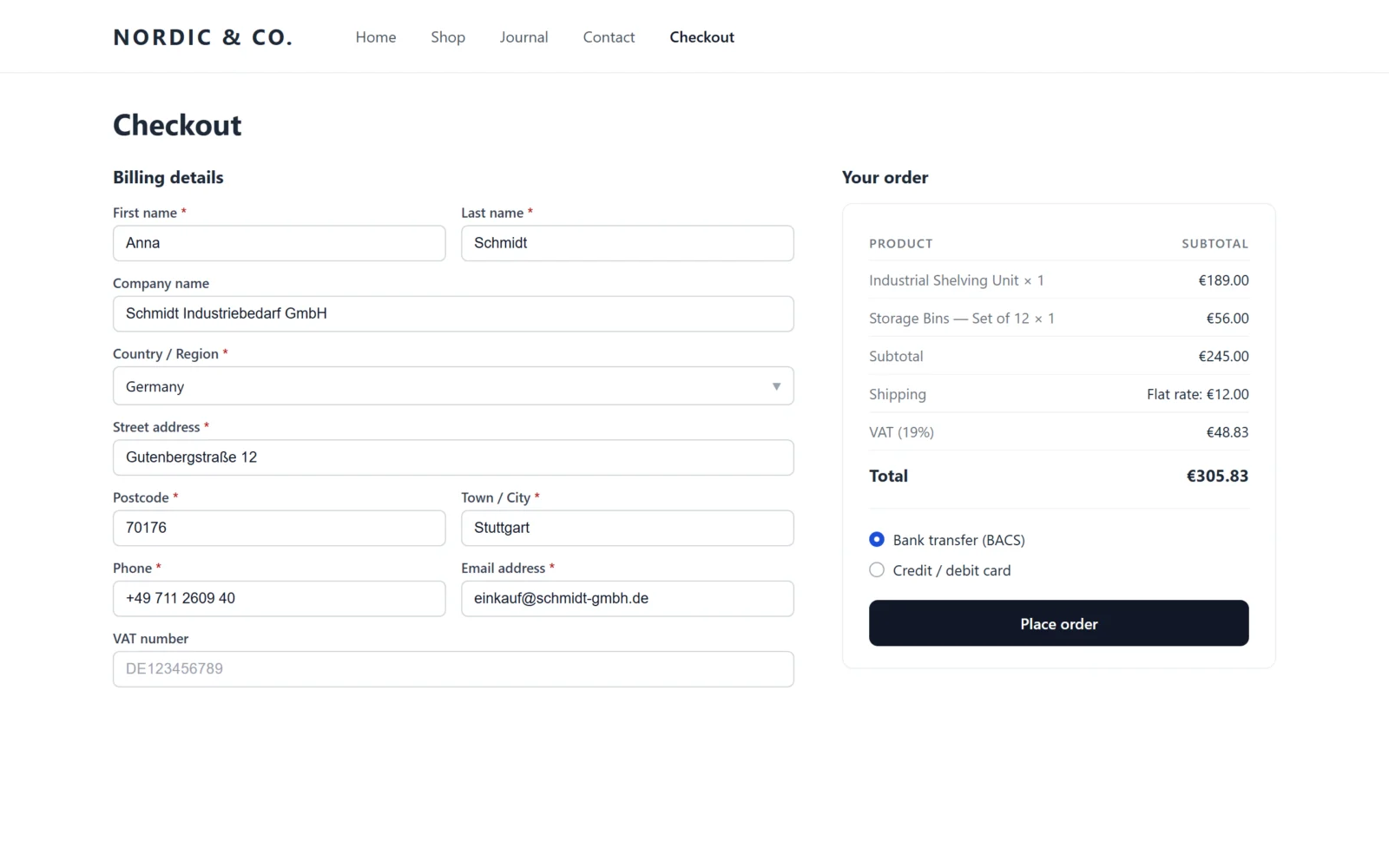
Gatemi EU VAT Number adds a VAT number field to the billing section of the classic checkout, and — on WooCommerce 8.9 or later — to the Checkout block through WooCommerce's own Additional Checkout Fields API.
What it does, check by check:
- Valid, and checked. The number is cleaned (spaces, dots and dashes removed, upper-cased), given a basic shape check, then sent to the VIES REST service. Only the number and its country prefix are sent. The answer is remembered for the customer's session so that each keystroke or address change does not ask VIES again — except an "unavailable" answer, which is kept for one minute at most so the check runs again once VIES is back. A number VIES calls invalid, or one that is not shaped like a VAT number, stops the order with a message.
- Country match. The number's prefix must match the billing country, with Greece's
GRmatched toEL. - Not your own country. Your country comes from the plugin's setting or, if you leave it empty, from your WooCommerce store address. A customer in that country is never exempted.
- Switched on. There is a setting to turn the field off.
- VIES down. It fails closed: an unavailable answer never takes the VAT off, and never stops the order. The sentence you write for that case is shown to the customer — as a notice on the classic checkout, and on the order-received page after either checkout.
- Evidence. Each order keeps the number as checked, the verdict, the time of the check (UTC), the name and address VIES returned, whether the VAT came off, and a consultation number if VIES returned one. All of it is shown in a "VAT number" box on the order screen.
What the free edition does not do: it does not send your own VAT number to VIES as the requester, so VIES does not return consultation numbers to it.
Northern Ireland, in both editions: because WooCommerce records Northern Ireland addresses as country GB, the plugins match an XI number to a GB billing address when the order has goods to deliver and the delivery postcode begins BT. An XI number on an order of downloads or services, or with a delivery elsewhere in the UK, does not match — the prefix covers goods, not services — and the checkout says why the VAT stayed on. No code is needed for this.
Gatemi VAT Number for WooCommerce (full edition)
Gatemi VAT Number for WooCommerce does everything above and adds:
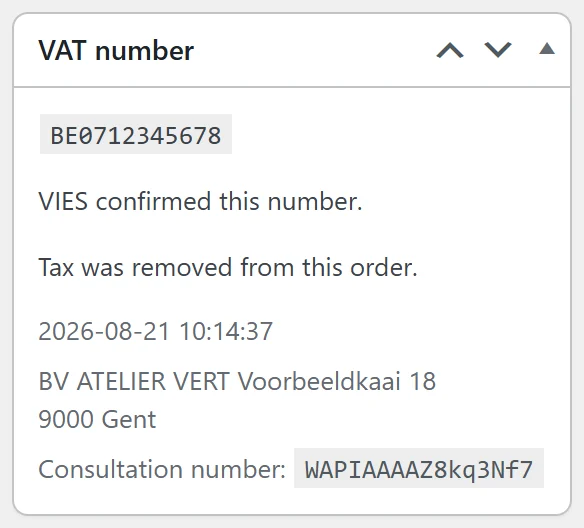
- Your own VAT number as the requester. Enter it in the settings and every check is made as a requester, so VIES returns a consultation number, which is stored on the order.
- A test lookup on the settings screen that asks VIES about a number for real, so you can see what a customer would get.
- How long an answer is remembered, through the
gmvat_cache_ttlfilter (an hour by default). - Two judgement calls, both off by default: accepting a well-formed number when VIES cannot be reached, and exempting customers in your own country. The settings screen explains what each one costs. Most shops should leave both off.
Both editions store their settings in the same option and write the same order meta, so upgrading keeps your configuration and every past order still reads. When the full edition is active, the free edition stands down.
A checklist before you switch it on
- Your WooCommerce store address (or the plugin's own-country setting) is your real country of establishment.
- You know whether your shop uses the classic checkout or the Checkout block, and you have placed a test order on it.
- Your invoices show the customer's VAT number and "Reverse charge" when the VAT was removed.
- Your accountant knows these orders go on the recapitulative statement.
- You have decided what you will tell customers whose number could not be checked, and how you will refund them once it is confirmed.
- For goods, you keep proof of transport to the other member state.
Sources
- Council Directive 2006/112/EC (VAT Directive), EUR-Lex — Articles 44, 138, 196, 226
- Council Directive (EU) 2018/1910 ("quick fixes"), EUR-Lex
- VIES VAT number validation, European Commission — help and FAQ
- VAT invoicing rules, European Commission
- Cross-border VAT, Your Europe
- VAT on movements of goods between Northern Ireland and the EU, GOV.UK
Next step
If you want the four checks and the evidence on your shop today, install Gatemi EU VAT Number from wordpress.org and follow the getting started guide.