
The flow of one registration
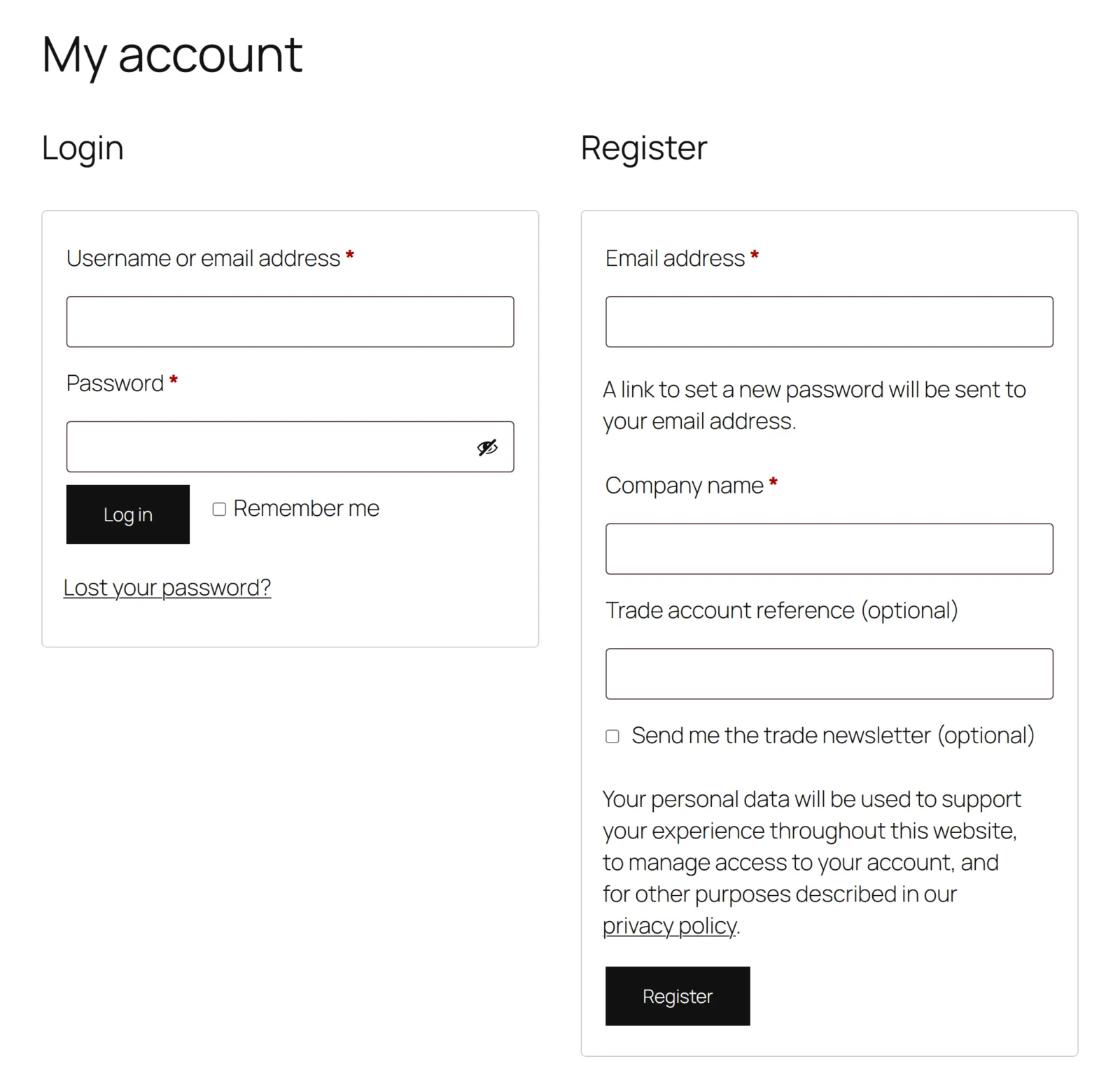
- A visitor opens the Register form on My Account, or ticks "create an account" on the classic checkout.
- WooCommerce fires
woocommerce_register_form(My Account) orwoocommerce_after_checkout_registration_form(classic checkout). The plugin prints each field there with WooCommerce's ownwoocommerce_form_field(), so the fields look like the rest of your form, plus a hidden marker,gmrf_form. - The visitor submits. WooCommerce checks its nonce and its own fields, then runs the
woocommerce_registration_errorsfilter. If the marker came back, the plugin adds an error for each required field that is empty (Full edition: and a "not a valid answer" error for a value its type or its option list rejects). If it did not — an account created by the block checkout, the REST API or another plugin — nothing is checked and nothing is stored, because those fields were never shown. - If anything failed, WooCommerce shows the errors and prints the form again — and the plugin fills each of its fields with what the visitor just typed, read back from the submission.
- If nothing failed, WooCommerce creates the account and fires
woocommerce_created_customer. The plugin stores each answer on the new user.
A rejected registration keeps what was typed
WooCommerce re-renders the form after an error. A plugin that renders its fields only from its settings hands the customer an empty box next to the one complaint, so they retype every answer to fix one. Reading the submission back is four lines of code and the most common complaint in this category.
Where answers are stored
Each answer is user meta on the customer's account, never on an order: a registration answer is a fact about the customer, given before they have bought anything.
- A field's key always starts with
gmrf_(added once if you did not type it). The answer is stored under that key with_gmrf_in front: the fieldgmrf_companyis stored as_gmrf_gmrf_company. - Because every key is namespaced, a field can never be called
user_emailoruser_login. A field that overwrote a customer's email address would lock them out of their own account. - An unanswered field stores nothing, so "never answered" and "answered with nothing" are the same: no meta. An export then does not list a question with a blank beside it.
- A checkbox stores
1when ticked and nothing when not. It is shown as "Yes" or "No".
Personal data
The answers are personal data, and the plugin uses WordPress' own privacy tools rather than a screen of its own:
- Tools → Export Personal Data includes a Registration details group with each answer.
- Tools → Erase Personal Data removes every answer.
A customer asking a store for their data expects one export. A plugin with its own export button is data the store forgets to include.
On the profile
Users → Edit user shows a Registration details section. Somebody who can edit_users gets a text box per answer and can correct it; emptying a box removes the answer. Anybody else sees the answers as text, and saving their profile leaves the answers alone. An answer whose box was not on the posted form is never touched.
Full edition: conditional fields
A field can be shown only when another field holds a value (Show only when this field / holds this value). A small script shows and hides the field while the visitor fills the form in, but the decision that counts is made on the server from what was submitted:
- a hidden field is not validated, so a required question the visitor never saw cannot refuse their registration;
- a hidden field is not stored.
The free edition does not evaluate conditions. A field that carries one is simply not shown in the free edition — never shown without its condition.
Full edition: answers the customer edits
A field with Customer can edit it later ticked appears on My Account → Account details, filled with the stored answer. Saving there validates required fields and stores the new answer; emptying the box removes it. A field not marked editable is never written from that form, even if somebody posts its name: the field list decides, not the page.
Full edition: dropdowns and radio buttons
The answer is stored as the option's key and shown everywhere — profile, export, Users column — as the option's label, so renaming an option's label updates how past answers read.