
Everything is on one screen: WooCommerce → Product Compliance. You need the manage_woocommerce capability (shop managers and administrators) to see it.
The settings are stored in one option, gmpc_settings, shared by both editions so an upgrade keeps them.
What a shopper sees
| Setting | Default | Edition | What it does |
|---|---|---|---|
| Show the declaration on the product page, above the add-to-cart button | On | Both | Prints the declaration in the product summary. Turn it off to hide it from the storefront. Orders still get their copy either way — the copy onto order lines does not depend on this switch. |
| Also give it a "Product safety" tab beside the description | Off | Full edition | Adds a "Product safety" tab to WooCommerce's product tabs, showing the same declaration. The summary block stays; the tab is an addition. |
| Guarantee text | Empty | Both | A text of your own about your guarantee, shown at the foot of every declaration and copied onto every order line. Line breaks are kept; markup is removed. Empty means none. It is not the EU harmonised legal-guarantee notice — see below. |
| Market to declare for when the shopper's country does not say | European Union | Full edition | The fallback market for choosing records — see Markets. |
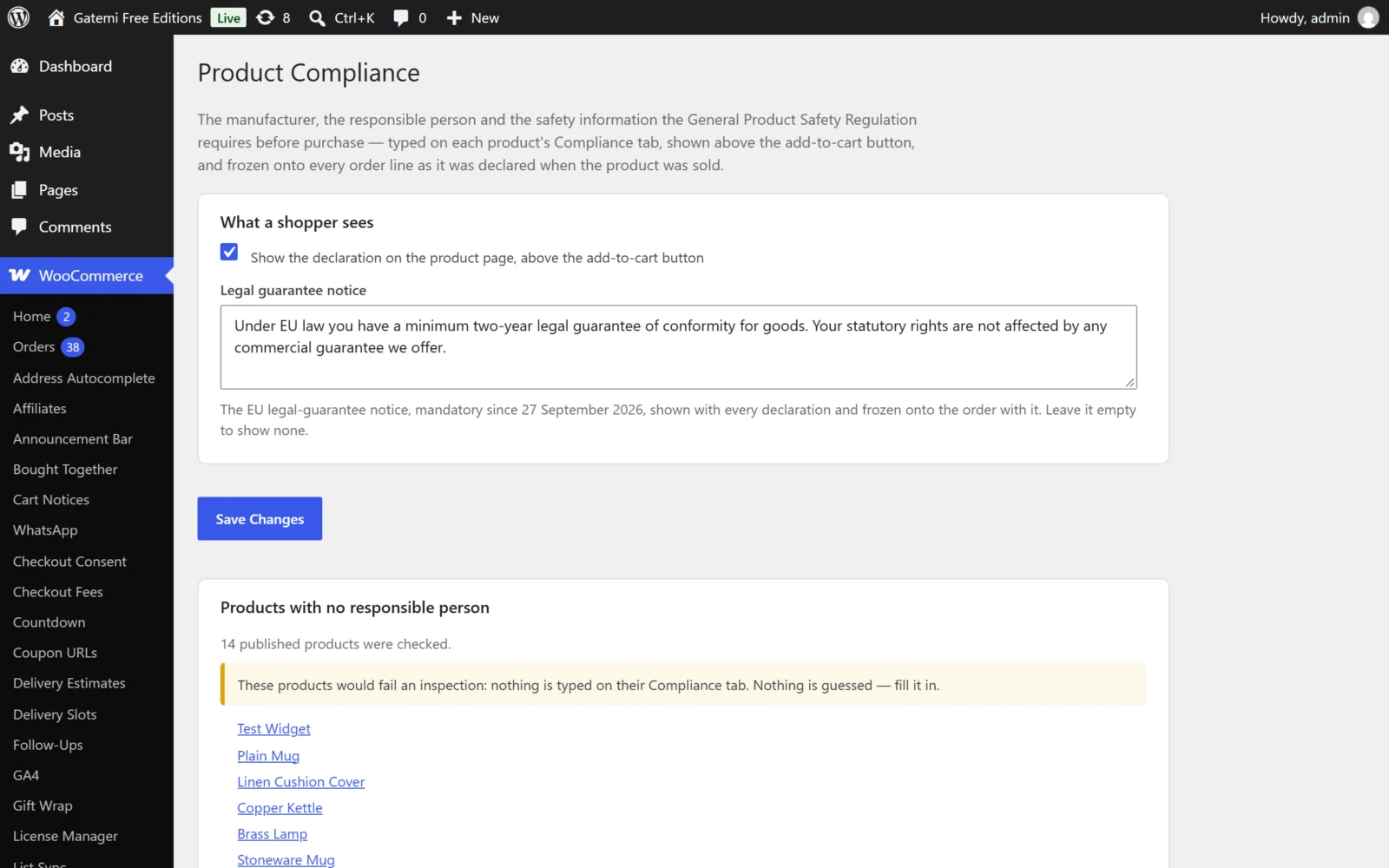
Stored values: enabled (yes/no), guarantee_notice (text), placement (summary, or both for the tab), market (eu or uk).
About the guarantee text
If any text is in this box, every product page shows the "Product safety and compliance" block with the text — even a product with nothing declared — and every order line gets a copy, under the label Guarantee. (Earlier versions called the box "Legal guarantee notice"; the stored value, guarantee_notice, is unchanged.)
Use it for something of your own — for example, how a customer claims under the legal guarantee. It is not the EU harmonised legal-guarantee notice. From 27 September 2026, Directive (EU) 2024/825 requires that notice in the fixed design set by Implementing Regulation (EU) 2025/1960 — a coloured graphic with a QR code whose elements cannot be edited. Text typed in this box does not meet that obligation; show the official notice as the Commission publishes it, through your theme, where your adviser says it belongs.
Markets
Full edition. Records can be written for every market, the European Union or the United Kingdom. For each request the plugin works out the shopper's market from:
- their shipping country,
- else their billing country,
- else your store's base country (WooCommerce → Settings → General),
- else the fallback market setting.
GB means the UK market; any other country means the EU market. Northern Ireland addresses are GB in WooCommerce and are treated as UK — a shop selling there under EU rules can use "every market" records.
The free edition has no records and no markets: every shopper sees what is typed on the product.
Compliance records
Full edition. Below the settings, the Compliance records card lists every saved record and one empty Add a record row. Each record has:
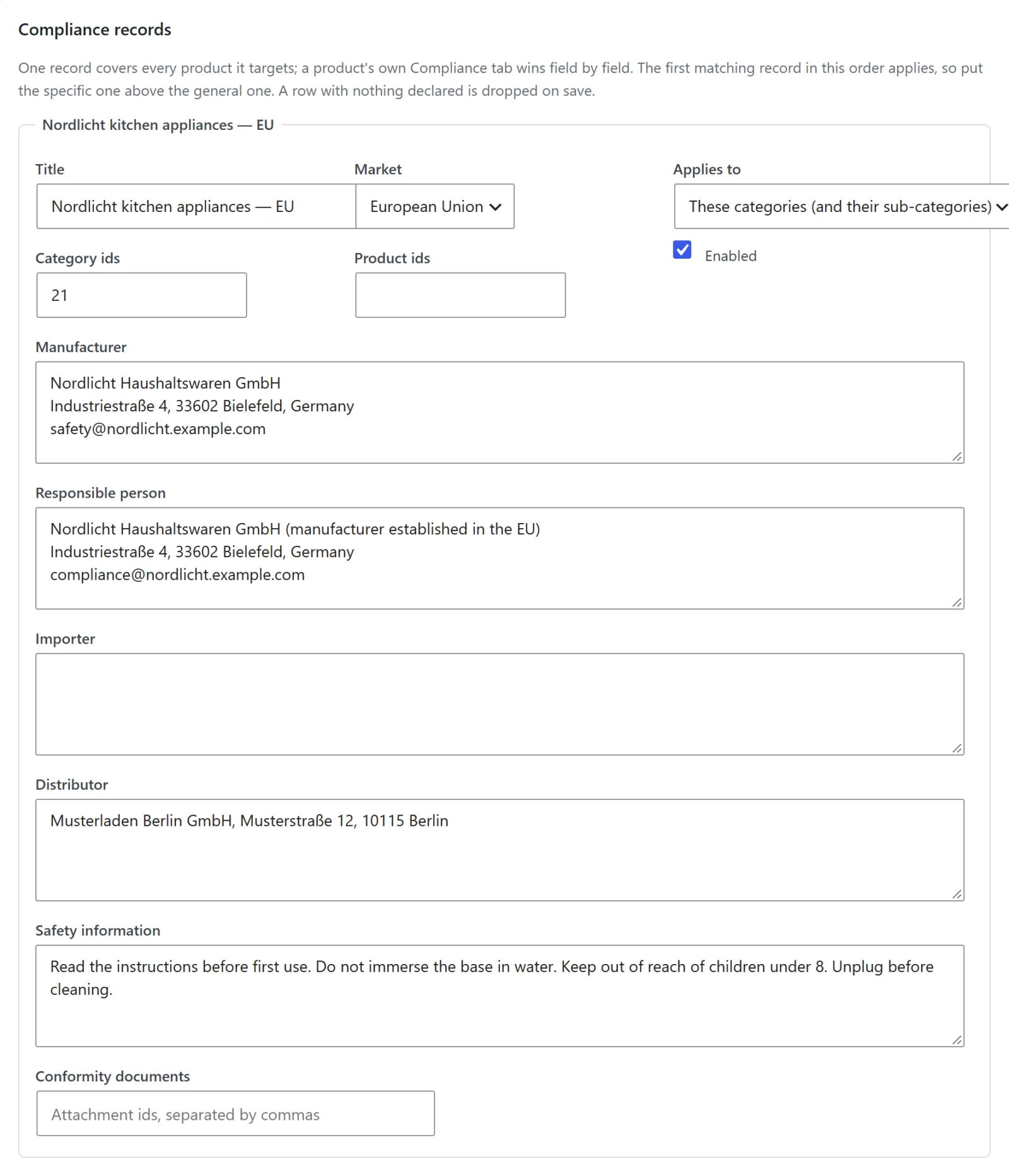
| Field | Values | Notes |
|---|---|---|
| Title | Text | For your own reference; shown as the row's heading. |
| Market | Every market / European Union / United Kingdom | Default: every market. |
| Applies to | Every product / These categories (and their sub-categories) / These products | Default: every product. |
| Category ids | Comma- or space-separated product category ids | Used when Applies to is categories. A category record with no ids covers nothing. |
| Product ids | Comma- or space-separated product ids | Used when Applies to is products. Use parent ids for variable products. |
| Enabled | On / off | Default: on. A disabled record is kept but never applied. |
| Manufacturer, Responsible person, Importer, Distributor, Safety information | Text with line breaks | |
| Conformity documents | Attachment ids, separated by commas | Media-library files; shown as links by their titles. |
Order matters: the first enabled record that covers a product, for the shopper's market, is the one used. Put specific records above general ones. A row with nothing in any of the six fields is dropped when you save. Records are stored in the gmpc_records option.
Products that need a responsible person
A report, not a setting: every published simple and variable product that ends up with no responsible person — after records, in the full edition — linked to its editor. A product whose manufacturer's address ends in an EU member state is not listed: a manufacturer established in the EU is itself the economic operator the GPSR asks for, and the separate responsible-person line applies only when the manufacturer is outside the EU. The plugin reads only the last line or comma-separated part of the address, and recognises the 27 member states by their English names and their own ("Germany" or "Deutschland") — never by two-letter codes, since DE is also Delaware. "Northern Ireland" counts as the United Kingdom. When it cannot tell, the product stays on the list. The free edition checks up to 200 products, the full edition up to 500; the card says if it stopped early.
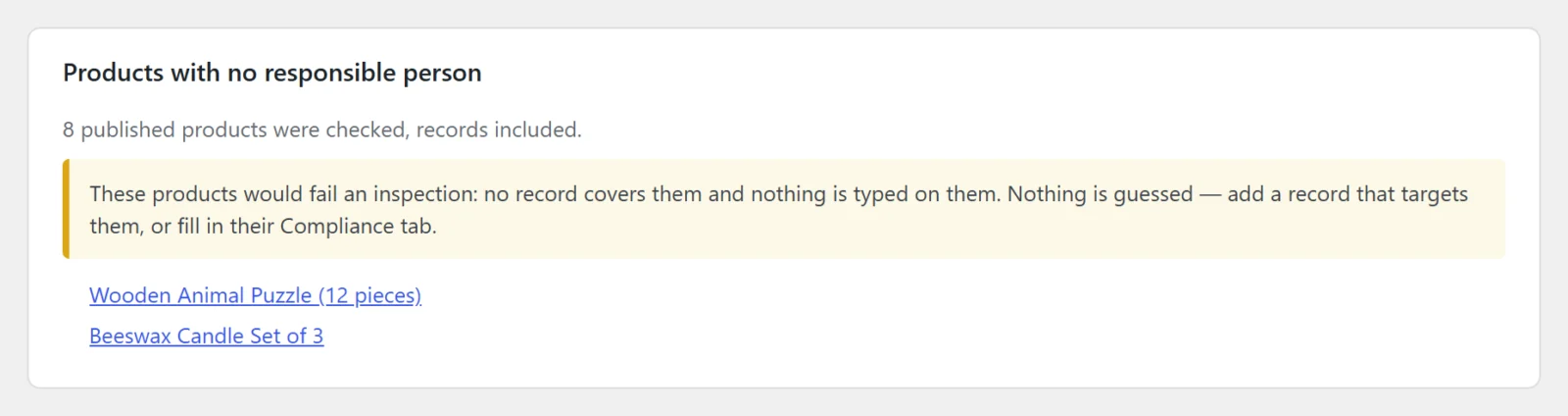
In wp-admin there is no shopper address, so in the full edition the report is judged for the market your store's base country resolves to.
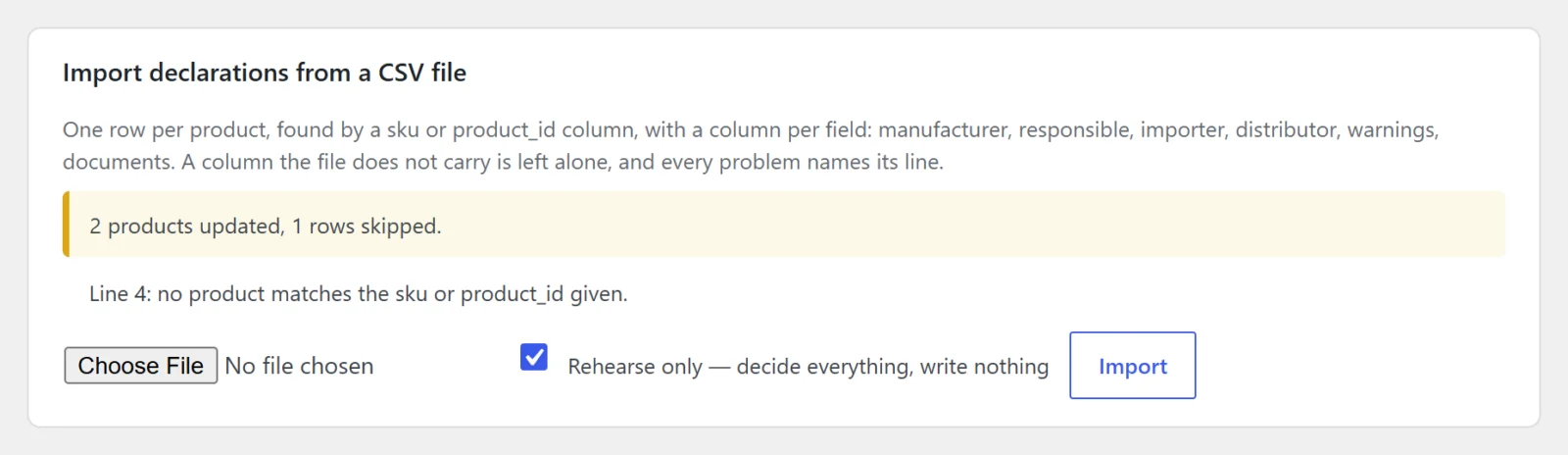
Import declarations from a CSV file
Full edition. Upload a CSV, optionally tick Rehearse only — decide everything, write nothing, and press Import. See CSV import.
License & updates
Full edition. Enter your gatemi.com license key to receive updates. The plugin contacts gatemi.com only when a key is entered — to activate or deactivate it, to re-check it twice a day, and to ask for updates — sending the key, your site address and the plugin version. A network failure never changes the license state.
For developers
Full edition. A table of every filter the plugin applies. See Developer reference.
The product's Compliance tab
Not on this screen, but part of the configuration: each product's Product data → Compliance tab holds that product's own fields (three in the free edition, six in the full edition). An emptied box removes the value, so the product falls back to the record that covers it.