Gatemi Product Tabs adds custom tabs to your product pages: sizing guides, shipping details, care instructions, warranties — written per product right in the product editor, or once as a global tab applied to all products or chosen categories.
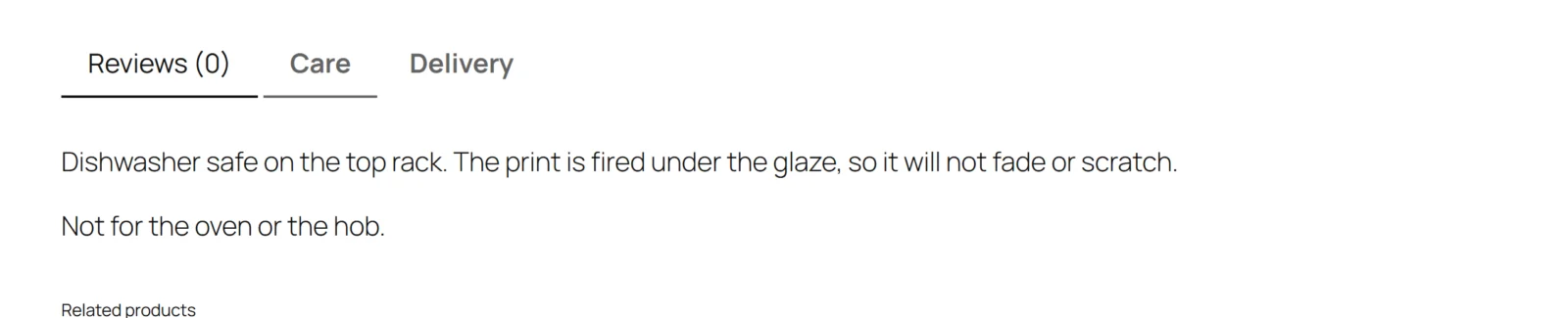
Tabs render through WooCommerce's own tab area. The plugin adds entries to the same filter your theme and WooCommerce use, so custom tabs look exactly like the tabs the theme ships — no CSS to fight, nothing re-implemented. WooCommerce's three built-in tabs (Description, Additional information, Reviews) can each be switched off.
Features
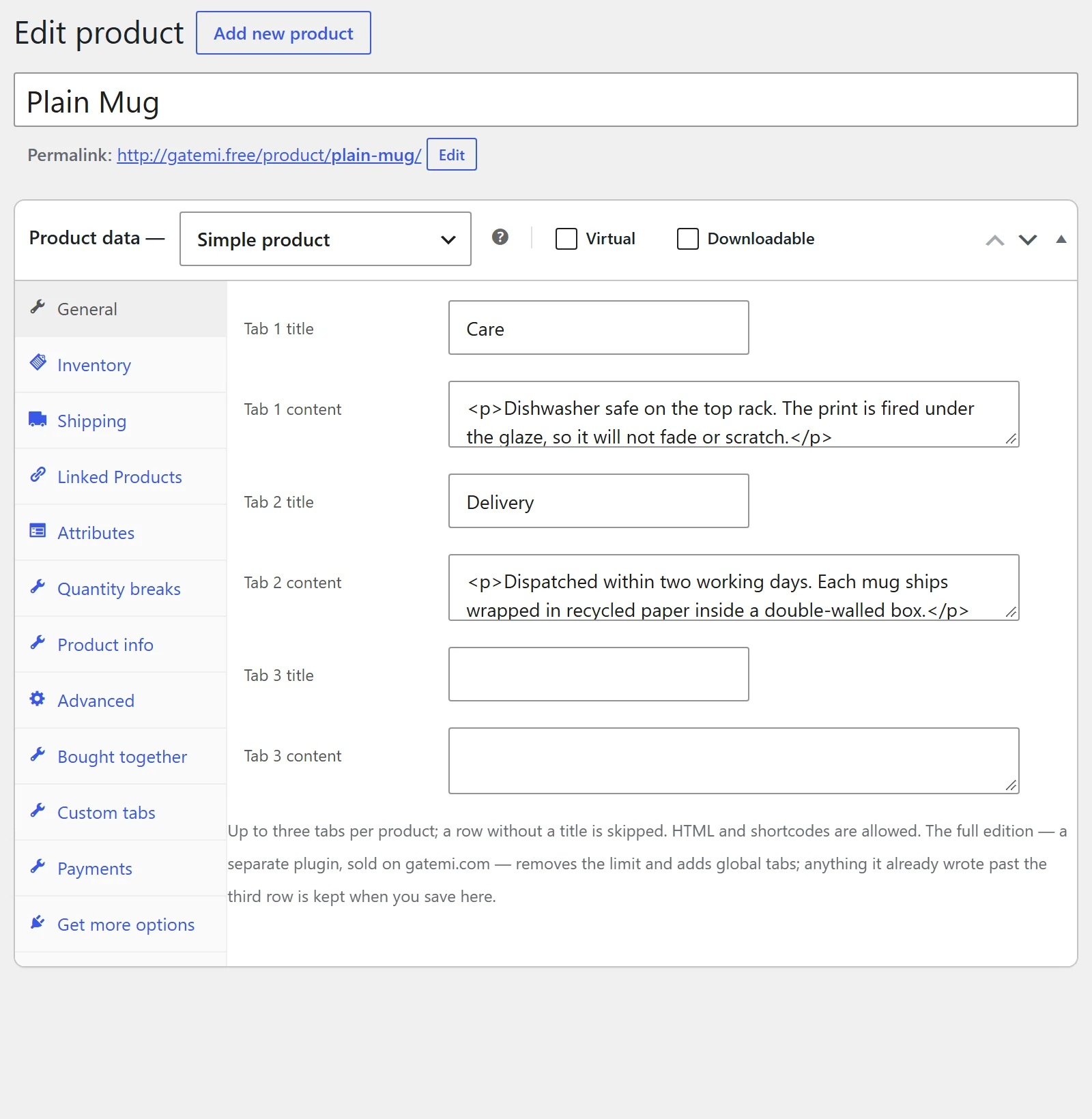
Per-product tabs, edited in the product editor under Product data → Custom tabs
Global tabs written once in the WordPress editor and applied to all products or chosen categories, with a sort offset
HTML and shortcodes in tab content — filtered through WordPress' post sanitizer, so a tab can never carry a script
Show or hide each of WooCommerce's own three tabs
No storefront CSS or JavaScript — the theme styles everything
HPOS and Cart/Checkout Blocks compatible
Every license includes
One year of updates and priority support, delivered straight to your WordPress dashboard.
Use on 1, 5 or 25 sites depending on your license — local, staging and development sites are always free.
30-day money-back guarantee — full refund, no questions asked.
Keeps working after expiry — if you choose not to renew, the plugin keeps running exactly as installed; it simply stops receiving updates and support until you do.
Requires WordPress 6.4+ · PHP 7.4+ · tested up to WordPress 7.0. Works with the classic and block checkout alike.
Free edition or full edition?
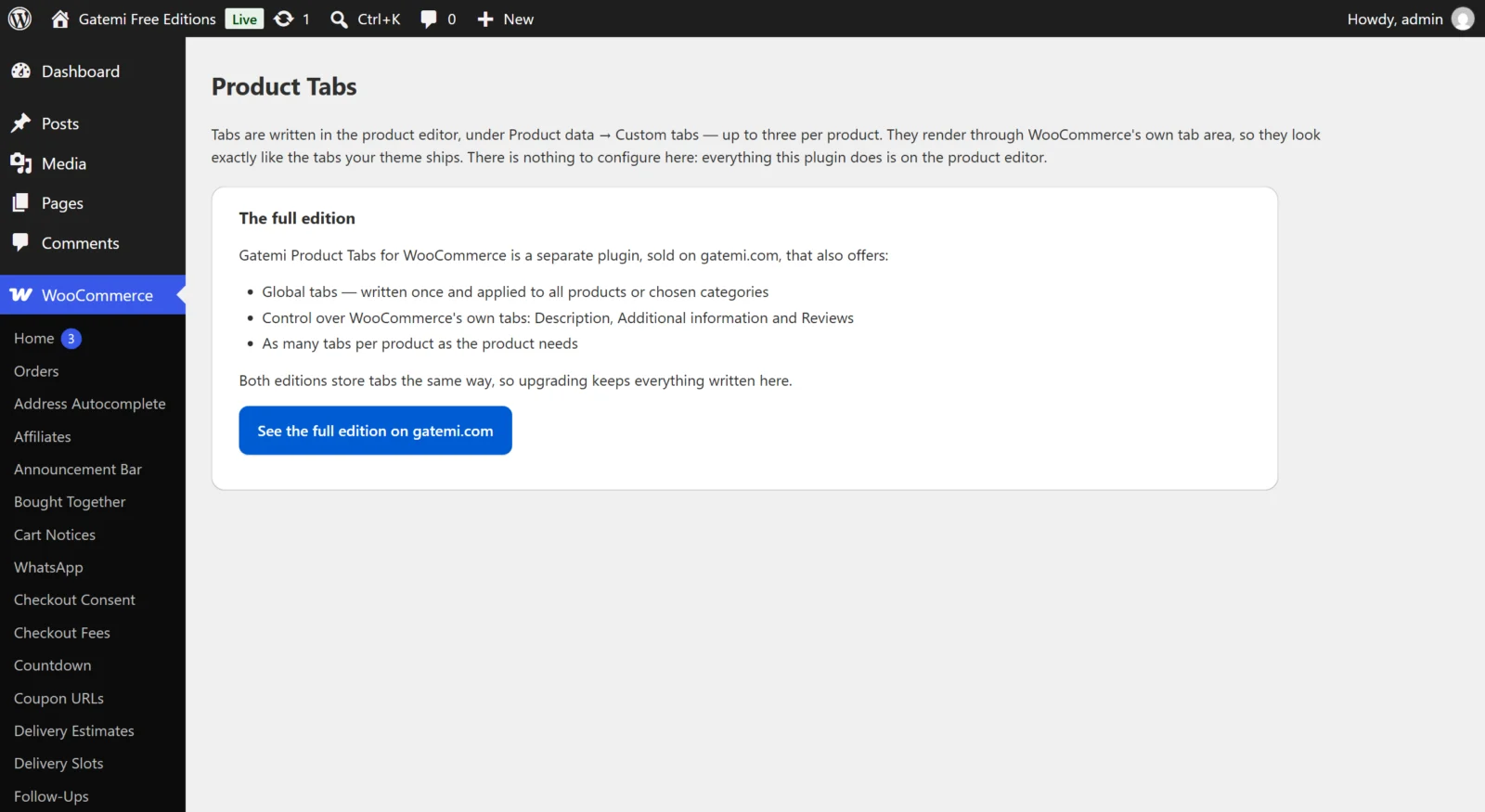
This plugin has a free edition. It is a complete plugin in its own right, and upgrading keeps every setting and every record, so you can start free and buy when you need more.
What the full edition adds
What the full edition adds
Free
Full
Global tabs (all products or chosen categories, sort offset)
—
✓
Show/hide WooCommerce's own three tabs
—
✓
Repeatable rows UI (add/remove) in the product editor
—
✓
Included in both editions (1)
HTML + shortcodes, script-safe
License
Single Site, Plus — 5 Sites, Agency — 25 Sites
Frequently asked questions
How does the license work?
Every license includes one year of updates and priority support, delivered straight to your WordPress dashboard. Choose the tier that matches how many production sites you run: 1, 5 or 25.
Which license do I need?
Count your live production sites — that's it. Local, staging and development sites (localhost, *.test, staging.*, dev.* and similar) are always free and never use up an activation.
What happens if I don't renew?
Nothing breaks. The plugin keeps working exactly as installed — it simply stops receiving updates and support until you renew. Renewing later reinstates both immediately.
Can I upgrade my license later?
Yes. Contact support any time and we'll move you to a higher tier — you only pay the difference, and your key and activations carry over.
Can I use it on client sites?
Absolutely. The Plus (5 sites) and Agency (25 sites) tiers are built for agencies — and if you run several Gatemi plugins across client stores, All Access usually works out cheaper.
What if it's not right for my store?
Tell us within 30 days and we refund the order in full — no questions asked. See the refund policy.
Changelog
Every release reaches your WordPress dashboard as an ordinary update while your licence is active.
Version 1.0.1Latest
Fixed: A global tab aimed at a category now also shows on products filed in that category's sub-categories.
Changed: Deleting the plugin no longer deletes the tabs written on each product, so the free edition, or a reinstall, finds them where you left them.
New: A Gatemi menu in the WordPress admin lists your Gatemi plugins with a link to each one's settings; this plugin's screen also stays under WooCommerce.
Improved: The settings screen has a refreshed design and fits a phone screen.
New: Translated into nine languages: Arabic, Chinese (Simplified), Dutch, French, German, Italian, Portuguese (Brazil), Russian and Spanish.
Improved: Tested with WordPress 7.1.
WordPress 6.4+ · PHP 7.4+
Version 1.0.0
First release.
WordPress 6.4+ · tested up to 7.0 · PHP 7.4+
5 reviews for Product Tabs for WooCommerce
Rated 4 out of 5
Chiara V (verified owner)–
Funziona. Elegante non sempre. Product Tabs è un plugin ragionevole. Resta installato.
Rated 5 out of 5
Olivia L. (verified owner)–
I’d a very specific problem and this was the answer to it. Nothing about Product Tabs has caught me out yet. Stands out in Merchandising, and I’ve tried a few. It’s been worth every minute I didn’t spend on this.
Rated 5 out of 5
lucy s (verified owner)–
Activated it, filled in three boxes, done. I haven’t had to think about Product Tabs once, and that’s the point. Will be renewing.
Rated 4 out of 5
Craig W. (verified owner)–
It’s been steady since the first afternoon. Middle of the pack for Merchandising, and that’s no criticism. Good, not perfect.
Rated 5 out of 5
Kevin N. (verified owner)–
I have honestly forgotten it is installed, and I mean that well.





Chiara V (verified owner) –
Funziona. Elegante non sempre. Product Tabs è un plugin ragionevole. Resta installato.
Olivia L. (verified owner) –
I’d a very specific problem and this was the answer to it. Nothing about Product Tabs has caught me out yet. Stands out in Merchandising, and I’ve tried a few. It’s been worth every minute I didn’t spend on this.
lucy s (verified owner) –
Activated it, filled in three boxes, done. I haven’t had to think about Product Tabs once, and that’s the point. Will be renewing.
Craig W. (verified owner) –
It’s been steady since the first afternoon. Middle of the pack for Merchandising, and that’s no criticism. Good, not perfect.
Kevin N. (verified owner) –
I have honestly forgotten it is installed, and I mean that well.