
Both editions have one screen: WooCommerce → Store Migration. It needs the manage_woocommerce capability.
There is almost nothing to configure, on purpose. A migration is something a shop does two or three times, so the screen asks for a file and two decisions.
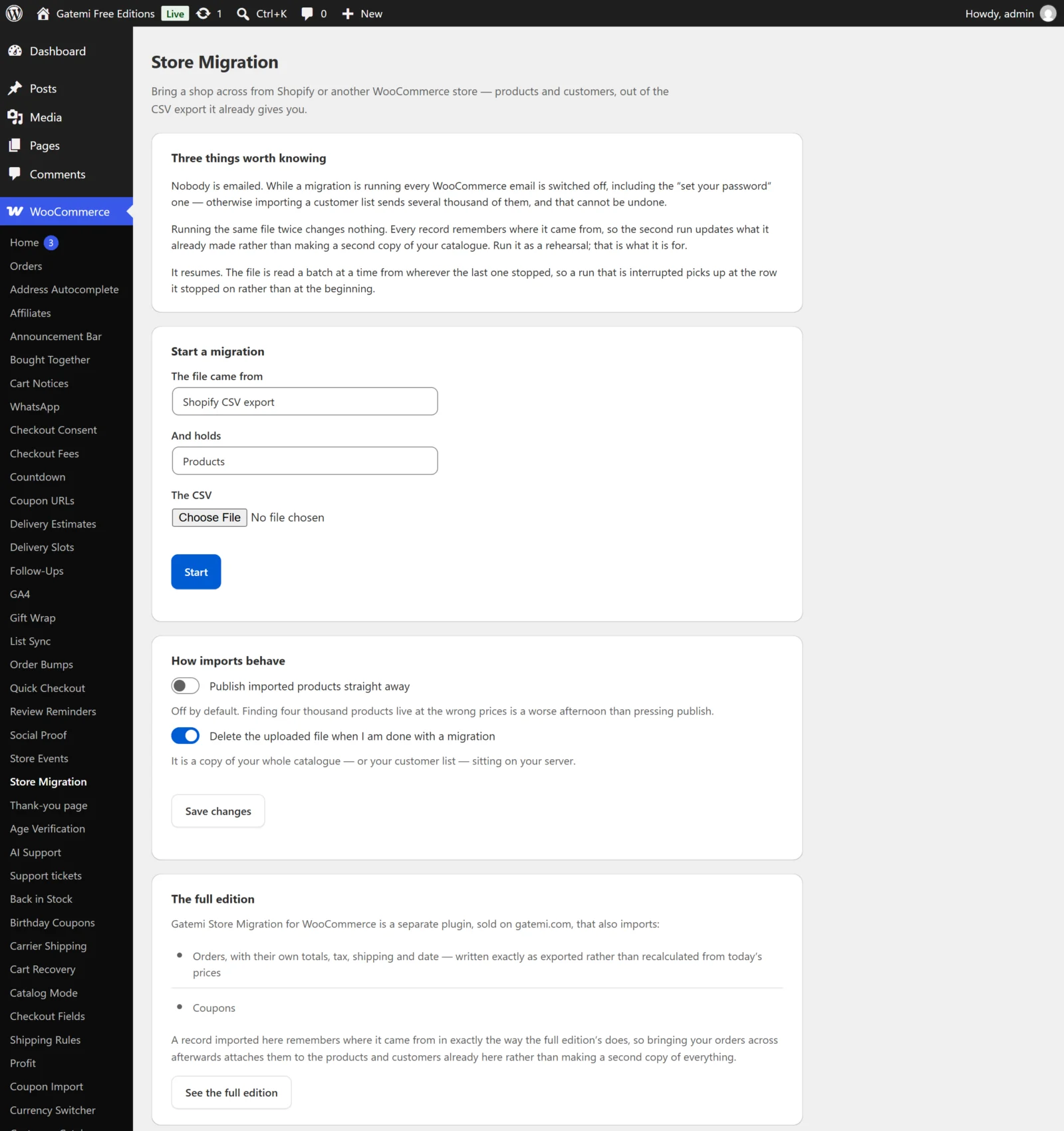
Three things worth knowing
The top card explains the plugin's rules in a sentence each: nobody is emailed while a migration runs, running the same file twice changes nothing, and (free edition) the file is read in resumable batches / (full edition) an imported order keeps its own money. See How it works.
Start a migration
Shown when no migration is open.
| Field | Choices | What it does |
|---|---|---|
| The file came from | Shopify CSV export, WooCommerce CSV export | Which column map is used to read the file. |
| And holds | Products, Customers; Full edition: also Orders, Coupons | What kind of record each row is. A file holds one kind. |
| The CSV | a .csv file |
The upload. |
Press Start. The file is stored under a random name in wp-content/uploads/gmsm-imports/ (full edition) or wp-content/uploads/gmsmf-imports/ (free edition), behind an index.html and a .htaccess that denies web access.
Only one migration is open at a time. To start another, finish the current one first.
The progress card
Shown while a migration is open, and after it finishes.
- The file's name and a progress bar — how far through the file, by bytes read.
- created, updated, skipped — counts of rows.
- Why rows were skipped — each reason with how many rows it covered (up to 50 different reasons are kept).
- While running: Run the next batch now — imports the next 50 rows immediately. Use it when WP-Cron is not running on your host.
- When finished: Done — clear this and start another — closes the job. With Delete the uploaded file… on, the file is deleted too.
How imports behave
Both settings live in one option, gmsm_settings, shared by both editions.
| Label | Key | Default | What it does |
|---|---|---|---|
| Publish imported products straight away | publish |
no |
When on, a product the old shop had published is created as published. When off, every imported product is a draft. A product the old shop had hidden is a draft either way. |
| Delete the uploaded file when I am done with a migration | tidy_file |
yes |
When on, pressing Done — clear this and start another deletes the uploaded CSV. When off, the file is left in the uploads folder (the job is still cleared). |
Press Save changes to keep them. Changing Publish… affects rows imported from then on; products already imported keep their status until they are imported again.
For developers — Full edition
The full edition's screen ends with a list of every filter it applies. They are described in the Developer reference.
License & updates — Full edition
The last card holds the licence key field (Activate), the licence status, the number of sites in use, a link to manage the licence on gatemi.com and Deactivate on this site. A network failure while checking never changes the licence's state.
The full edition — Free edition only
The free edition's screen has a card describing what Gatemi Store Migration for WooCommerce adds — orders and coupons — with a link to the full edition.