
Both editions have one screen, WooCommerce → Store Events (capability manage_woocommerce). Two options hold everything, shared by both editions: gmse_settings (the message options) and gmse_channels (the channels).
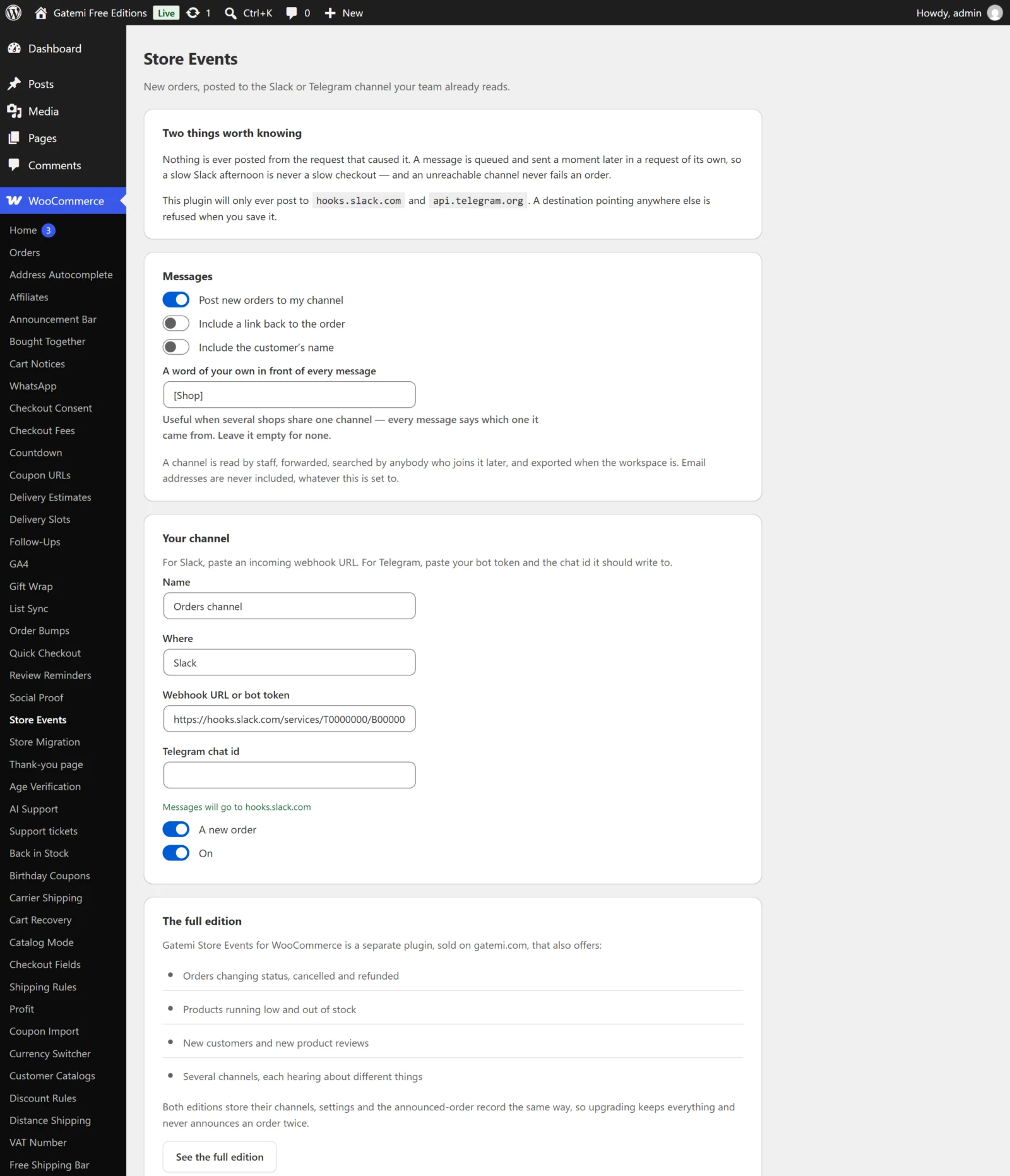
Messages
Post new orders to my channel
(Full edition: Post store events to my channels)
- Key:
enabled· Default: on (yes) - The master switch. Off, nothing is queued for any channel.
Include a link back to the order
- Key:
link· Default: on - Adds the order's admin URL to the end of the message. The link only works for people who can sign in to your store's admin. Telegram is told not to show a link preview.
Include the customer's name
- Key:
names· Default: on - Adds the billing first and last name ("· Jane Smith"). In the full edition it also decides whether a new-customer message names the customer.
- An email address is never included, whatever this says. A channel is read by staff, forwarded, searched by anybody who joins it later and exported with the workspace.
A word of your own in front of every message
(Full edition: A word in front of every message)
- Key:
prefix· Default: empty - For example
Shop A:. Useful when several shops share one channel.
The channel
The free edition has one channel, Your channel. The full edition has Channels, with Add another for as many as you need.
Name
- Key:
name· Your own label, such as#orders. Not sent anywhere.
Where
- Key:
kind· Default:slack - Slack or Telegram.
Webhook URL or bot token
- Key:
typed(what you typed); the plugin derivesdestinationfrom it. - Slack: an incoming-webhook URL. It must be
https://and its host must be exactlyhooks.slack.com. - Telegram: the bot token from @BotFather. The plugin builds
https://api.telegram.org/bot<token>/sendMessagefrom it. A fullhttps://api.telegram.org/…URL is accepted too. - Anything else is refused: the screen says "That is not a destination this plugin will post to" and the channel sends nothing.
- The value is shown back in the field when you open the screen. Treat a screenshot of this screen as you would the webhook URL itself.
Telegram chat id
- Key:
chat_id· Required for Telegram; ignored for Slack.
Events
- Key:
events(a list) - Free edition: one checkbox, A new order.
- Full edition: a checkbox per event:
| Event key | Label | What is posted |
|---|---|---|
order_placed |
A new order | "New order #1234 — GBP 25.00" |
order_status |
An order changing status | "Order now Completed #1234 — …" |
order_cancelled |
An order cancelled | "Order cancelled #1234 — …" |
order_refunded |
An order refunded | "Order refunded #1234 — …" |
low_stock |
A product running low | "Running low: Kettle (KT-1) · 2 left" |
no_stock |
A product out of stock | "Out of stock: Kettle (KT-1) · 0 left" |
new_customer |
A new customer account | "New customer: display name" |
new_review |
A new product review | "New review on Kettle · 4/5 · awaiting approval" |
A review the site has already marked as spam is not announced.
Low and out-of-stock events come from WooCommerce's own stock notifications, so they follow the thresholds set in WooCommerce → Settings → Products → Inventory.
On
- Key:
enabled(per channel) · Default: on - Switches one channel off without deleting it.
Waiting to go out
The bottom card lists any messages still in the queue. Send these now tries them immediately. A message that fails three times is dropped, so the list cannot grow without end (the queue holds at most 50 messages in the free edition and 200 in the full edition).
License & updates — Full edition
Enter the GM-… key from your gatemi.com account and press Activate. If gatemi.com cannot be reached during a check, the licence state is left unchanged.
For developers — Full edition
The full edition's screen ends with a list of its filters, documented in the developer reference.
Upgrading keeps your channels
The free edition shows only the first channel. If the full edition saved more, the screen says so; they are kept exactly as they are and used again after upgrading. A channel's events that only the full edition offers are kept in the list too, untouched.