
Settings live at WooCommerce → Returns (capability manage_woocommerce). In the free edition they are on the same page as the queue, under Returns policy. In the full edition they are on the Settings tab, beside Requests and Report.
Both editions store their settings in one option, gmrt_settings. The free edition owns four of its keys and saves only those; the other six are kept exactly as the full edition left them, so nothing is blanked when you switch editions.
Returns policy
Customers may ask for returns from My Account
- Key:
enabled· Default: on (yes) - Off, no order shows Request a return and no new request is accepted. The Returns item stays in My Account so customers can still see the returns they made, and requests already made can still be decided on your screen.
Return window, in days, from when the order completed
- Key:
window_days· Default:30· Range: 0–3650 - How many days after an order completes a customer may ask. Leave the box empty to go back to 30.
0is a real answer, not "no limit": returns close the moment the order completes. Use it for a shop that only takes returns by arrangement.- Full edition: a product or a category can set its own window. The product's beats the category's, which beats this one. See Per-product and per-category rules.
The free edition measures the window from the moment the order was marked Completed. The full edition does too, and falls back to the payment date and then the order date for an order that never recorded a completion date — which matters once you allow other statuses below.
The policy a customer reads above the form
- Key:
policy· Default: empty - Plain text, shown above the request form. Line breaks are kept.
Order statuses that can be returned — Full edition
- Key:
statuses· Default:completed - Separated by commas, as WooCommerce names them:
completed, processing. Awc-prefix is removed. An empty box meanscompleted. - The free edition always uses Completed only.
Reasons a customer picks from, one per line — Full edition
- Key:
reasons· Default: empty, which offers Damaged or faulty, Not as described, Wrong item sent, Wrong size or fit and No longer needed. - Shown as a Reason drop-down on the request form. The free edition has a free-text box, "Why are you returning it?", instead.
Resolutions and money — Full edition
The free edition always resolves a return as a refund to the original payment method, and has one setting here:
Put returned items back into stock by default
- Key:
restock· Default: on (yes) - Sets whether the Put the returned items back into stock box is ticked when you issue a refund. You can change it on every decision. Restocking is done by WooCommerce's own refund.
The rest are the full edition's:
Offer an exchange — Full edition
- Key:
exchanges· Default: off (no) - Adds "an exchange" to the customer's What would you like? choice and to your Resolve as choice. An exchange creates no order and moves no money — see How it works.
Offer a refund as store credit — Full edition
- Key:
store_credit· Default: off (no) - Adds "store credit" as a resolution. The credit is a single-use coupon bound to the customer's billing address.
Restocking fee — Full edition
- Key:
fee_type· Default:none. Choices: None, A percentage of the return (percent), A flat amount per return (flat). - Key:
fee_amount· Default:0. Typed the way people type money —12,50,1.234,56and1,000all mean what they look like (a lone comma before exactly three digits is a thousands separator, so1,000is a thousand). A percentage is capped at 100. - The fee is taken from the refund in proportion across the lines and their tax, and is shown as arithmetic on the decision screen before anything is issued. A flat fee never exceeds what the return is worth.
Press Save changes to store the settings.
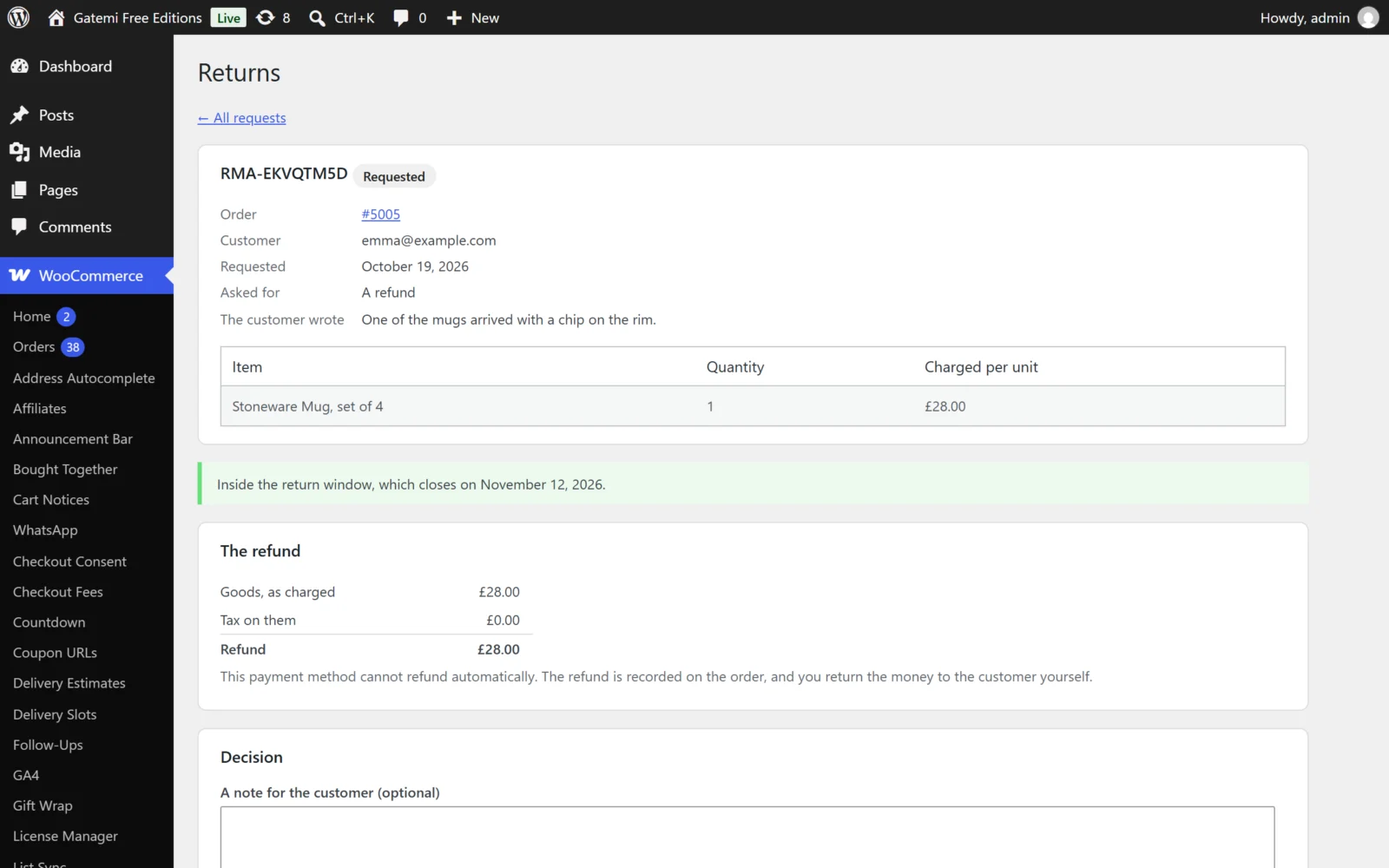
Per-product and per-category rules — Full edition
On a product
In the product editor, Product data → Advanced:
| Field | Meta key | Values |
|---|---|---|
| Returns | _gmrt_non_returnable |
Follow its categories (no value), Final sale — never returnable (yes), Always returnable (no) |
| Return window (days) | _gmrt_window_days |
Empty follows the category, then the store |
On a product category
Products → Categories, when adding or editing a category:
| Field | Term meta key | |
|---|---|---|
| Final sale — nothing in this category can be returned | _gmrt_non_returnable (yes) |
Covers sub-categories too |
| Return window (days) | _gmrt_window_days |
Empty follows the parent category, then the store |
How they combine:
- The product's own choice wins. Always returnable beats a final-sale category.
- For categories, the plugin walks up from each of the product's categories to the nearest one that sets a window. If the product is in two categories, the longer window wins — being filed twice is not a reason to give a customer less time.
- A product in any final-sale category, or under one, is final sale.
In the free edition: a product marked Final sale by the full edition is still refused — that flag only ever holds a product back. The free edition reads nothing else: product and category windows and category flags are kept for the full edition but not applied.
The returns report — Full edition
The Report tab lists Return rate by product for a date range (From, To, Show): units sold, units returned and the return rate, worst first. Download CSV exports the same table. Declined requests are never counted. A range with more orders than one report can read says so — narrow it for an exact figure.
License & updates — Full edition
At the bottom of the Settings tab. Enter your GM-XXXXX-… key and press Activate. The card shows the status and when updates run until; Deactivate on this site frees the key for another site. A failed connection to gatemi.com never changes your licence state. Without a key the plugin makes no external requests.
For developers
The Settings tab ends with For developers, a table of every filter the plugin applies. They are documented in the developer reference.