
The report and its settings are on WooCommerce → Profit (capability manage_woocommerce). Costs are entered on the products themselves. Both editions keep their settings in one option, gmcg_settings.
Cost fields on products
Cost of goods (product)
- Where: Product data → General, under the price.
- Stored as: post meta
_gmcg_coston the product. - Default: empty — "unknown".
- What one unit costs you. Empty means nobody has said, and the report counts those sales apart.
0means it really costs nothing. Clearing the box deletes the stored cost. - Typed amounts are read the way spreadsheets read them:
6,50is 6.50 and1.250,00is 1250. A comma alone is a decimal point unless exactly three digits follow it, so1,250is 1250 too.
Full edition: this field is in WooCommerce's pricing group, which WooCommerce shows for simple and external products; on a variable product it is hidden unless WooCommerce's own cost-of-goods feature is switched on. Free edition: the field is in its own group on the General tab, shown for simple, external and variable products.
Cost of goods (variation) — Full edition
- Where: under each variation's price.
- Stored as:
_gmcg_coston the variation. - Default: empty — "Leave empty to use the parent product's cost."
Free edition: every variation uses its product's cost, and a cost stored on a variation is not read.
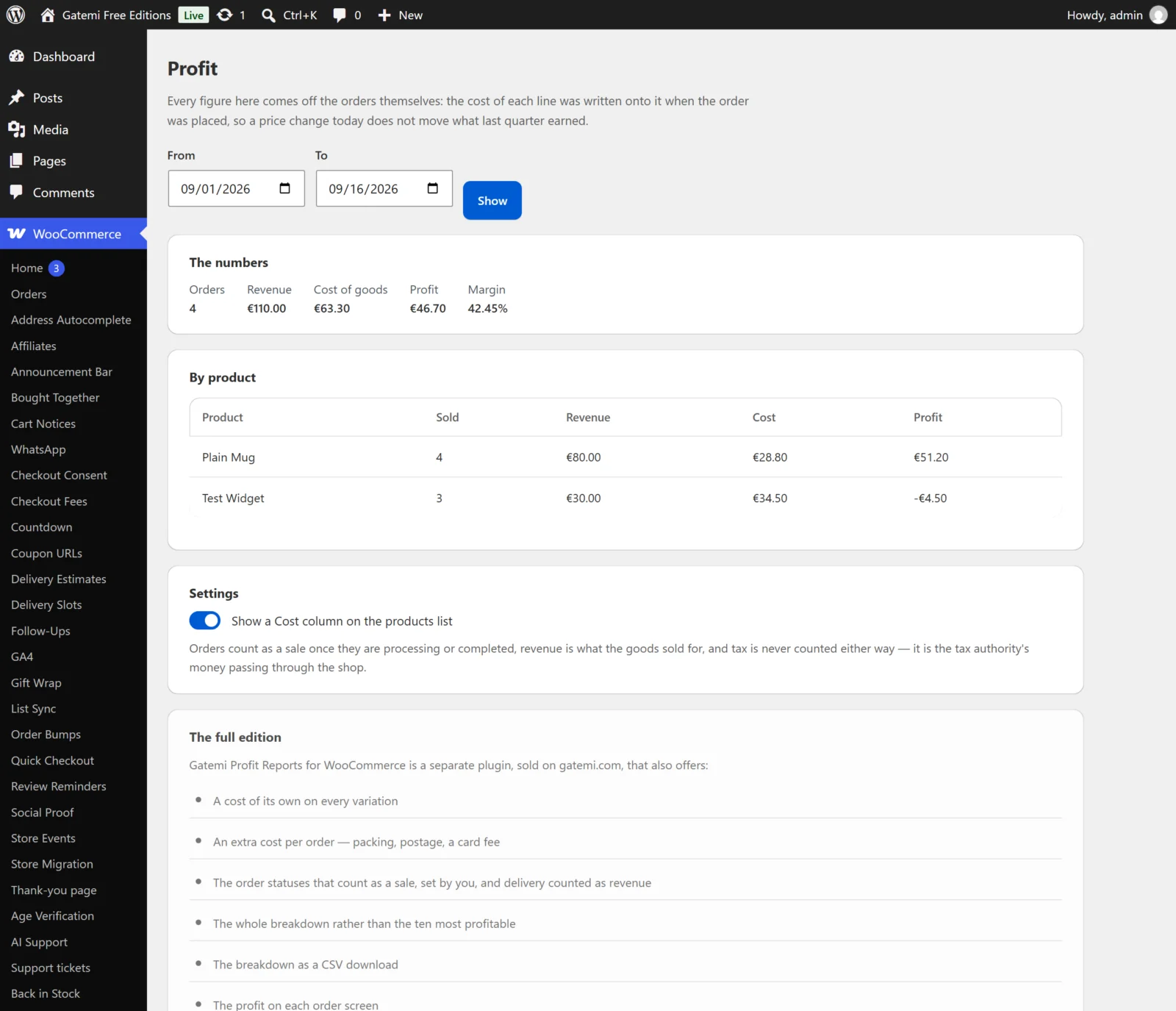
The free edition's screen
| Label | Key | Default | |
|---|---|---|---|
| Show a Cost column on the products list | products_column |
yes |
A Cost column on Products, showing the cost or "Not set" |
The free edition always:
- counts orders that are processing or completed;
- counts revenue as what the goods sold for, after discounts and refunds, before tax, without shipping;
- lists the ten most profitable products.
It keeps every other key in gmcg_settings exactly as the full edition left it, and reads none of them.
Full edition: What counts
Order statuses that count as a sale
- Key:
statuses· Default:processing, completed - Status slugs separated by commas, without
wc-. Empty falls back to the default.
Revenue is
- Key:
basis· Default:goods - What the goods sold for (
goods) — line totals after discounts and refunds. - The goods and what was charged for delivery (
goods_shipping) — adds the shipping total, less shipping refunded. - Tax is never counted either way.
Every order also costs
- Key:
extra_kind· Default:none - Nothing extra (
none), A fixed amount (flat), or A percentage of the order (percent, of the order total the customer paid).
How much
- Key:
extra_amount· Default: empty - The amount or percentage for Every order also costs. It is written onto each order as it is placed, so changing it does not change past orders.
Products listed in the breakdown
- Key:
rows· Default:25· between 1 and 500 - How many products the By product table lists. The CSV lists every product.
Show a Cost column on the products list
- Key:
products_column· Default:yes
Show the profit on each order screen
- Key:
orders_column· Default:yes - Adds a Profit box to the order screen (HPOS and classic) with the order's revenue, cost and profit from its frozen costs.
License & updates — Full edition
Paste the key from your gatemi.com account and press Activate. It is stored in gmcg_license. An expired licence stops updates; the plugin keeps working.
For developers — Full edition
A table at the bottom of the screen lists the filters; see the developer reference.