
Everything is on one screen: WooCommerce → Product Questions (you need the manage_woocommerce capability). It holds the questions waiting for an answer, the answers waiting to be read, and the settings.
Both editions store their settings in the same option, gmqa_settings, in the same shape. That is why upgrading keeps a store's configuration.
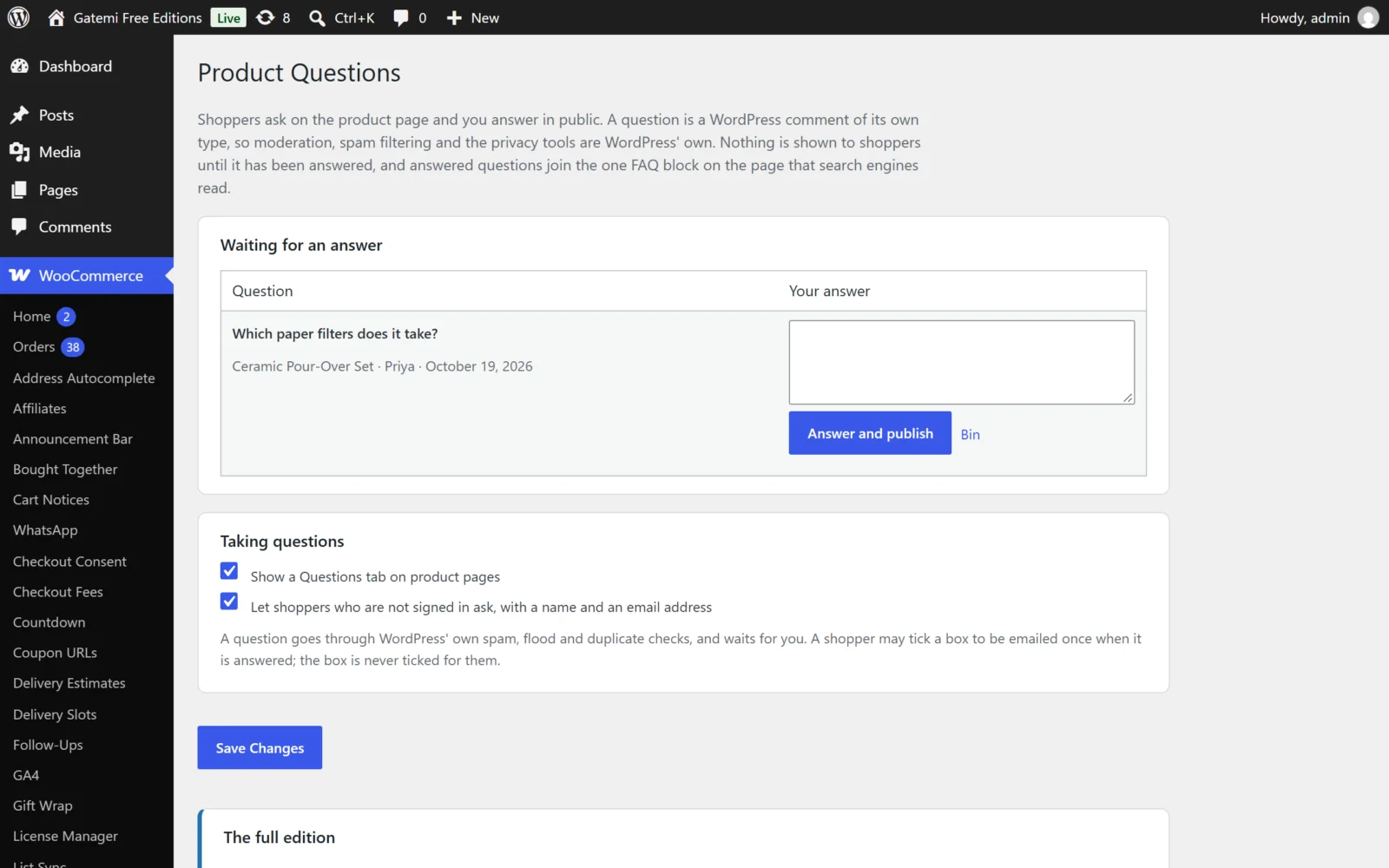
Waiting for an answer
Every question nobody has answered yet, oldest first, each with a Your answer box:
- Answer and publish — publishes the question (if it was still held) and your answer together, and emails the asker if they ticked the box.
- Bin — moves the question to the bin.
- Ask past buyers — Full edition, see below.
Full edition: a Waiting column shows how many days each question has waited, and how many buyers have been asked. Up to 200 are listed, oldest first, and the screen says when there are more.
Answers waiting to be read
Answers that came in from buyers (Full edition) and are held until you read them. Publish makes the answer public; Bin discards it. The free edition shows this list too, for answers a full edition took before you switched.
Taking questions
| Label | Key | Default | What it does |
|---|---|---|---|
| Show a Questions tab on product pages | enabled |
on (yes) |
Off removes the tab and the ask form from every product. Existing questions and answers are kept. |
| Let shoppers who are not signed in ask, with a name and an email address | guests |
on (yes) |
Off shows "Log in to ask a question about this product." instead of the form to anybody not signed in. |
| The tab's title — Full edition | tab_title |
empty ("Questions") | Your own name for the tab. The number of answered questions is added in brackets. |
| Categories that take no questions (their sub-categories too) — Full edition | categories_off |
none | Products in a ticked category, or any of its sub-categories, get no tab, no form and no FAQ contribution. |
Asking past buyers — Full edition
| Label | Key | Default | What it does |
|---|---|---|---|
| When a question is approved, email it to people who bought the product, with a link to answer | ask_buyers |
off (no) |
Approving a question queues one email run to the product's past buyers. |
| Buyers asked per question | buyers_per_question |
5 | The most buyers one question is put to, counted across runs. 1 to 20. |
Each buyer is asked about a question once, never the person who asked it, and only while the question is unanswered. Their answer waits for you to read it. See How it works.
Showing answers — Full edition
| Label | Key | Default | What it does |
|---|---|---|---|
| Let shoppers vote an answer helpful — once each | voting |
on (yes) |
A Helpful (n) button under each published answer. |
| List answered questions by | sort |
Most helpful first (helpful) |
Most helpful first or Newest first. Shoppers can switch with Sort by: on the tab. |
| Describe answered questions to search engines, in the page's one FAQ block | schema |
on (yes) |
Off stops this plugin adding its questions to the FAQ block. |
What the free edition does with these
The free edition owns two settings — Show a Questions tab on product pages and Let shoppers who are not signed in ask. It lists answered questions newest first, calls the tab Questions, takes questions on every product, and always adds answered questions to the page's FAQ block. Settings only the full edition writes stay in the option untouched when you save, so upgrading finds them as they were.
Below the settings the free edition describes the full edition in plain text, with a link. Nothing there is a setting.
Import questions and answers — Full edition
A card for a CSV file of questions and answers you already have. See How it works.
For developers and License & updates — Full edition
The screen lists the filters the plugin applies (see Developer reference), and has a License & updates card for your licence key.