
On each product (both editions)
Where: Products → Edit product → Product data → Product info.
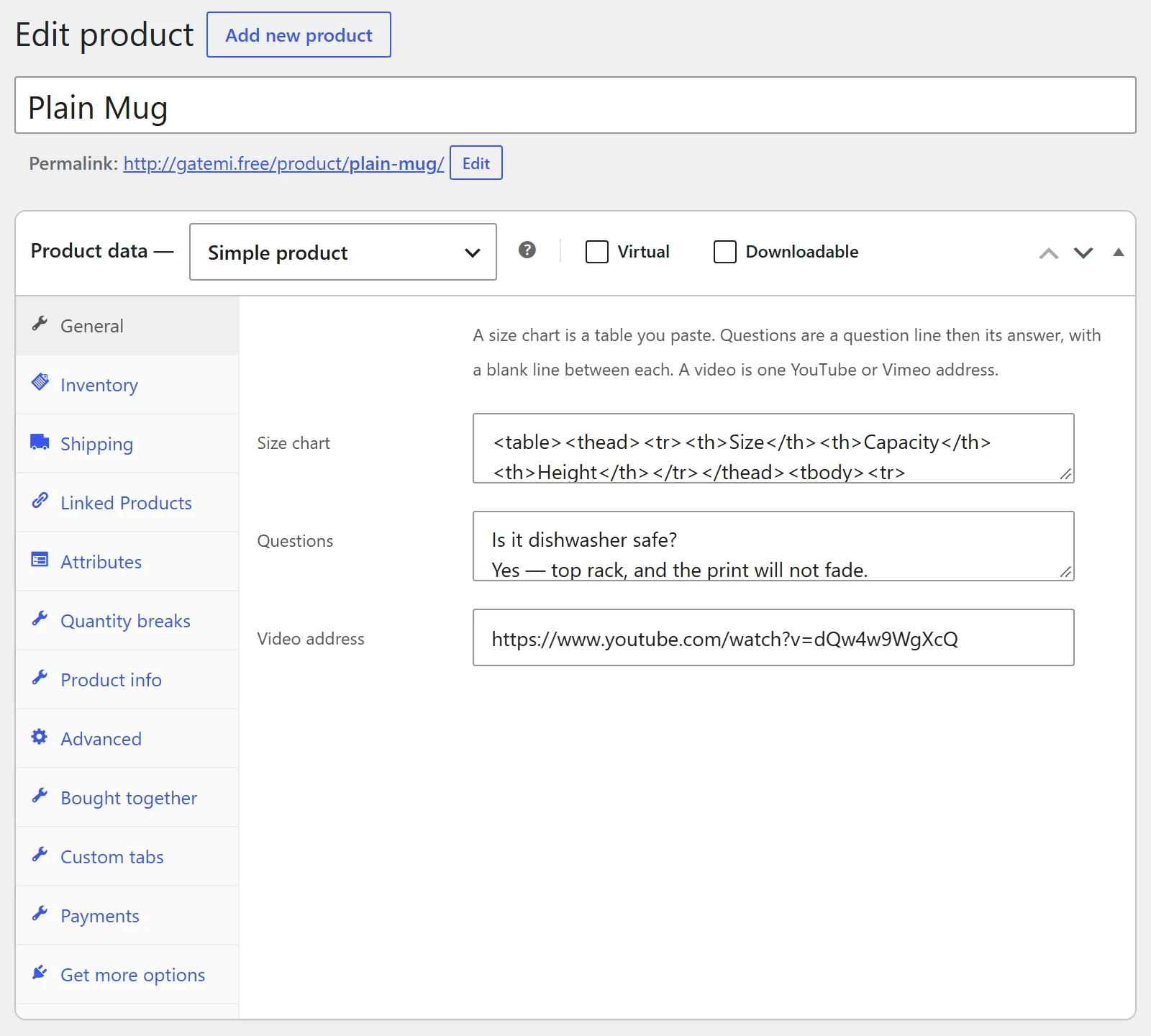
| Label | Meta key | What it holds |
|---|---|---|
| Size chart | _gmpi_chart |
A table or any HTML a post may contain. Filtered with wp_kses_post() when saved and when shown. |
| Questions | _gmpi_faq |
A question line, then its answer lines, with a blank line between questions. A block with no answer line is ignored. |
| Video address | _gmpi_video |
One YouTube or Vimeo address — watch, youtu.be, Shorts, embed, live or playlist on YouTube; a video, channel or unlisted address on Vimeo. Anything else is not embedded. |
An emptied field is deleted rather than stored blank. Both editions use these same three meta keys.
Full edition: what you type on a product wins over any reusable record. Leave a field blank to fall back to the records.
The free edition's screen
WooCommerce → Product Info has no settings. It explains where the writing happens and describes the separate full edition with a link.
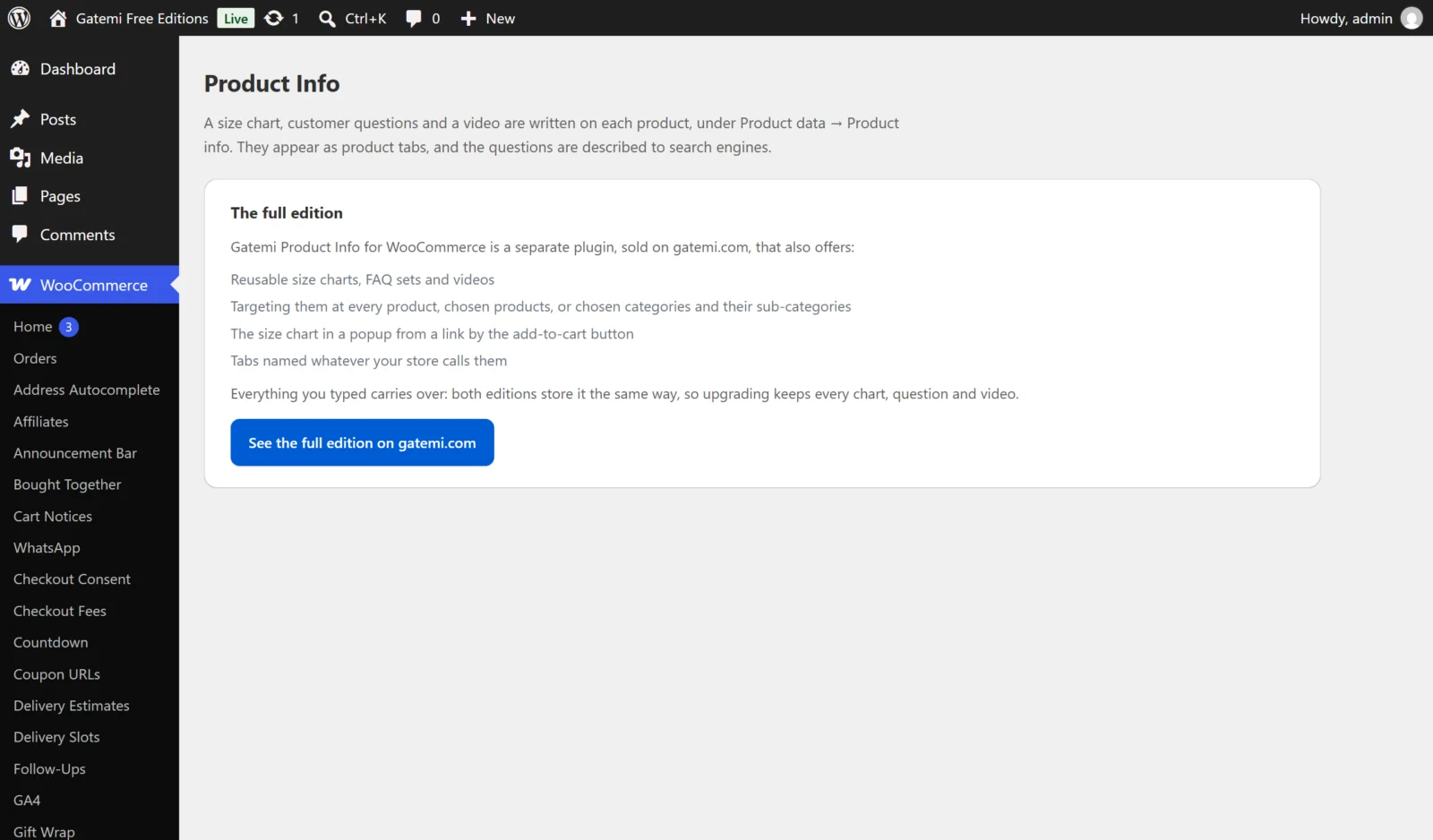
In the free edition the tabs are always called Size guide and Questions, the video always sits under the gallery, and the questions are always described in FAQ structured data.
Full edition: reusable records
Where: WooCommerce → Product Info. Press Add one for a new record; Remove deletes one. Records are stored in the gmpi_records option.
| Label | Key | Default | What it does |
|---|---|---|---|
| Name this | title |
empty | A name for you, such as "Men's shirts". |
| What it is | kind |
Size chart (chart) |
A size chart, an FAQ set (faq) or a video (video). |
| Active | enabled |
on | Only active records are used. Untick it to keep a record but stop it applying. |
| (content) | content |
empty | The chart, the questions (same format as on a product) or one video address. |
| Applies to | applies_to |
every product (all) |
every product, these products or these categories. |
| Product ids, comma separated | products |
empty | For these products. A variation counts as its parent product. |
| Category ids, comma separated | categories |
empty | For these categories. Sub-categories are included. A category record naming no categories applies to nothing. |
A record with no content is not saved. When several records of one kind apply to a product, the first one in your list wins.
Full edition: How it is shown
Stored in the gmpi_settings option.
| Label | Key | Default | What it does |
|---|---|---|---|
| The size chart appears | chart_display |
as a product tab (tab) |
as a product tab, or in a popup, from a link by the add-to-cart button (popup). |
| Call the size chart | chart_title |
empty ("Size guide") | The tab's or popup's title. |
| Call the questions tab | faq_title |
empty ("Questions") | The questions tab's title. |
| Show the size-guide link by the add-to-cart button (popup mode) | chart_link |
on | In popup mode, the link that opens the popup. |
| Show the product video under the gallery | video_in_gallery |
on | Off hides videos on every product. |
| Describe the questions to search engines (FAQ structured data) | faq_schema |
on | Off stops this plugin emitting the FAQPage block. |
Structured data is only ever emitted for questions the page shows.
Full edition: For developers and License & updates
The screen lists the filters the plugin applies (see Developer reference) and has a License & updates card for your gatemi.com licence key. An expired licence keeps the plugin working; it only stops updates.