
Rules are set where the thing they apply to is edited: on the product, on the variation, on the category. Only the order-wide rules (full edition) live on a settings screen.
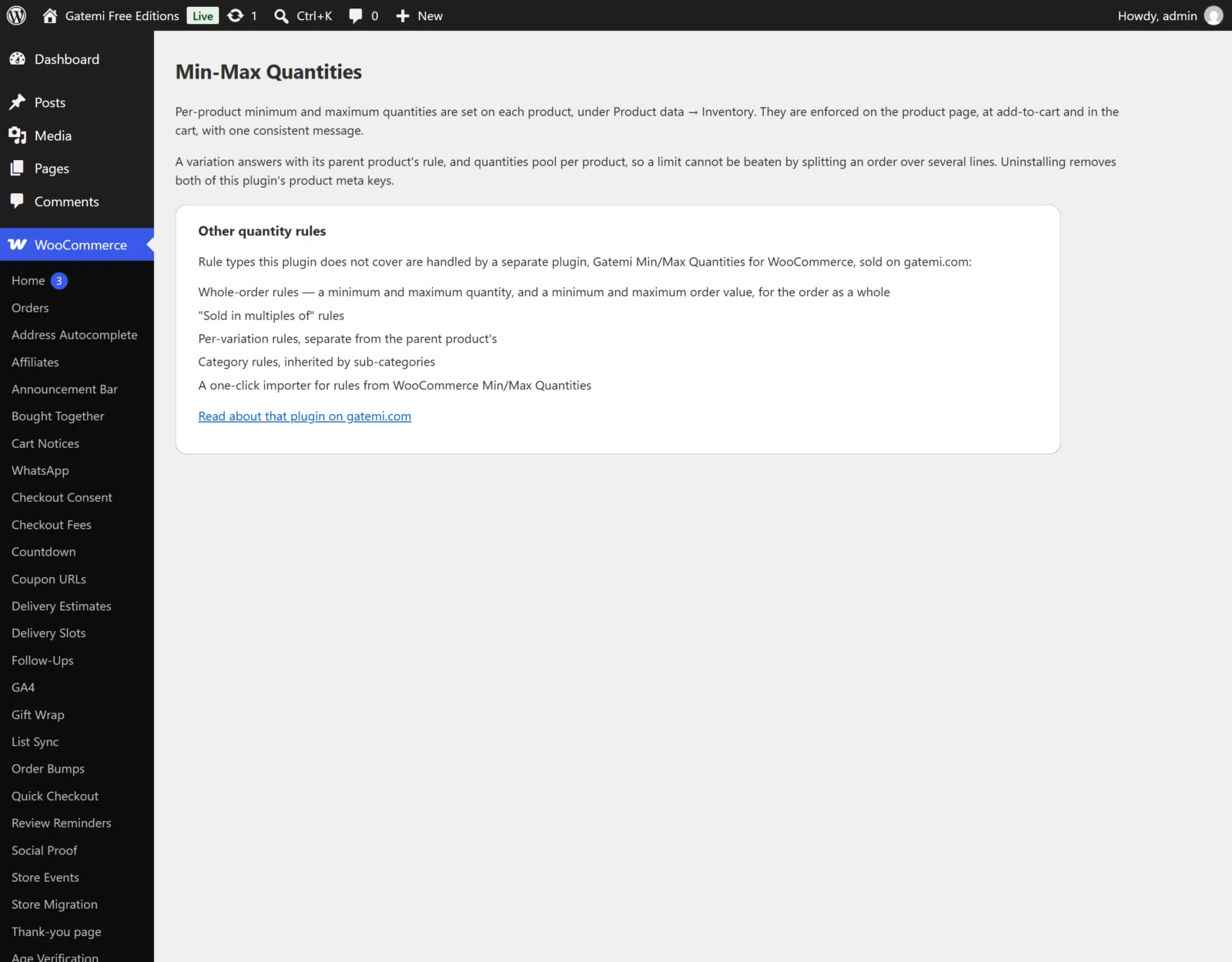
Free edition
WooCommerce → Min-Max Quantities
No settings. The screen explains where product rules live and how they are enforced, and lists what the full edition adds.
Product fields
In Products → Edit → Product data → Inventory:
| Label | Meta key | Default | What it does |
|---|---|---|---|
| Minimum quantity | _gmmqf_min |
empty | The smallest amount a shopper may buy. 0 or empty means no minimum. |
| Maximum quantity | _gmmqf_max |
empty | The largest amount a shopper may buy, counted across the whole cart. 0 or empty means no maximum. |
- Whole numbers only; a negative number is saved as no limit.
- A maximum below the minimum is read as equal to the minimum.
- Variations use their parent product's two numbers, and all variations of one product are added up together.
Full edition
Product fields — Full edition
In Products → Edit → Product data → General, under the heading Quantity rules:
| Label | Meta key | Default | What it does |
|---|---|---|---|
| Minimum quantity | _gmmq_min_qty |
empty | The smallest quantity a shopper may buy. |
| Maximum quantity | _gmmq_max_qty |
empty | The largest quantity, counted across the whole cart. |
| Sold in multiples of | _gmmq_group_of |
empty | Quantities must be a multiple of this — 6 for a six-pack. |
| Combine variations (variable products only) | _gmmq_combine_variations |
off | Checks the rules above against the total of all variations in the cart, not each variation on its own. Variation-level rules are ignored while it is on. |
| Exclude from order rules | _gmmq_exclude_order_rules |
off | The product ignores the order-wide minimums and maximums and does not count toward them. |
| Do not count toward order totals | _gmmq_exclude_order_count |
off | The order rules still apply to the rest of the cart, but this product's quantity and value are left out of the totals. |
| Ignore category rules | _gmmq_exclude_category_rules |
off | The product inherits nothing from its categories. |
An empty box is "no opinion", not zero. It keeps whatever the product would otherwise inherit from its categories.
When you save, the three numbers are made consistent: a minimum is rounded up to the next multiple, a maximum down to the previous one, and a maximum below the minimum is raised to it. If that changes what you typed, the product screen tells you, with the before and the after.
Variation fields — Full edition
On each variation in Product data → Variations, tick Quantity rules (stored as _gmmq_variation_rules = yes) to reveal Minimum quantity, Maximum quantity and Sold in multiples of for that variation alone. They are stored under the same keys as the product's, on the variation. They apply only while the parent product does not have Combine variations on.
Category fields — Full edition
On Products → Categories, when adding or editing a category:
| Label | Term meta key | What it does |
|---|---|---|
| Minimum quantity | _gmmq_min_qty |
Applies to every product in this category and in every category beneath it, unless the product sets its own. |
| Maximum quantity | _gmmq_max_qty |
The largest quantity of any one product in this category. |
| Sold in multiples of | _gmmq_group_of |
Every product in the category is bought in multiples of this. |
The category list gains Min, Max and Multiples of columns. A category rule is applied to each product on its own — it is not a limit on the category's combined total.
WooCommerce → Min/Max Quantities — Full edition
Stored in the option gmmq_settings. A status pill at the top says Order rules active or No order rules.
Order size
| Label | Key | Default | What it does |
|---|---|---|---|
| Minimum items per order | min_order_quantity |
0 (empty) | The cart must hold at least this many items in total. |
| Maximum items per order | max_order_quantity |
0 (empty) | The cart may hold at most this many. A maximum below the minimum is raised to match it. |
Order value
| Label | Key | Default | What it does |
|---|---|---|---|
| Minimum order value | min_order_value |
0 (empty) | The cart total must reach this. |
| Maximum order value | max_order_value |
0 (empty) | The cart total may not exceed this. A maximum below the minimum is raised to match it. |
| Include tax in the order value | value_includes_tax |
on (yes) |
On, the totals are compared with tax included; off, before tax. |
Products marked Exclude from order rules or Do not count toward order totals are left out of both sections' totals.
Removing the plugin
| Label | Key | Default | What it does |
|---|---|---|---|
| Delete all quantity rules when the plugin is deleted | delete_data |
off (no) |
Off, deleting the plugin keeps every rule on products, variations and categories. On, it clears them all — which cannot be undone. |
Which rule wins
An explanation, not a setting: the order of precedence described in How it works.
Existing quantity rules found
Shown only when WooCommerce Min/Max Quantities left rules behind. It counts the products and categories that carry them; Import rules copies them into this plugin's keys in batches. The old data is only read, never changed, and an order-level value you have already set here is not overwritten.
License & updates
Paste your gatemi.com licence key and click Activate for one-click updates and support. The card shows the status, the masked key, sites in use, a link to manage the licence on gatemi.com and Deactivate on this site.
For developers
A table of every filter the plugin applies — see the developer reference.