
The settings are on WooCommerce → GA4 (capability manage_woocommerce) and are stored in one option, gmga_settings.
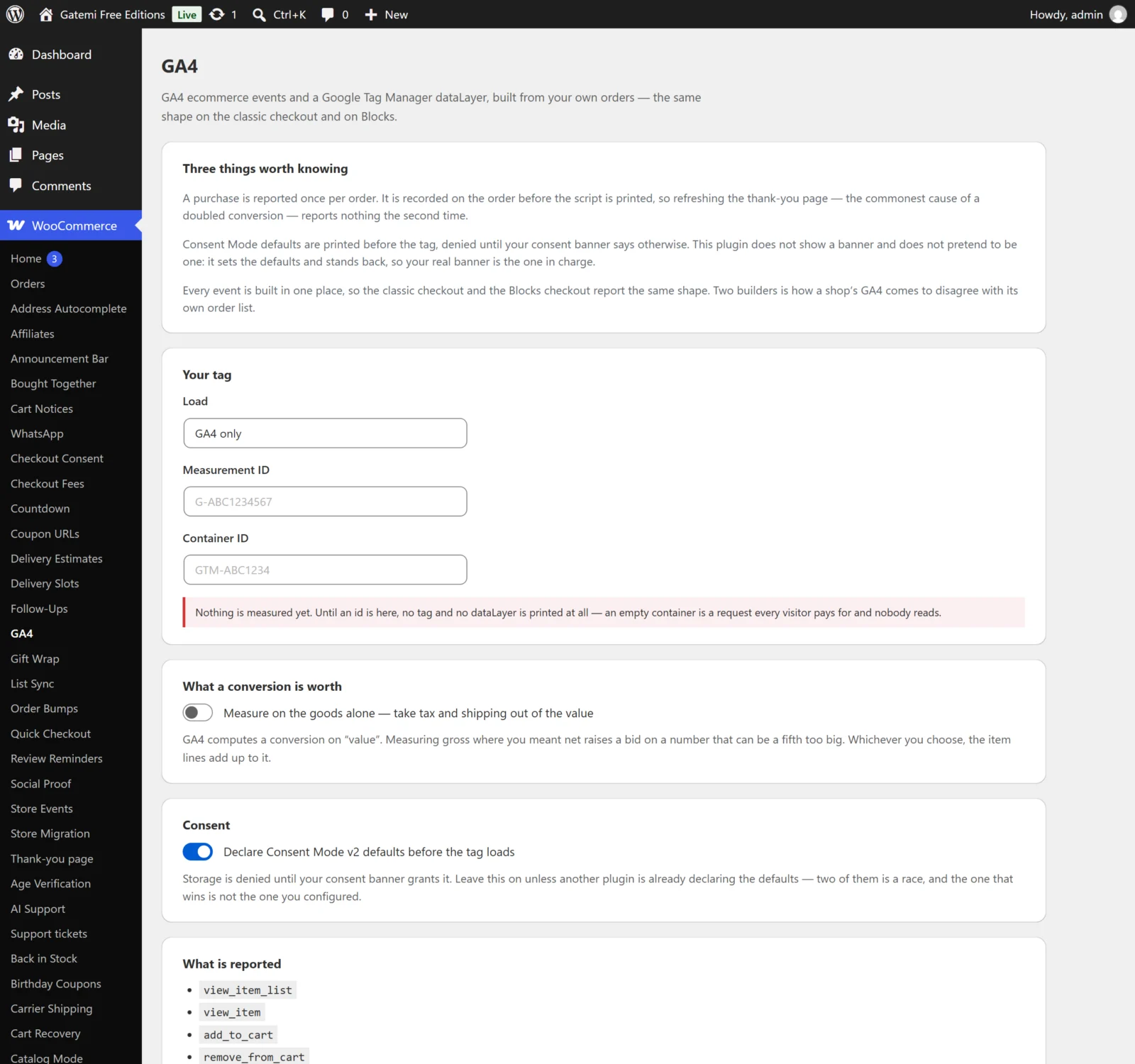
At the top, Three things worth knowing summarises the plugin's three rules: one purchase per order, consent defaults before the tag, and one builder for every event. The cards below hold the settings.
Your tag
Load
| Key | mode |
| Values | ga4 (GA4 only), gtm (Tag Manager only), both (Both) |
| Default | ga4 |
What the plugin loads on the storefront:
- GA4 only — Google's gtag.js with your Measurement ID, configured with
gtag('config', 'G-…'). - Tag Manager only — your Tag Manager container, plus Tag Manager's
<noscript>iframe right after<body>for visitors without JavaScript. GA4 itself is set up as a tag inside the container. - Both — gtag.js and the container side by side.
Whatever the mode, every event goes onto the same dataLayer, which is where Tag Manager reads it and what gtag() itself writes to.
If you choose Both and your container also has a GA4 configuration tag for the same Measurement ID, GA4 will receive page views from both. Use one or the other for the same property.
Measurement ID
| Key | measurement_id |
| Default | empty |
| Shape | G- followed by 4–20 letters or digits |
Used in GA4 only and Both. Spaces are removed and letters are upper-cased before the check.
Container ID
| Key | container_id |
| Default | empty |
| Shape | GTM- followed by 4–20 letters or digits |
Used in Tag Manager only and Both.
When an id is refused
An id that does not match its shape is not saved. The screen shows a red notice naming what you typed, and the field is saved empty — so if you mistype over an id that was working, measuring stops until you correct it. The status line under the card shows which state you are in:
- Measuring. — at least one valid id matches the mode.
- Nothing is measured yet. — no tag and no dataLayer are printed.
An id that does not belong to the chosen mode is kept but not used. For example, a Container ID with GA4 only selected loads nothing from Tag Manager.
What a conversion is worth
Measure on the goods alone — take tax and shipping out of the value
| Key | net_value (yes / no) |
| Default | no (unticked) |
Decides the value sent with purchase, which GA4 uses to compute revenue and return on ad spend.
| Unticked (default) | Ticked | |
|---|---|---|
value |
The order total | Order total − tax − shipping |
Each item's price |
Line total + line tax, per unit | Line total, per unit |
Both figures come from the order as charged, after coupons — not from the catalogue price. tax and shipping are always sent as their own fields.
This setting applies to purchase only. The other events use the product's current price as WooCommerce returns it.
Worked example: an order of two £20 items (VAT included in the price, £6.67 VAT) plus £5 shipping, total £45. Unticked, value is 45. Ticked, value is 45 − 6.67 − 5 = 33.33.
Consent
Declare Consent Mode v2 defaults before the tag loads
| Key | consent_mode (yes / no) |
| Default | yes |
When on, the plugin declares Google Consent Mode v2 defaults before gtag.js or Tag Manager loads:
| Signal | Default |
|---|---|
ad_storage |
denied |
ad_user_data |
denied |
ad_personalization |
denied |
analytics_storage |
denied |
functionality_storage |
granted |
security_storage |
granted |
Your consent banner then updates them when a visitor chooses. Turn this off only if another plugin — usually your consent management platform — already declares the defaults; two sets of defaults race each other.
What is reported
A list of event names. It is information only; there is nothing to switch. It currently lists view_item_list and remove_from_cart as well, which this version does not send — see How it works.
Save changes
Press Save changes. The screen shows Saved.
For developers
The last card names the four filters the plugin applies: gmga_consent_defaults, gmga_item, gmga_purchase and gmga_event. See the Developer reference.