
Both editions store discounts in one WordPress option, gmdr_rules, as a list of rules. The free edition writes one rule per product; the full edition writes as many as you like. The full edition's display switches live in a second option, gmdr_settings.
Free edition: the Quantity breaks tab
Open a product, then Product data → Quantity breaks. There are three rows. Each row is one break.
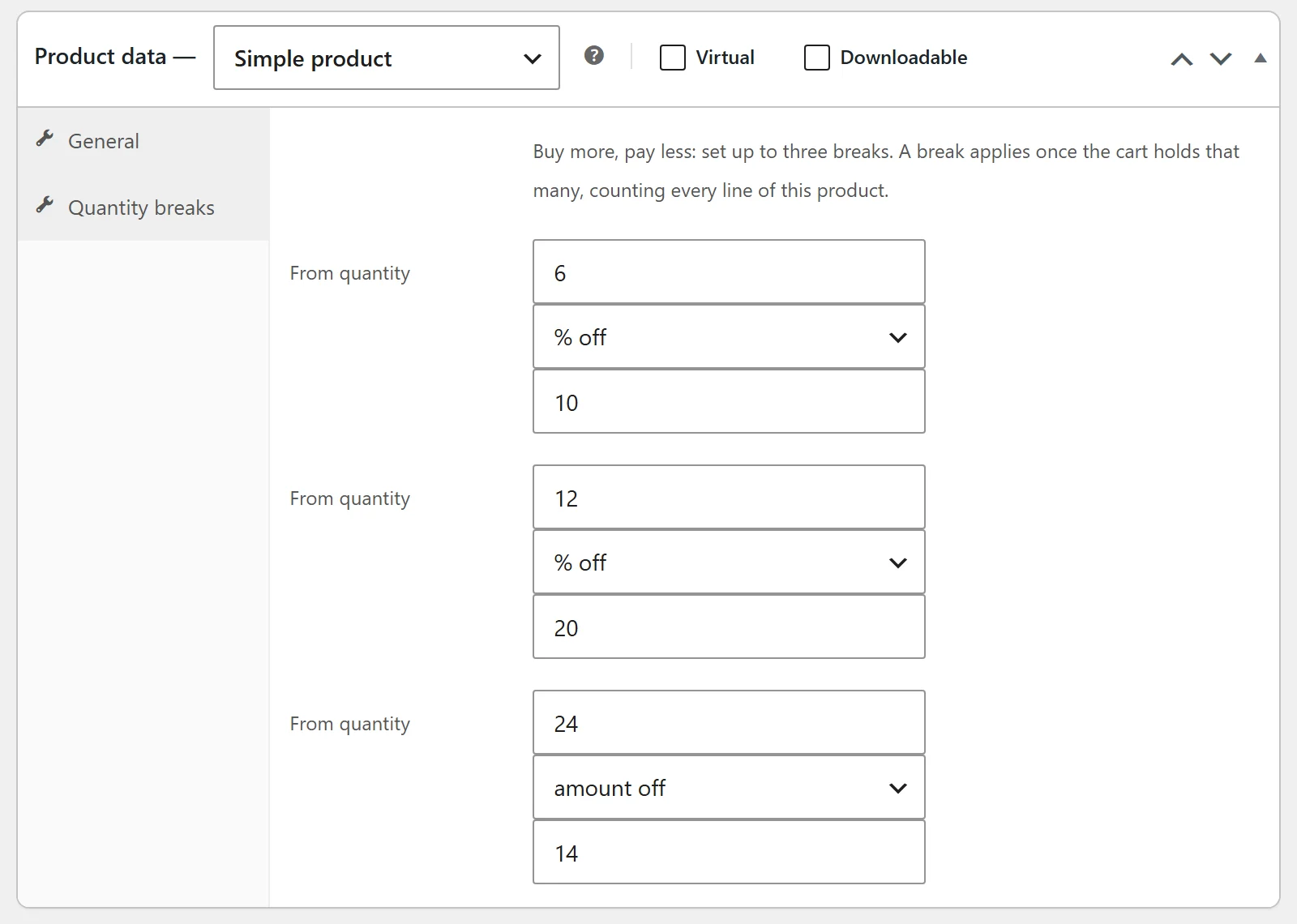
| Field | Stored as | What it does |
|---|---|---|
| From quantity | quantity |
The cart quantity at which the break starts. Must be 2 or more. |
| % off / amount off | discount (percent or fixed) |
Whether the amount is a percentage or a sum taken off each unit. |
| Amount | amount |
How much comes off. A row with 0 is not saved. |
- The highest break the cart has reached applies. With breaks at 5 and 10, a cart of 7 gets the 5 break.
- A percentage above 100 is treated as 100, so a product is never cheaper than free. An amount off larger than the price makes it free, not negative.
- Clearing all three rows and saving removes the product's breaks.
- The breaks are saved as a rule with the id
gmdrf-<product id>, of typetiered, scoped to that one product, with no conditions.
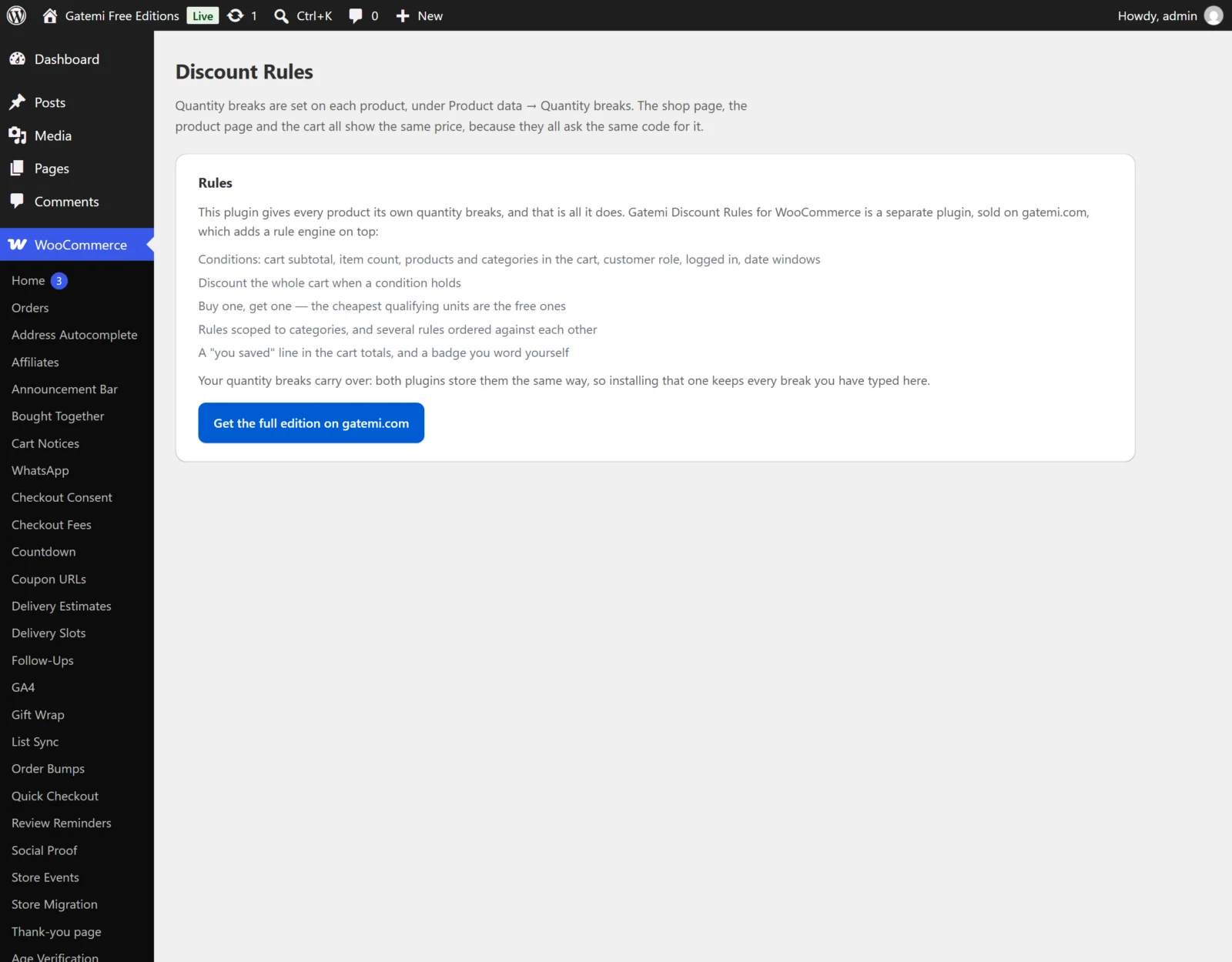
The free edition's screen at WooCommerce → Discount Rules has no settings: it explains where breaks are set and describes the full edition.
A note on variable products. The tab appears on simple and variable products. Breaks saved on a variable product are stored on the parent, and each variation in the cart is looked up by its parent, so every colour and size counts towards the same breaks: two red and three blue shirts are five shirts.
Full edition: rules
All rules are on WooCommerce → Discount Rules, one card per rule. Click Add a rule for a new one, Remove to delete one, and Save changes to store them all. Rules run in the order on the screen.
Name this rule
- Key:
title· Default: empty ("Discount") - Your name for the rule. Also the fee line's name for a cart or buy-one-get-one rule when no badge is set.
- The rule's id (
id) is made from this name the first time it is saved and then kept.
Active
- Key:
enabled· Default: on - Untick to keep a rule without running it.
This rule
- Key:
type· Default:product - Discount each matching product (
product) — every matching line is repriced. - Quantity breaks (buy more, pay less) (
tiered) — the line is repriced once the cart holds enough of the matching products. - Discount the whole cart (
cart) — a negative fee on the cart. - Buy one, get one (
bogo) — the cheapest qualifying units are free.
Take off
- Key:
discount· Default:percent - a percentage off (
percent), an amount off (fixed), or a fixed price (fixed_price, the price each becomes this amount). - A whole-cart rule cannot be a fixed price; that choice is saved as an amount off.
- For buy-one-get-one, a percentage off with an amount takes that percentage off the free units; any other choice makes them entirely free.
Amount
- Key:
amount· Default:0 - A product or cart rule with 0 is not saved.
Buy / Get free — buy-one-get-one only
- Keys:
bogo_buy,bogo_get· Defaults: 1 and 1 - "Buy 2, get 1 free" is Buy
2, Get free1.
Quantity breaks — quantity breaks only
- Key:
tiers· typed as text, one per line,quantity: amount - Example:
5: 10and10: 15with a percentage off means 10% off at five, 15% off at ten. Every line uses the rule's Take off choice. - Lines without a colon, and lines with an amount of 0, are ignored.
Applies to
- Key:
applies_to· Default:all - every product, these products (
products) or these categories (categories). - Product ids, comma separated (
products) — a variation also matches when its parent's id is listed. - Category ids, comma separated (
categories) — sub-categories are included. With no ids, the rule matches nothing.
Only when (conditions)
Each row is one condition: a type, a comparison and a value. Every condition must hold for the rule to apply. For "either/or", write two rules.
| Condition | Key | Comparisons | Value |
|---|---|---|---|
| Cart subtotal | cart_subtotal |
is at least, is at most, is | A number |
| Total items in the cart | cart_quantity |
same | A number |
| Cart contains product | product |
is one of, is none of | Product ids |
| Cart contains category | category |
is one of, is none of | Category ids |
| Quantity of the matching product in the cart | product_quantity |
at least / at most / is | A number |
| Customer role | user_role |
is one of, is none of | Role slugs, e.g. wholesale_customer; guest for visitors not logged in |
| Customer is logged in | logged_in |
is | yes or no |
| On or after date | date_from |
— | A date, e.g. 2026-11-27 |
| On or before date | date_to |
— | A date |
- A list condition takes several values separated by commas or new lines (
12, 14); they are stored as a list, so is one of matches any of them and is none of refuses all of them. - A condition whose type is no longer declared — the extension that added it was switched off — is kept on the rule and shown in the editor as "not recognised". It never matches, so the rule stays held back rather than applying to everybody, and saving the rule does not rewrite it.
- The cart subtotal and item counts are measured at the prices lines came in at, before this plugin's discounts.
- Dates are compared with today's date in the store's timezone, both ends inclusive. A date that cannot be read never matches, so a sale never starts early.
Badge shown to shoppers (optional)
- Key:
label· Default: empty - The badge on the discounted price and the cart line. Empty shows the percentage taken off, for example "15% off".
Keep looking at later rules after this one matches
- Key:
stop· Default: off (stop=yes, reading stops at this rule) - Tick it to let later rules also be considered. See How it works for how two matching rules combine.
Full edition: What shoppers see
Stored in gmdr_settings. All four default to on (yes).
| Setting | Key | What it does |
|---|---|---|
| Show the discounted price on shop and product pages | catalog_prices |
Shows the old price struck through and the new one, with the badge, wherever WooCommerce prints a price. |
| Show a "buy more, pay less" table on the product page | tier_table |
The quantity-break table under the product summary. |
| Show which rule discounted each cart line | cart_badges |
The badge after the product name in the cart. |
| Show a "you saved" line in the cart totals | savings_line |
A You saved row in the classic cart totals. |
Full edition: License & updates
Paste your key and click Activate. Licence state is kept in its own option, gmdr_license. A licence check that cannot reach gatemi.com never changes the licence state. Below it, For developers lists the filters described in the Developer reference.