
Gatemi Discount Rules takes money off in the cart for the reasons a shop actually gives discounts: buy more and pay less, a sale on a category, a discount for trade customers, buy one get one. Whatever the rule, the price on the shop page, the price on the product page and the price in the cart are worked out by the same code, so a shopper is never shown one price and charged another.
There are two editions:
- Gatemi Discount Rules — the free edition. Up to three quantity breaks on any product ("5 or more: 10% off"), set in WooCommerce's own Product data box, with a "Buy more, pay less" table on the product page.
- Gatemi Discount Rules for WooCommerce — the full edition, sold on gatemi.com. A rule engine: product discounts, quantity breaks, whole-cart discounts and buy-one-get-one, scoped to products or categories, with conditions (cart subtotal, item count, products or categories in the cart, customer role, logged in, date windows), a "You saved" line and badges you word yourself. See the product page.
Both editions store quantity breaks in the same option and the same shape, so every break typed in the free edition is still there after upgrading.
Requirements
- WordPress 6.4 or later
- PHP 7.4 or later
- WooCommerce 8.0 or later (tested up to 10.9)
- Both editions declare compatibility with High-Performance Order Storage (HPOS) and the Cart & Checkout blocks.
Install
Free edition. Gatemi Discount Rules is coming to wordpress.org. Until then, install it from its zip:
- Go to Plugins → Add New Plugin → Upload Plugin.
- Choose
gatemi-discount-rules.zip, click Install Now, then Activate.
Full edition.
- Download the zip from your gatemi.com account.
- Upload and activate it the same way.
- Go to WooCommerce → Discount Rules, find License & updates, paste your licence key (
GM-XXXXX-XXXXX-XXXXX-XXXXX-XXXXX) and click Activate. The key switches on one-click updates and support.
If both editions are active, the free edition stands down — a line under it on the Plugins screen says so — and the full edition prices the same breaks. You can then deactivate the free edition.
First setup: quantity breaks on one product (both editions)
- Go to Products, open a simple product and scroll to Product data.
- Click the Quantity breaks tab.
- On the first row, type From quantity
5, choose % off, and type10as the amount. - Optionally add a second row: from
10,% off,15. - Click Update.
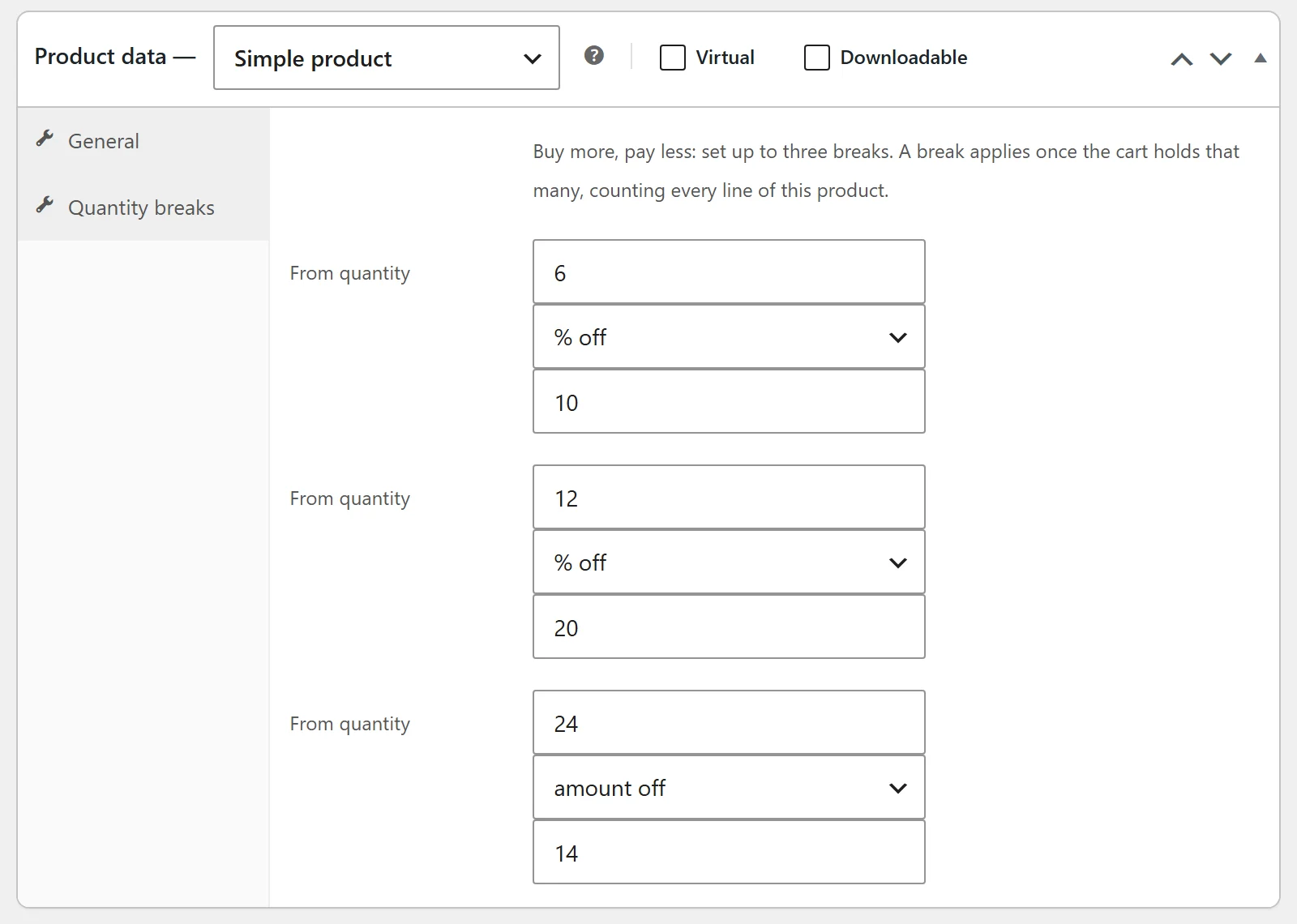
A row with a quantity below 2 or an amount of 0 is not saved, because it would show shoppers a discount of nothing. Amount off takes a fixed sum off each unit instead of a percentage.
Full edition. The same tab is not there; breaks — and every other discount — are written as rules on WooCommerce → Discount Rules. See Settings. Breaks the free edition wrote appear there as rules named "Quantity breaks for product N".
Check it works
- Open the product page. Under the price you should see a Buy more, pay less table: "5 or more" and its price each, "10 or more" and its price.
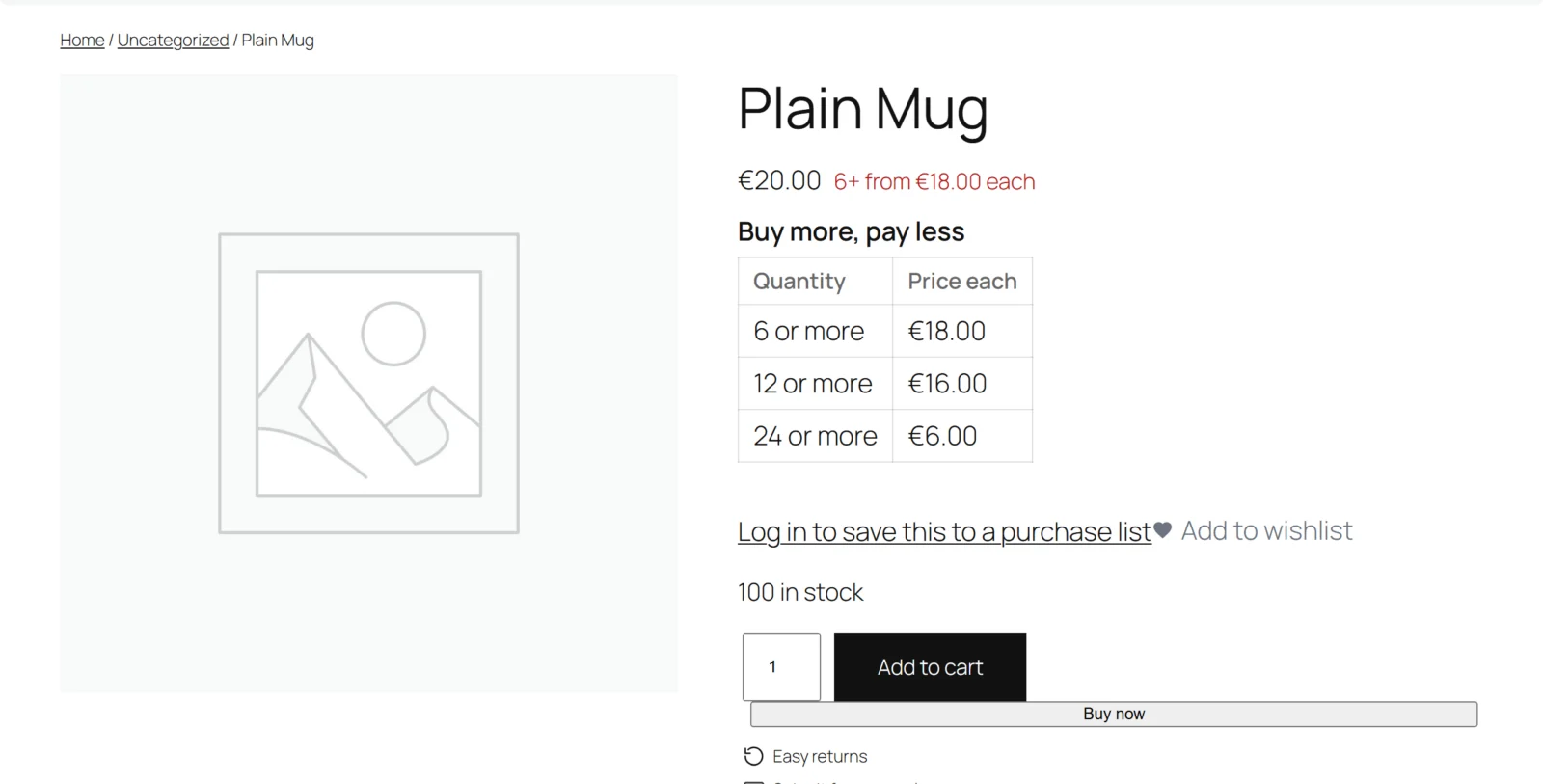
- In the free edition the price itself carries a short note, for example "5+ from £9.00 each".
- Add 4 to the cart: the line is at the normal price.
- Change it to 5: the line drops to the break price and shows a badge such as 10% off.
- Add the same product again on a second line (for example from a different page): the quantities are added together, so two lines of 3 are priced as 6.
Next: Settings · How it works · FAQ and troubleshooting