
Settings are on WooCommerce → Announcement Bar (capability manage_woocommerce). Both editions use two options: gmab_settings for the switches and gmab_bars for the bars, in the same shape. Upgrading keeps every bar.
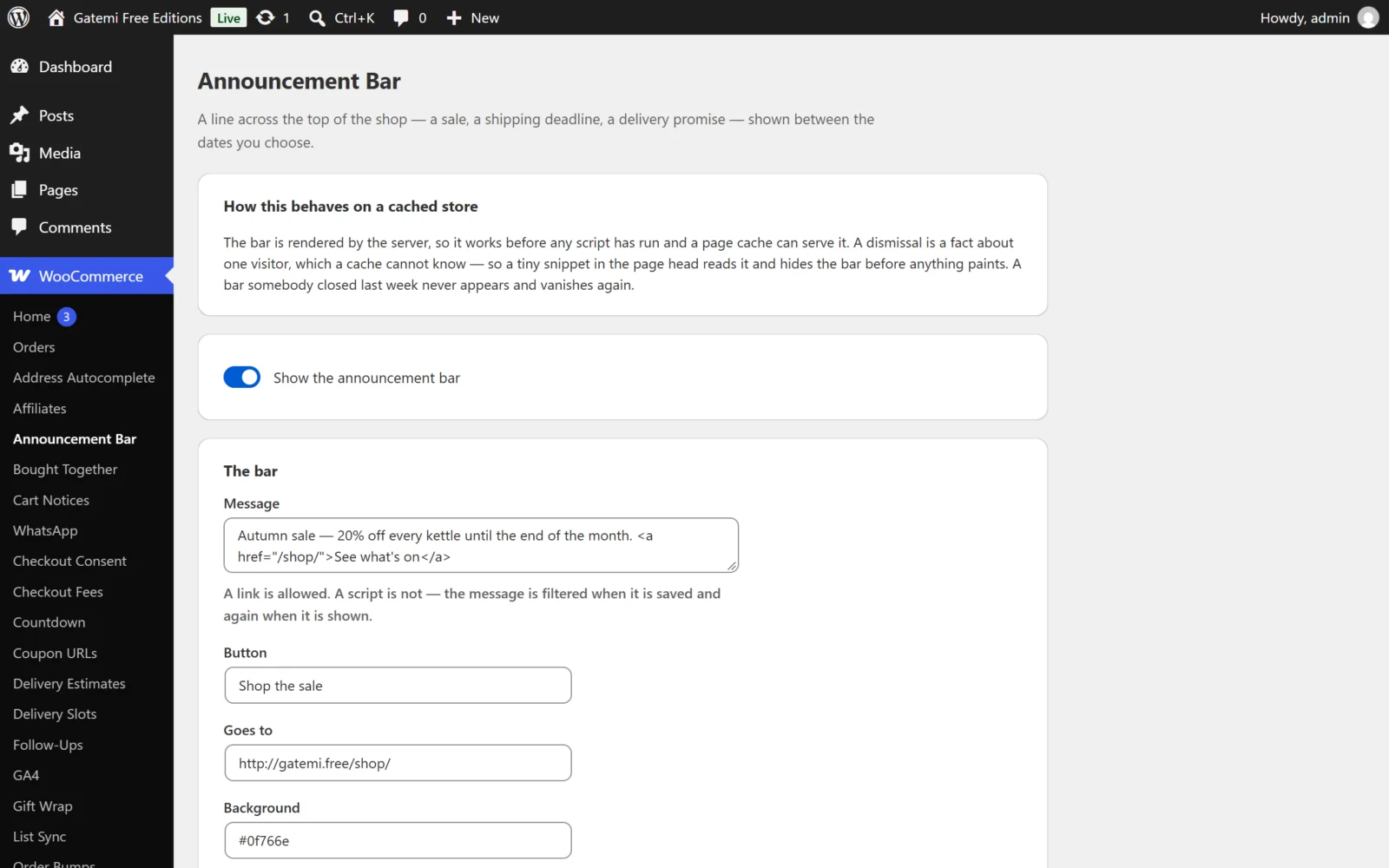
General
Show the announcement bar
- Key:
gmab_settings[enabled]· Default: on (yes) - The master switch. Off, no bar is shown anywhere. The full edition labels it Show announcement bars.
At most this many on one page — Full edition
- Key:
gmab_settings[max_bars]· Default:2· Range: 1–5 - How many bars one page may carry. The first ones that apply, in the order you listed them, are shown. Free edition: one.
Each bar
The free edition edits the first bar. If the full edition wrote more, they are kept exactly as they are and a note on the screen says so.
| Label | Key | Default | What it does |
|---|---|---|---|
| Message | message |
— | The text. Links and basic formatting allowed; scripts are removed, at save and again when shown. Emptying the message deletes the bar. |
| Button | button |
empty | The button's label. |
| Goes to | url |
empty | The button's address. A javascript: address is removed. The button only shows with both a label and an address. |
| Position — Full edition | position |
top |
Top (after <body>) or Bottom (in the footer). The free edition always draws its bar at the top. |
| Background | background |
#1e1e1e |
A hex colour. Anything that is not a colour falls back to the default. |
| Text | text |
#ffffff |
A hex colour, as above. |
| Starts | starts |
empty | First day shown, in your site's timezone. Empty means from now. |
| Ends | ends |
empty | Last day shown — inclusive. Empty means no end. |
| Stays put as they scroll — Full edition | sticky |
off | Keeps the bar fixed while the page scrolls. |
| Can be closed | dismissible |
on | Shows the × control. |
| Stays closed for (days) | dismiss_days |
7 |
0–365. 0 means until the visitor closes their browser. |
| Switched on | enabled |
on | A bar can be kept but not shown. |
A date that cannot be read is stored as "no date" rather than a date in 1970.
Unticking Switched on keeps the bar but stops showing it; unticking Can be closed removes the × control. Each checkbox posts a hidden 0 before it, so an unticked box is saved as off.
Conditions — Full edition
Each bar can carry conditions. Every condition on a bar must be true for it to show; adding one only ever narrows who sees the bar. A condition the plugin does not understand counts as false.
| Condition | Key | Value |
|---|---|---|
| Only on these pages | page |
Comma-separated: shop, category, product, cart, checkout, account, home |
| Everywhere except these pages | not_page |
Same list — checkout is the usual answer |
| The cart is worth at least | min_total |
An amount, compared with the cart subtotal (before tax and discounts); 1.250,00 is read as 1250 |
| The cart is worth at most | max_total |
An amount — "spend £50 for free shipping" is a max of 49.99 |
| The cart is empty | cart_empty |
— |
| The cart holds something from these categories | has_category |
Category IDs |
| The visitor's role is one of | user_role |
Role keys; guest means not signed in |
| It is before this time today | before_time |
A time such as 15:00, on the store's clock |
Free edition: conditions are kept on a bar but not evaluated. A bar that carries any condition is not shown in the free edition, because showing it without its targeting could show it to the very visitors it was meant to exclude. The screen says so on that bar.
License & updates — Full edition
Enter the GM-XXXXX-… key from your gatemi.com account and press Activate. A failed check never changes the licence state.
For developers — Full edition
The screen lists the filters it applies; see the developer reference.