
Three rules decide what the plugin does on the order-received page.
Rule 1: the blocks are added to WooCommerce's page, never instead of it
Many thank-you page plugins replace WooCommerce's checkout/thankyou.php template with one of their own. That silently drops everything else that hooks into the page: conversion tracking, analytics, an invoice plugin, a shipment-tracking plugin, the theme's own layout. A shop usually finds out weeks later, from a report with no data in it.
Gatemi Thank You does not touch the template. It prints through WooCommerce's own woocommerce_thankyou hook, at priority 5, so everything else hooked to that page still runs.
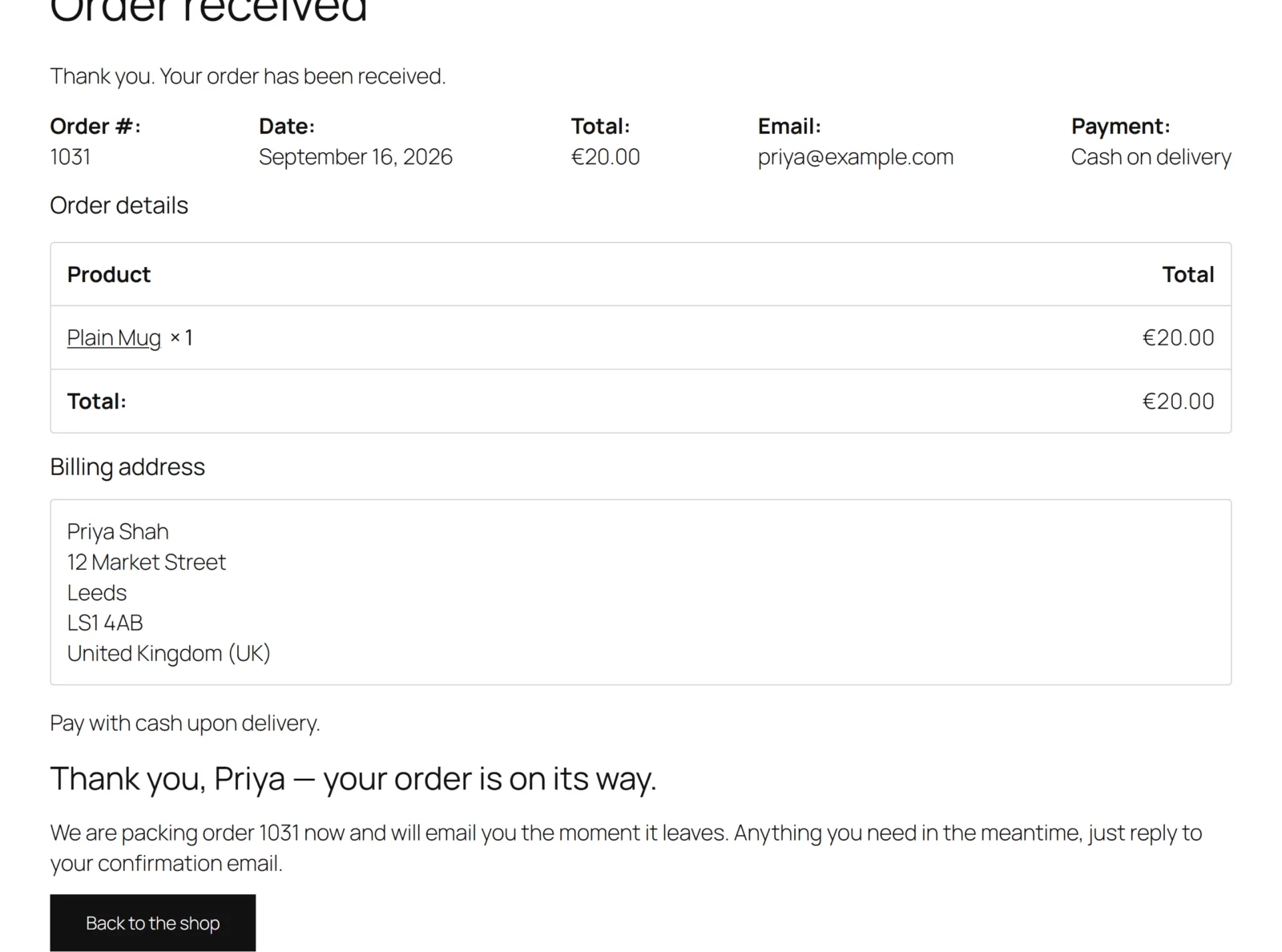
The order details
WooCommerce prints its order summary on the same hook, at priority 10, through woocommerce_order_details_table. What the plugin does with it depends on your layout:
- Your layout has no "order's own details" block. The plugin leaves WooCommerce's summary alone. It appears exactly where WooCommerce puts it, after your blocks.
- Your layout has the block. The plugin draws WooCommerce's own
order/order-details.phptemplate where the block sits, and takes WooCommerce's default copy off the hook for that request so it is not printed twice. Anything that hooks into that template still runs, because it is WooCommerce's template, not a copy of it. - The page already draws the order itself. On a block theme, WooCommerce's Order Confirmation template draws the order in its own blocks and removes
woocommerce_order_details_tablefrom the hook before firing it. The plugin checks for that: when the default callback is already off, the details block is skipped, so the table never appears twice. Your other blocks still print.
Rule 2: values come from the order WooCommerce resolved
The order-received address carries an order id and an order key. WooCommerce checks both and hands the hook the order. The plugin uses that order and nothing else — it never reads an order id from the address itself. So one customer can never be shown another customer's name by editing the URL.
No order, no blocks: someone who opens the page without a valid key sees WooCommerce's own page.
Placeholders
Before a block is drawn, every placeholder in its text is replaced with the order's value. A placeholder the order cannot fill — a guest order with no last name, say — becomes an empty string. "Thank you, {first_name}" printed literally is the most visible way this kind of plugin fails, so it never happens here.
{order_number} uses WooCommerce's get_order_number(), so if a sequential order number plugin formats your numbers, the customer sees the same number they see in their email.
Filtering
- Heading text has all markup removed.
- Paragraph text is filtered with
wp_kses_post()at save and again when drawn, because an import or a restored backup bypasses the editor. - A button's address must survive
esc_url(); otherwise the button is not drawn. - Full edition: a video is embedded only after a YouTube or Vimeo id has been parsed out of the address. Nothing else is ever put in an
<iframe>on a page carrying an order's details.
Rule 3: one layout per order — Full edition
The full edition can hold several layouts. For each order it walks them in the order they are listed and takes the first one that covers the order:
- A layout for Every order covers every order.
- A layout for certain products covers the order when any line is one of the listed products. A product id covers its variations, and a variation id can be listed on its own.
- A layout for certain categories covers the order when any product in it is in a listed category or a sub-category of one.
Layouts are never merged. Merging is how a customer ends up with two headings and two thank-you messages, and "the most specific wins" is a rule a merchant cannot see. With first-match, what the list shows is what happens.
Worked example
You sell coffee and coffee machines. You want machine buyers to see a setup video, and everyone else a simple note.
- Layout 1 — Applies to: Orders containing products in certain categories, id
14(your Machines category). Blocks: Heading, A video, The order's own details. - Layout 2 — Applies to: Every order. Blocks: Heading, Paragraph.
An order with a grinder from Machines → Grinders matches layout 1 (the sub-category counts). An order with only beans skips layout 1 and matches layout 2. Had layout 2 been listed first, every order would see layout 2, because it covers every order.
The free edition and other layouts
The free edition runs one layout: the first layout in the list whose scope is Every order. A layout the full edition targeted at products or categories is left untouched and not shown — showing it to everybody would widen what you chose. Blocks of a kind only the full edition draws (steps, coupon, video) are skipped on the page and kept in storage when you save, so moving back to the full edition brings them straight back.
What loads on the page
- No JavaScript, anywhere on the storefront.
- One small stylesheet, registered on every page but loaded only on the request that actually drew your blocks.
- Nothing is written to the order, the product or a table. A thank-you page is drawn, never stored.