
Both editions have their settings on WooCommerce → Product Search (capability manage_woocommerce). The two editions store their settings in different options, so each has its own section below.
Free edition
The free edition has one setting, stored in the option gmpsrf_settings.
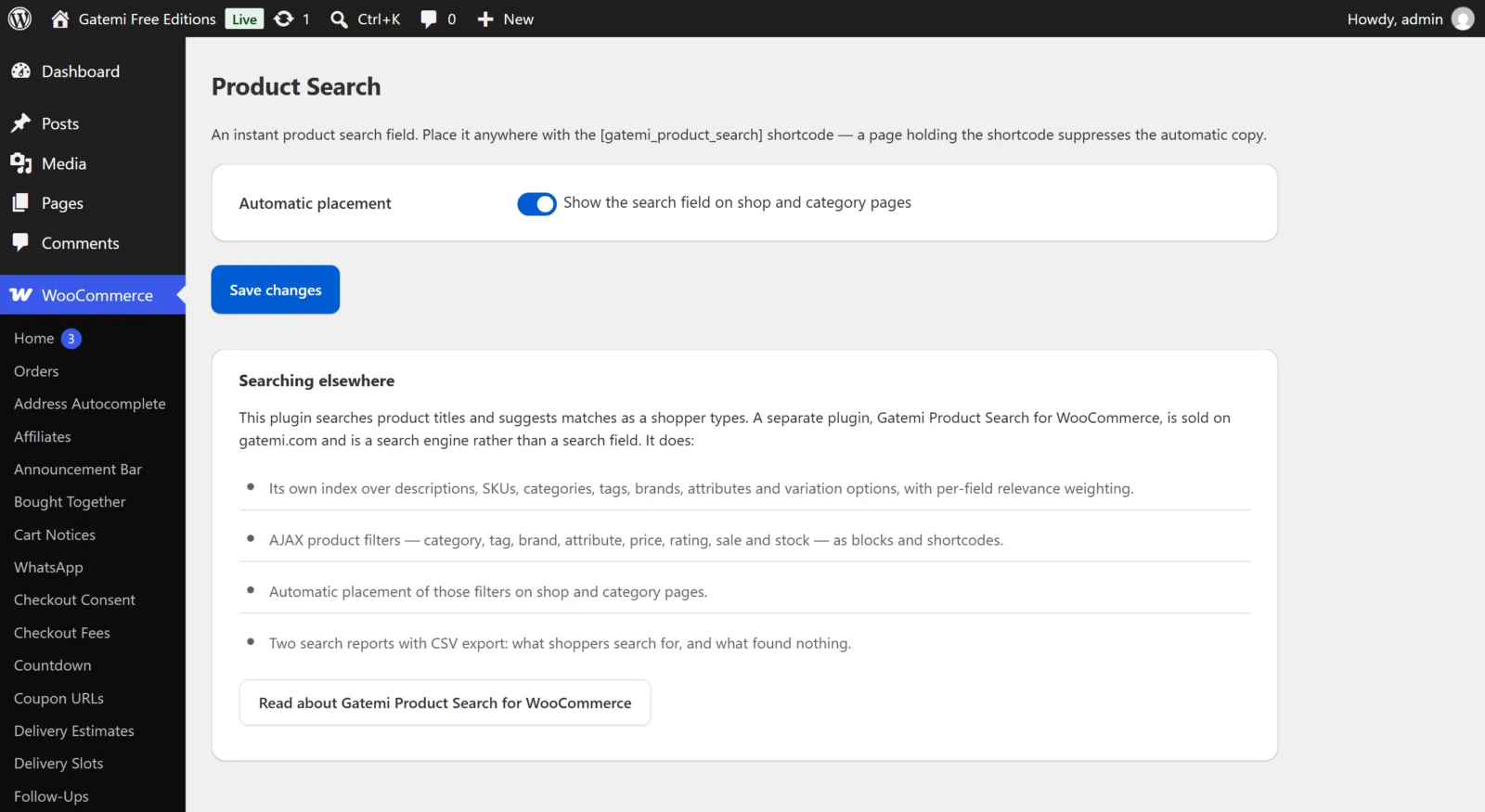
Automatic placement
- Label: "Show the search field on shop and category pages"
- Key:
auto· Default: on (yes) - On: the search field is printed above the products on the shop page and on product category and tag archives, through WooCommerce's
woocommerce_before_shop_loophook. - Off: the field appears only where you place the
[gatemi_product_search]shortcode.
Everything else in the free edition is fixed:
| Behaviour | Free edition |
|---|---|
| Suggestions start at | 2 characters |
| Pause after typing before asking | 250 ms |
| Suggestions shown | Up to 8 |
| What is searched | WordPress' own product search (title, short description, description) |
| Products hidden from search | Never suggested |
Full edition
The full edition stores nine on/off settings in one option, gatemi_product_search_settings. They are grouped on the screen as below. Saving any setting in the Searching group rebuilds the index in the background.
On the shop page — Full edition
Show the search field on shop and category pages
- Key:
auto-search· Default: on - Placed above the products, inside your theme's own layout. Applies to the shop page and to category, tag and brand archives.
Show filters on shop and category pages
- Key:
auto-filters· Default: on - Shows category, brand, price, rating, on-sale and in-stock filters on the same pages. Attribute filters are added for the attributes you have enabled archives for under Products → Attributes ("Enable archives?"), because those are the attributes shoppers browse by. A filter with nothing to show hides itself.
Placing one of the plugin's blocks or shortcodes on a page turns both automatic placements off for that page.
Searching — Full edition
These change what goes into the index. Changing any of them rebuilds it.
Suggest products while typing
- Key:
instant-search· Default: on - Shows matching products under the search field before the shopper submits it. It is also the default for each search block and shortcode, which can override it with
instant.
Search product descriptions
- Key:
index-content· Default: on - Turn it off if your descriptions are long and generic. Names, categories and attributes are always searched.
Search SKUs
- Key:
index-sku· Default: on - Lets shoppers and staff find a product by typing its code.
Search categories, tags, brands and attributes
- Key:
index-taxonomies· Default: on - A search for a brand or a colour then finds the products carrying it.
Search variation SKUs and options
- Key:
index-variations· Default: on - Finds a variable product when the shopper types the SKU or option of one of its variations. The result is the parent product.
Search reports — Full edition
Record what shoppers search for
- Key:
log-searches· Default: on - Stores the search term, how many results it returned, when, and the user ID of a signed-in shopper. No IP addresses or session identifiers. Requests from crawlers (user agents containing "bot", "crawl", "spider" and similar, or no user agent) are not recorded, and neither is page two of the same search.
Removing the plugin — Full edition
Delete all data when the plugin is deleted
- Key:
delete-data· Default: off - Deactivating never deletes anything. Deleting the plugin removes its tables and options only when this is on.
Index — Full edition
Not settings, but on the same screen:
- Products indexed, Indexed words, Waiting to be indexed and Status ("Up to date" or "Rebuilding in the background").
- Rebuild the index — starts over, one batch at a time. Searching keeps working against the index as it stands.
- Process the queue now — drains waiting products immediately instead of waiting for the background worker.
- A warning appears if the background indexer is not scheduled; saving the settings schedules it again.
Adjustable without a setting — Full edition
The screen lists the defaults that are filters rather than controls: relevance weights, the shortest indexed word, stopwords, batch size, suggestion count, cache lifetime, the scoring cap, which filters appear automatically, where they are rendered, whether the sidebar makes way, and typo tolerance. Each is described in the developer reference.
License & updates — Full edition
Enter the key from your gatemi.com account and press Activate. The card shows the status (Active, Expired, Revoked), how many of your sites are in use, and a Deactivate on this site button. The licence is stored in its own option, gatemi_ps_license. Without a key the plugin makes no external requests; an expired licence keeps working, it only stops updates.
Moving from the free edition
The two editions do not share settings. When you install the full edition, the free one stands down; the full edition starts with its own defaults (both automatic placements on), and the [gatemi_product_search] shortcode you already placed keeps working, because both editions use that name.