
Everything is on WooCommerce → Order Statuses. Only users who can manage WooCommerce (manage_woocommerce) can open or save it.
Both editions keep the list of statuses in one option, gmos_statuses, as a list of rows. The free edition shows the first three. When it saves, it:
- keeps any status beyond the first three exactly as it is;
- keeps the colour and email settings the full edition wrote on a status, as long as the status keeps its slug — the free edition does not use them, but upgrading again finds them where they were.
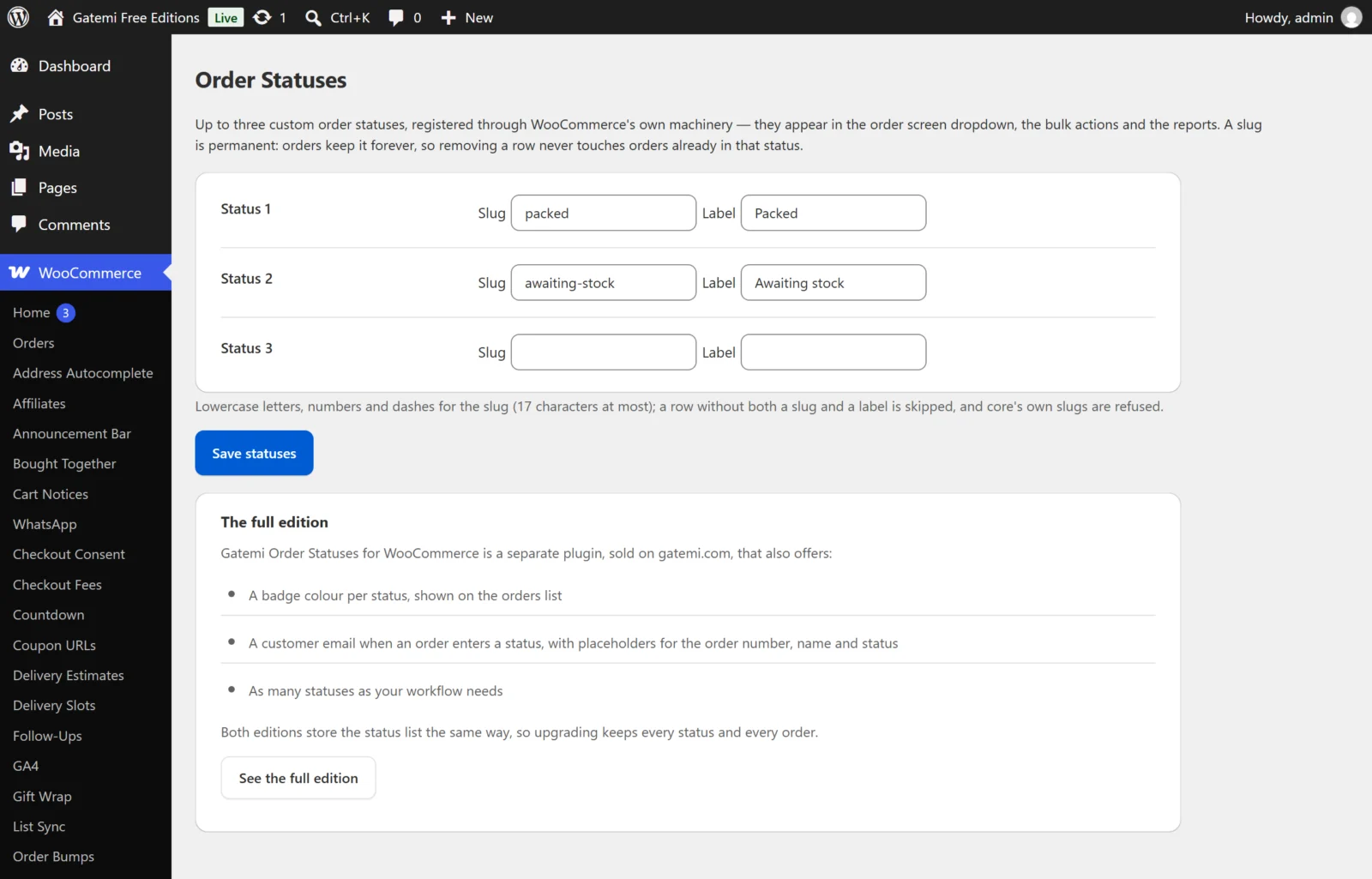
A status
Slug / Slug (permanent)
- Field:
slug - Lowercase letters, numbers, dashes and underscores. Anything else is removed when you save.
- At most 17 characters. WordPress limits a post status name to 20 characters and WooCommerce adds
wc-in front. - WooCommerce's own slugs are refused:
pending,processing,on-hold,completed,cancelled,refunded,failedandcheckout-draft. So is a slug used twice — the second row is dropped. - A slug is permanent. An order stores it, so once a status is saved its slug is shown as text, not as a box, and cannot be changed — a renamed slug would leave every order in the old one on a status nothing registers. To use a different slug, add a new status. Pick it once.
Label
- Field:
label - What appears in the status dropdown, the orders list, the status filter and the bulk action ("Change status to …"). Plain text.
- A row without both a slug and a label is skipped.
Color — Full edition
- Field:
color· Default:#777777 - The background of the status badge on the orders list. Must be a hex colour; anything else falls back to the default.
- The text colour is chosen for you — dark (
#1f2937) on light colours, white on dark ones — from the colour's brightness.
Email the customer when an order enters this status — Full edition
- Field:
email_enabled· Default: off - When on, every time an order changes to this status the billing email receives a message. It is sent on any change to the status: from the order screen, the bulk action, another plugin or the REST API.
Email subject — Full edition
- Field:
email_subject· Default: empty, which sends "Your order {order_number} is now {status_label}"
Email body — Full edition
- Field:
email_body· Default: empty, which sends "Hi {customer_name}, your order {order_number} at {site_title} is now {status_label}." - The email is sent as HTML. Blank lines become paragraphs, and the markup the box keeps — a link, a bold word — is rendered. Values a placeholder fills in from the order (such as the customer's name) are escaped, so a name cannot inject markup. The subject is plain text.
| Placeholder | Becomes |
|---|---|
{order_number} |
The order number |
{customer_name} |
The customer's billing first name |
{status_label} |
The status's label |
{site_title} |
Your site title |
Remove status — Full edition
Removes the row when you save. In the free edition, clear both boxes of a row. Removing a status never touches orders: orders already in it keep it (see the FAQ).
How many statuses
- Free edition: three rows, Status 1 to Status 3.
- Full edition: as many as you add with Add status.
License & updates — Full edition
Enter your licence key and click Activate; Deactivate on this site frees it. Stored in gmos_license. A failed check never changes your licence state.
For developers — Full edition
A table of the plugin's filters; see the developer reference.