
Both editions keep their feeds in one option, gmpf_feeds, as a list of feed rows in the same shape. That shared shape is what lets a feed — and its address — carry over from one edition to the other.
Free edition
Where: WooCommerce → Product Feed (needs manage_woocommerce).
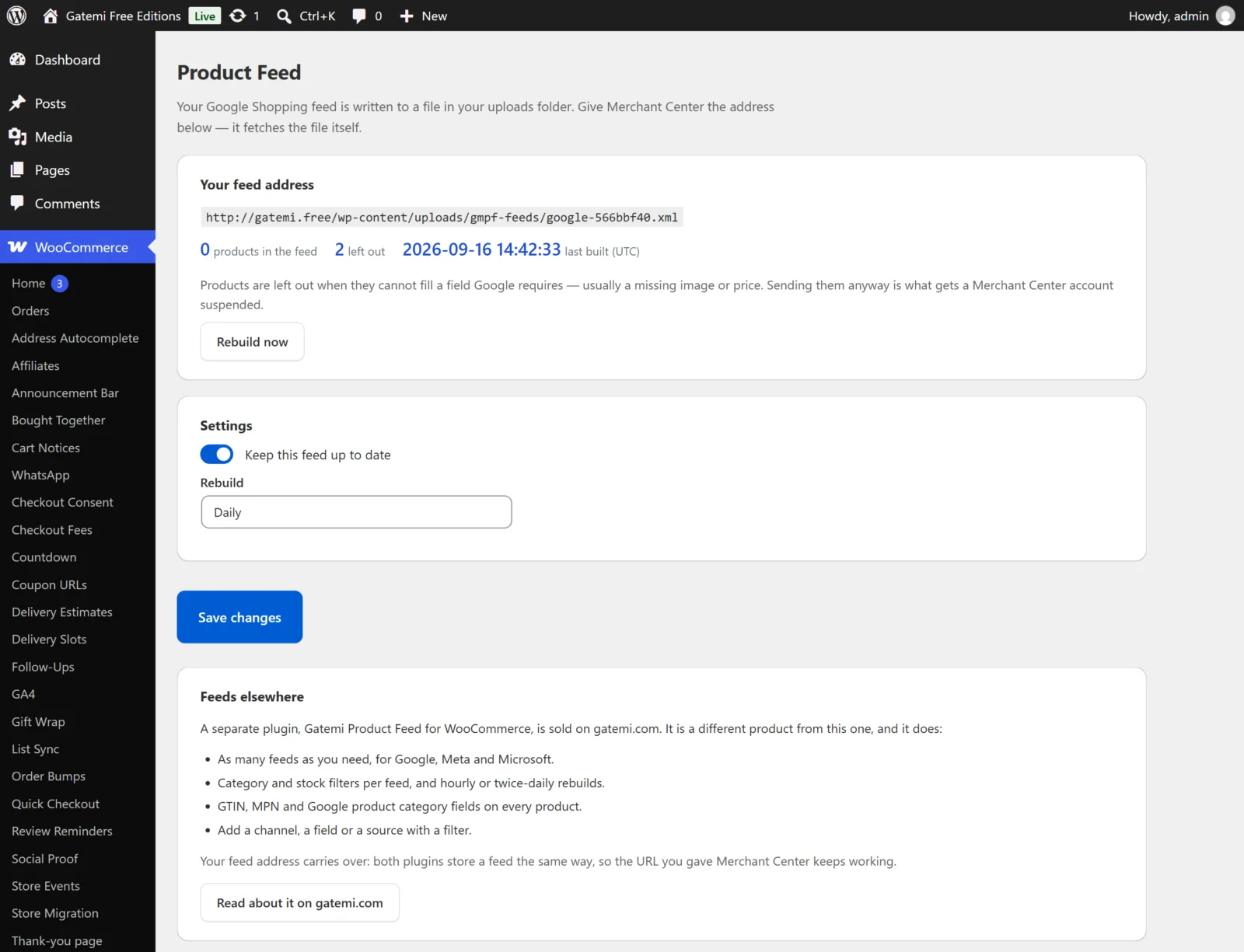
Your feed address
The top card shows the address to give Merchant Center, the counts from the last build (products in the feed, left out, last built (UTC)) and a Rebuild now button.
Settings
| Label | Key in the feed row | Default | What it does |
|---|---|---|---|
| Keep this feed up to date | enabled |
on (yes) |
Off stops the scheduled rebuild (and a rebuild already queued builds nothing). Rebuild now still works. |
| Rebuild | schedule |
Daily (daily) |
Daily rebuilds the feed once a day by cron, starting five minutes after the setting takes effect. Only when I ask removes the schedule; the feed changes only when you press Rebuild now. |
The free edition's feed is the row with id gmpff-google. It always:
- uses the Google Shopping format,
- sends every published product,
- sends a variable product as its variations.
Its file name is made once, as google- plus a random eight-character code, and kept from then on.
The card below describes the separate full edition. Nothing there is a setting.
Full edition
Where: WooCommerce → Product Feeds.
Feeds
Each feed has its own card. The last card, Add another feed, is always empty: fill it in to add a feed. Left without a name and not made active, it is not saved.
| Label | Key | Default | What it does |
|---|---|---|---|
| Name this feed | title |
empty | A name for you, e.g. "Google Shopping — all products". The feed's id is made from it the first time it is saved. |
| Channel | channel |
Google Shopping (google) |
Google Shopping (XML), Meta (Facebook & Instagram) (CSV) or Microsoft (Bing) Shopping (XML). |
| Rebuild | schedule |
Daily | Hourly, Twice daily, Daily or Only when I ask. |
| Active | enabled |
off for a new card | Only active feeds are rebuilt on their schedule. |
| Only products in stock | in_stock_only |
off | Leaves out products whose stock status is not In stock (so backorders are left out too). |
| Send each variation as its own row | include_variations |
on | Can be unticked and saved. Off leaves variable products out of this feed entirely, because the parent of a variable product has no price of its own a shopper can buy. |
| Only these category ids, comma separated (blank for all) | categories |
blank | Limits the feed to products in those categories. IDs are stored rather than names, so renaming a category does not empty a feed. |
Every feed also has a file name (filename) made from its id, its channel and a random code. Two feeds are never allowed the same file name. Below each feed card: the address, the counts, any error from the last build and Rebuild now. Saving the screen keeps those counts and the last build time.
Each saved feed also has Remove this feed and delete its file when I save. Ticked, the save drops the feed and deletes its public file (never a file another feed still writes).
Settings
| Label | Key | Default | What it does |
|---|---|---|---|
| Add GTIN, MPN, Google category and condition fields to products | product_fields |
on | Adds the four fields below to the product editor. |
| Rebuild feeds on their schedules | scheduled |
on | Off stops every scheduled rebuild; Rebuild now still works. |
These are stored in the gmpf_settings option.
Product fields
With Add GTIN, MPN, Google category and condition fields to products on, the Inventory tab of the product editor gets four fields:
| Label | Meta key | What it is for |
|---|---|---|
| GTIN | _gmpf_gtin |
The barcode number — EAN, UPC or ISBN. Channels match your product to their catalog with it. |
| MPN | _gmpf_mpn |
The manufacturer's part number. Left blank, the SKU is sent instead. |
| Google product category | _gmpf_google_category |
Google's own category ID or full path. Optional. |
| Condition | _gmpf_condition |
New (the default, stored as nothing), Refurbished or Used. What the feed sends as the product's condition. |
An emptied field is deleted rather than stored as blank.
For developers
The screen lists every filter the plugin applies, with what it tunes. See Developer reference.
License & updates
The License & updates card takes your gatemi.com licence key and shows its state. An expired licence keeps the plugin working; it only stops updates.