
All settings are on one screen: WooCommerce → Product Discovery. You need the manage_woocommerce capability. Press Save changes at the bottom.
The free edition stores its settings in the gmpdf_settings option; the full edition in gmpd_settings. The two are separate, so the full edition starts from its own defaults.
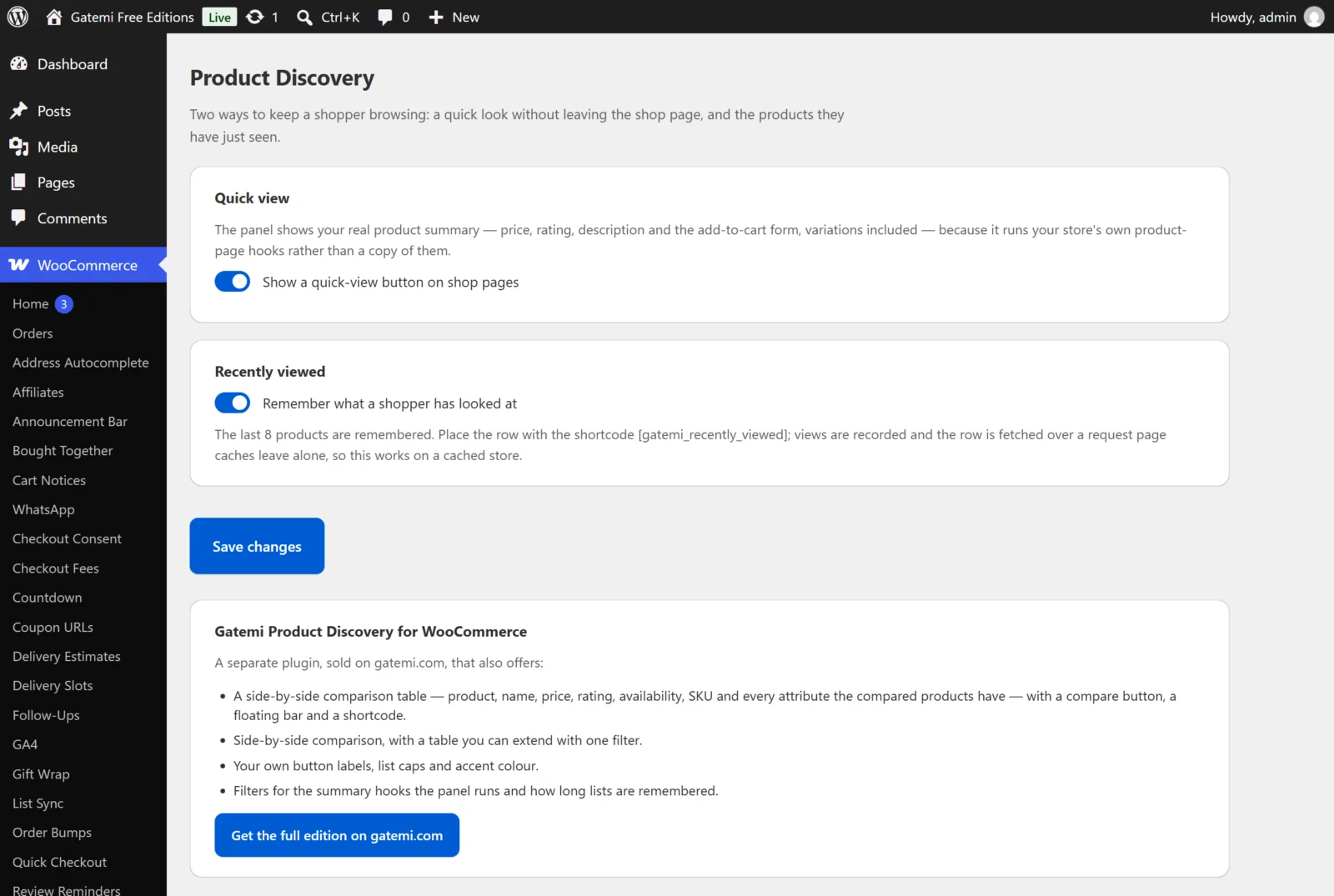
Quick view
| Label | Key | Default | What it does |
|---|---|---|---|
| Show a quick-view button on shop pages | quick_view |
on (yes) |
Adds the Quick view button under each product in the shop loop and the panel it opens. Off removes both. |
| Button label — Full edition | quick_view_label |
empty | Your own text for the button. Empty shows "Quick view". |
Compare — Full edition
| Label | Key | Default | What it does |
|---|---|---|---|
| Let shoppers compare products side by side | compare |
on (yes) |
Adds a Compare button under each product, the floating bar and the comparison table. |
| Button label | compare_label |
empty | Your own text for the button. Empty shows "Compare". A product already in the comparison shows "Comparing". |
| How many products can be compared at once | compare_limit |
4 | The most products in one comparison. The lowest it can be saved as is 2. |
The table shows the product, its name, price, rating, availability and SKU, plus every attribute the compared products have. For a comparison page of your own, put [gatemi_compare] on a page.
Recently viewed
| Label | Key | Default | What it does |
|---|---|---|---|
| Remember what a shopper has looked at | recently_viewed |
on (yes) |
Records each product page a shopper opens and fills [gatemi_recently_viewed]. Off stops both. |
| How many products to remember — Full edition | viewed_limit |
8 | The length of the list. The lowest it can be saved as is 1. |
In the free edition the list is always the last 8 products.
Appearance — Full edition
| Label | Key | Default | What it does |
|---|---|---|---|
| Accent color | accent |
#1d4ed8 |
The colour of the buttons and the comparison bar, set as the --gmpd-accent CSS custom property. A value that is not a valid hex colour falls back to the default. |
For developers — Full edition
Below the settings the screen lists every filter the plugin applies, with what it tunes. They are described in the Developer reference.
License & updates — Full edition
The License & updates card takes your gatemi.com licence key and shows its state: active (with the renewal date), expired, revoked or "this key is no longer valid on this site", and how many sites the key is in use on. Deactivate on this site frees the activation for another site. An expired licence keeps the plugin working; it only stops updates.
What the free edition's screen shows
Below its two switches the free edition describes, in plain text, what the separate full edition adds, with a link to it. Nothing there is a setting.