
Gatemi Price History prints the lowest price of the last 30 days beside every reduced price in your shop, for example:
Lowest price in the last 30 days: €24.00
Since 2022 the EU Omnibus Directive (2019/2161) has required a shop in the EEA that announces a price reduction to state the lowest price it applied in the 30 days before. WooCommerce has nothing for it. This plugin writes the price down when the price a shopper is shown changes, and reads the reference back from that record. Whether and how the rule applies to your shop is a question for your own legal adviser; the plugin does the recording and the display.
These docs cover both editions:
- Gatemi Price History — the free edition, coming to wordpress.org.
- Gatemi Price History for WooCommerce — the full edition, sold on gatemi.com.
Anything marked Full edition is only in the paid plugin. Everything else is in both.
Requirements
| Free edition | Full edition | |
|---|---|---|
| WordPress | 6.4 or later | 6.4 or later |
| PHP | 7.4 or later | 7.4 or later |
| WooCommerce | 8.0 or later | 8.0 or later |
Both editions declare compatibility with High-Performance Order Storage (HPOS) and with the Cart and Checkout blocks. There is no JavaScript and no external service: the history is one table in your own database (wp_gmph_prices, with your own prefix), created on activation.
1. Install
Free edition: coming to wordpress.org. Until it is listed, install the zip through Plugins → Add New → Upload Plugin and activate it.
Full edition: download the zip from your gatemi.com account, go to Plugins → Add New → Upload Plugin, upload and activate. Then open WooCommerce → Price History and enter your licence key in the License & updates card. The key switches on one-click updates; the plugin works without one.
Install it as early as you can. The reference can only be drawn from prices the plugin has seen. Until a product has history, its regular price is shown as the reference.
You only need one edition. If both are active, the free edition stands down and says so in a row under its entry on the Plugins screen. Both editions write the same price table, so nothing recorded is lost either way.
2. Check the switch
Open WooCommerce → Price History (capability manage_woocommerce). The switch Show the lowest price … beside every reduced price is on by default. Leave it on.
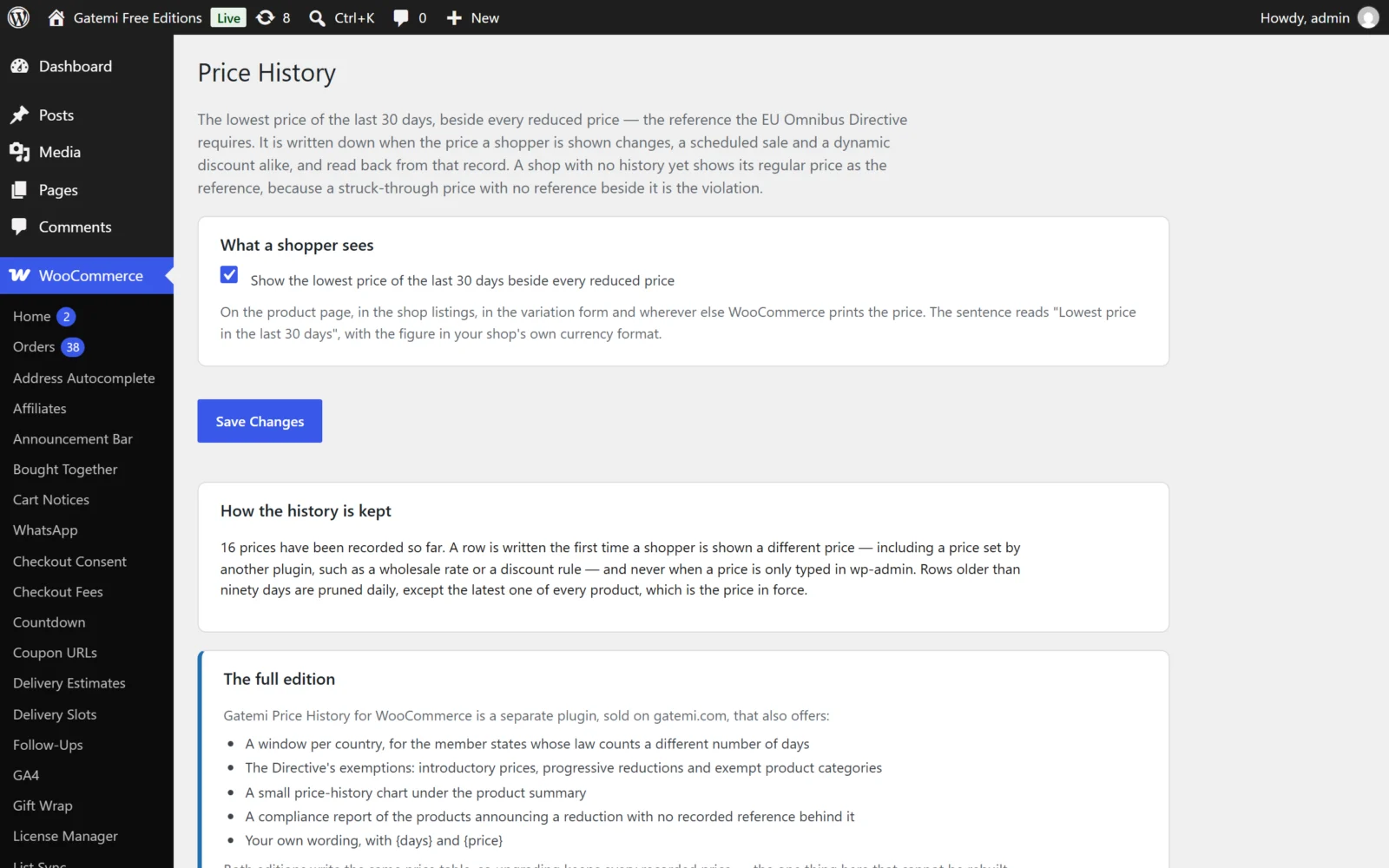
Full edition: the same screen has your own wording, a window per country, the price-history chart and a compliance report. See Settings.
3. Check it works
- Pick a simple product, say regular price €30. Open its page in a private window. Nothing is printed beside the price: it is not reduced.
- In the admin, give it a sale price of €24 and update it.
- Open the product page again in the private window. You now see the struck-through €30, the €24, and: Lowest price in the last 30 days: €30.00 — the regular price, because the plugin has only just started recording this product.
- Over the following days the line is drawn from what was recorded. The €24 itself is never its own reference: the window counts back from the moment the €24 began.
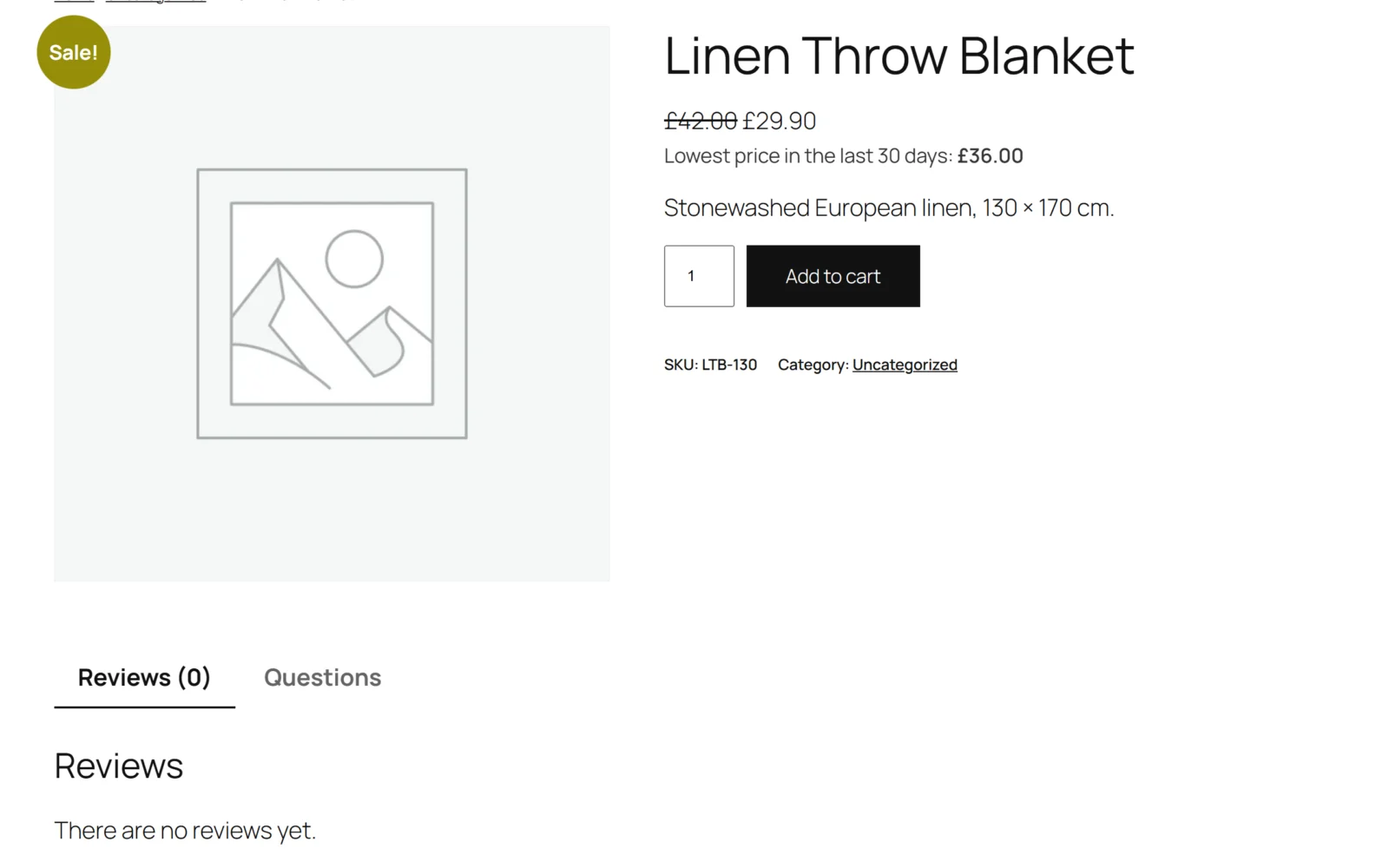
The line is added wherever WooCommerce prints a product's price: the product page, shop and category listings, the variation form and the Store API's product data used by blocks.
What is recorded, and when
A row is written the first time a shopper is shown a different price for a product — including a price set by another plugin, such as a wholesale rate or a discount rule. Nothing is recorded in wp-admin, under cron or through the REST API, and nothing for a product that is not published. See How it works for why.
Next steps
- Settings
- How it works — the four rules and the window.
- FAQ and troubleshooting
- Developer reference