
All settings live on WooCommerce → PayPal Payments (slug gmpfw-paypal-payments, capability manage_woocommerce), in seven tabs: General, PayPal, Credit Card, Apple Pay, Google Pay, Pay Later and Advanced. Store-wide settings are kept in one option, gmpfw_settings. Each gateway's title, description and button styling are kept in WooCommerce's own gateway option (woocommerce_gmpfw_paypal_settings, woocommerce_gmpfw_card_settings and so on), and Manage on WooCommerce's Payments screen opens the matching tab here.
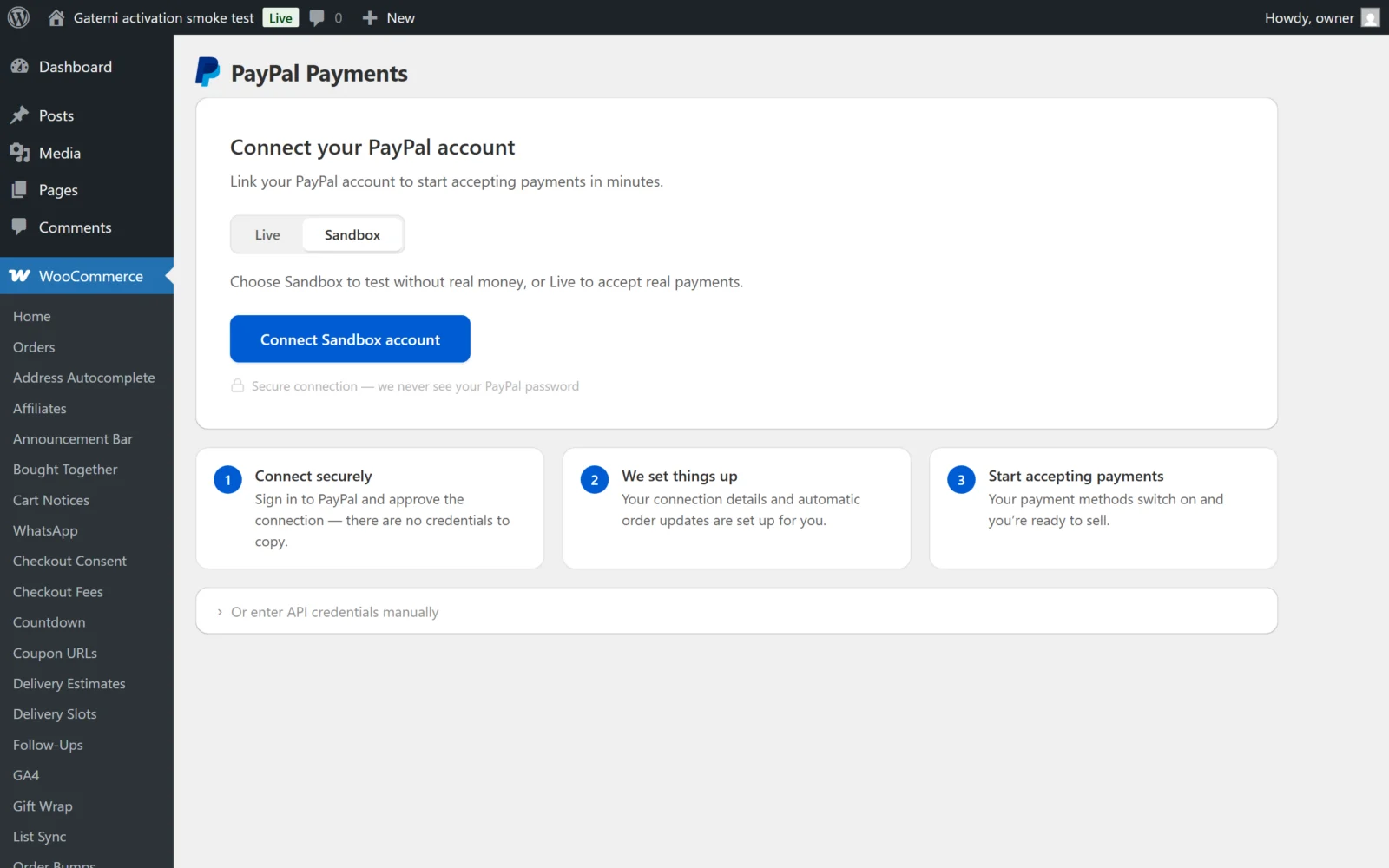
General
Connection
| Label | Key | Default |
|---|---|---|
| Environment | environment (sandbox / live) |
sandbox |
| Client ID | sandbox_client_id, live_client_id |
empty |
| Secret key | sandbox_client_secret, live_client_secret |
empty, stored encrypted |
| Merchant ID | sandbox_merchant_id, live_merchant_id |
filled in on connect |
Each environment shows Connected or Not connected, its merchant ID with Copy, and Disconnect PayPal account, which removes that environment's stored connection. Switching Environment saves at once.
Account status
Read-only health checks for the active environment: Payments, Account email, PayPal Payments and Automatic updates (the webhook).
Payment methods
Each switch is stored per environment (for example sandbox_paypal_enabled and live_paypal_enabled), so sandbox and live keep separate choices.
| Label | Key | Default |
|---|---|---|
| PayPal | paypal_enabled |
on |
| Credit / Debit Card | card_enabled |
on |
| Apple Pay | applepay_enabled |
off |
| Google Pay | googlepay_enabled |
off |
| Pay Later | paylater_enabled |
on |
| Venmo | venmo_enabled |
on (US buyers only) |
| Pay Later messaging | messaging_enabled |
on |
| Save payment methods | vault_enabled |
off — required for subscriptions |
Pay Later messaging allows Pay Later promotional messages; nothing is shown until you choose the pages on the Pay Later tab.
Each row shows whether PayPal has enabled that capability on your account, with a link to set it up if not. Apple Pay and Google Pay say Requires a secure (HTTPS) site. on an insecure site. Refresh status reloads the account's capabilities from PayPal.
Payment processing
| Label | Key | Default |
|---|---|---|
| Payment action | intent — Capture or Authorize |
capture |
| Authorized order status | authorized_order_status |
on-hold |
| Capture on status change | capture_order_statuses |
Processing, Completed |
With Authorize, the order waits in Authorized order status, and moving it into one of the Capture on status change statuses captures the money.
PayPal
Payment method
| Label | Stored in the PayPal gateway option | Default |
|---|---|---|
| Title | title |
PayPal |
| Description | description |
empty |
| Icon | icon_type — Monogram, Wordmark, Combination |
monogram |
| Use Place Order button | use_place_order |
off |
| Button placement | checkout_placement — in the payment method box, or in the Place Order area |
payment_method |
| Show redirect icon and text | show_redirect_icon |
on |
Use Place Order button removes the PayPal buttons from the checkout: the shopper presses your normal Place order button and approves on PayPal's site. Express buttons elsewhere are not affected. Button placement applies only while it is off.
Button display
| Label | Key | Default |
|---|---|---|
| Show buttons on | paypal_button_pages — Product page, Cart page, Mini-cart, Express Checkout, Checkout page |
Cart, Mini-cart, Express Checkout, Checkout |
| Hide payment options | disallowed_funding_methods |
none |
Hide payment options removes funding sources from the PayPal buttons: Pay Later, PayPal Credit, Venmo, Credit or Debit Card, iDEAL, Bancontact, SEPA-Lastschrift, eps, Przelewy24, BLIK, Trustly, MyBank, Mercado Pago, OXXO, Boleto Bancario, Multibanco, Satispay, WeChat Pay and Paidy.
Button appearance
One panel per page shown under Show buttons on, with a live preview: Color ({page}_button_color: Gold, Blue, Silver, White, Black), Shape ({page}_button_shape: Rectangular, Pill), Height ({page}_button_height, 25–55 px; 48 by default, 40 for Express Checkout) and Label ({page}_button_label: PayPal, Checkout, Buy Now, Pay). Pages are product, cart, express_checkout and checkout; the mini-cart follows the cart.
Credit Card
| Label | Stored in the card gateway option | Default |
|---|---|---|
| Title | title |
Credit / Debit Card |
| Description | description |
empty |
| Payment action | card_intent in gmpfw_settings — store default, Capture, Authorize |
store default |
| 3-D Secure | three_d_secure — When required, Always, Never |
SCA_WHEN_REQUIRED |
| Hide card brand icons | disable_cards — Visa, Mastercard, American Express, Discover, JCB |
none |
Hiding an icon only changes the row of logos; your PayPal account decides which cards are accepted.
3D Secure / SCA
| Label | Key | Default |
|---|---|---|
| Liability shift handling | liability_shift_handling |
Smart |
| 3D Secure logging | threeds_logging |
off |
- Smart (recommended) — block only payments that failed the bank's check, and let the shopper try again. Everything else goes through.
- Accept — process every payment.
- Review — process every payment and note the check result on the order.
- Reject — decline any payment without full bank verification. Strictest; can turn away genuine cards that are not enrolled in 3-D Secure.
3D Secure logging writes to its own log source, gmpfw-3ds.
Fastlane by PayPal
For US merchants selling in USD with Advanced Card Processing; the row shows whether your account has the Fastlane capability.
| Label | Key | Default |
|---|---|---|
| Fastlane | fastlane_enabled |
off |
| Fastlane flow | fastlane_flow — Email detection, Express checkout button |
email_detection |
| Authenticate on page load | fastlane_pageload |
off |
| Fastlane watermark | fastlane_icon_enabled |
on |
| Email field at top | fastlane_email_top |
on |
| Fastlane signup link | fastlane_signup |
on |
Apple Pay and Google Pay
Each tab opens with a requirements checklist (enabled in your PayPal account, HTTPS, and for Apple Pay the domain verification file the plugin ships).
| Label | Apple Pay | Google Pay | Default |
|---|---|---|---|
| Title, Description | gateway option | gateway option | Apple Pay / Google Pay |
| Display on | apple_pay_pages |
google_pay_pages |
Product, Cart, Checkout |
Payment action (in gmpfw_settings) |
applepay_intent |
googlepay_intent |
store default |
| Button color | Black, White, White with outline | Black, White | Black |
| Button shape | Rectangular, Pill | Rectangular, Pill | Rectangular |
| Button label | Plain, Buy, Check out, Order, Pay, Subscribe and more | Plain, Buy and more | Plain |
Display on offers Product page, Cart page, Express Checkout and Checkout page.
Pay Later
| Label | Key | Default |
|---|---|---|
| Display on | pay_later_messaging_pages — Product page, Cart page, Checkout page, Shop and category pages, Mini-cart |
none |
Messaging is off until you choose pages here, even with Pay Later messaging switched on in the General tab. Each page then gets Messaging appearance: Message style (Text message or Graphic banner), and for text the logo type, logo position, text size and text color; for a banner its color and shape (1×1, 1×4, 8×1 and so on). Keys are prefixed with the page, e.g. product_layout_type.
Advanced
Checkout experience
| Label | Key | Default |
|---|---|---|
| Brand name | brand_name |
your site name |
| Landing page | landing_page — No preference, PayPal sign-in page, Guest checkout |
NO_PREFERENCE |
| PayPal display language | sdk_locale |
empty (match the shopper) |
| Instant payments | payee_preferred |
on |
| Billing address | set_billing_address |
on |
| Send item details | send_items |
on |
| Skip order review | skip_order_review |
on |
| Invoice prefix | invoice_prefix |
WC-GMPFW |
| Statement name | soft_descriptor |
empty (max 22 characters) |
| Auto-complete orders | auto_complete |
off |
| Void on cancel | auto_void_on_cancel |
on |
| Refund on cancel | refund_on_cancel |
off |
| Remove data on uninstall | remove_data_on_uninstall |
off |
| Order status on dispute | dispute_order_status |
on-hold |
- Instant payments refuses payments that would not clear at once (eCheck), so orders never wait on a slow transfer.
- Invoice prefix goes in front of order numbers sent to PayPal. Give each store its own if several share one PayPal account — PayPal refuses a duplicate invoice number.
- Skip order review lets a shopper who starts from a product or cart button pay at once, without coming back to review at your checkout.
Developer settings
| Label | Key | Default |
|---|---|---|
| Admin only mode | admin_mode |
off |
| Debug logging | logging_enabled |
on |
The webhook address is shown here. Logs are under WooCommerce → Status → Logs, source gatemi-paypal-for-woocommerce, with secrets and card numbers removed.
Fraud protection
| Label | Key | Default |
|---|---|---|
| reCAPTCHA | recaptcha_enabled |
off |
| reCAPTCHA type | recaptcha_version — v3 or v2 |
v3 |
| Site key | recaptcha_site_key |
empty |
| Secret key | recaptcha_secret_key |
empty, stored encrypted |
| Score threshold (v3) | recaptcha_score_threshold — 0.3, 0.5, 0.7 |
0.5 |
| Verify logged-in customers | recaptcha_verify_logged_in |
on |
Nothing is sent to Google while reCAPTCHA is off.
Tools
Export settings downloads the plugin's settings as a file, Import settings loads one, and Reset all settings to defaults puts every setting back — connection credentials are kept.
Per-product settings
In a product's Product data → General panel:
- Disable PayPal express buttons on this product
- Disable Pay Later messaging on this product
- Disable Apple Pay button on this product
- Disable Google Pay button on this product
- Disable Pay Later button on this product
- Disable Venmo button on this product
- Button placement — Store default, Above or Below the Add to Cart button
They are stored together in the product meta _gmpfw_product_settings.