
There are two places to configure the plugin: the settings screen at WooCommerce → Name Your Price, which applies to the whole store, and the fields on each product, which decide whether that product takes a named price and between what.
Both editions store the screen's settings in one WordPress option, gmnp_settings, and the product fields under the same meta keys. Saving in the free edition keeps every key the full edition wrote, so switching editions loses nothing.
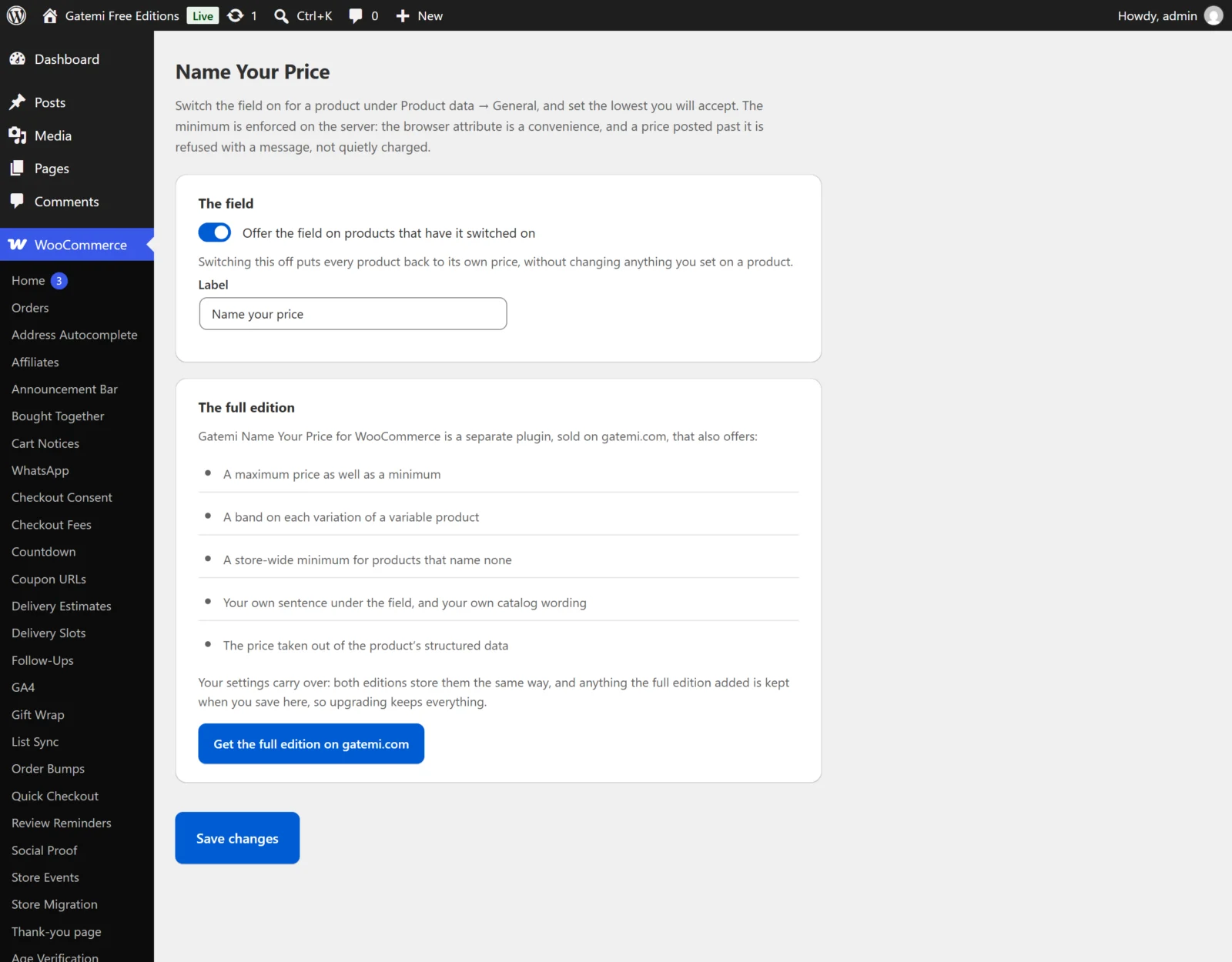
The settings screen
Offer the field on products that have it switched on
- Key:
enabled· Default: on (yes) · Both editions - The master switch. Turned off, every product goes back to charging its own price and no field is shown. Nothing you set on a product is changed.
Label
- Key:
label· Default:Name your price· Both editions - The label of the price box on the product page. An empty label falls back to "Name your price", because a box with no label is one a shopper does not know to fill and a screen reader announces nothing.
- In the free edition the same wording is also what the catalog shows in place of the price when a product has no minimum.
Underneath it — Full edition
- Key:
description· Default: empty - One sentence printed under the field, for example "Pay what you think it is worth". Nothing is printed when it is empty.
Pre-fill the field with the suggested amount — Full edition
- Key:
prefill· Default: on (yes) - When a product has a suggested price, the box opens with it filled in. Turned off, the box opens empty. The free edition always pre-fills.
Say what the field will accept, in words — Full edition
- Key:
show_hint· Default: on (yes) - Prints the band under the field: "Between £5.00 and £50.00.", "Minimum £5.00." or "Up to £50.00.". A shopper who never sees the minimum has to guess and be refused. The free edition always prints "Minimum …" when a product has a minimum.
Store minimum — Full edition
- Key:
default_min· Default:0 - The minimum for any product (or variation with its own band) that leaves Minimum price empty. Zero means such a product accepts anything above nothing. Type a dot as the decimal point here (see the note under product fields).
Show "From " where the price was — Full edition
- Key:
show_from· Default: on (yes) - In the shop, on the product page and anywhere WooCommerce prints a price, a product with a minimum shows "From £5.00". Turned off — or for a product with no minimum — it shows the text below. The free edition always shows "From …" for a product with a minimum.
Otherwise show — Full edition
- Key:
catalog_text· Default: empty, shown as "Name your price" - What replaces the price when "From" is not shown.
License & updates — Full edition
Paste your gatemi.com licence key and click Activate to switch on one-click updates. The card shows the status (Active, Expired, Revoked, or "This key is no longer valid on this site"), the masked key and how many sites use it, and has a Deactivate on this site button. An expired licence stops updates; the plugin keeps working. The licence state is kept in its own option, gmnp_license.
For developers — Full edition
A table of every filter the plugin applies. See the developer reference.
The product fields
In Products → Edit → Product data → General, below the regular and sale price:
| Label | Meta key | Default | Edition |
|---|---|---|---|
| Name your price — "Let the shopper choose what to pay" | _gmnp_enabled |
off (no value stored) | Both |
| Minimum price | _gmnp_min |
empty | Both |
| Maximum price | _gmnp_max |
empty | Full edition |
| Suggested price | _gmnp_suggested |
empty | Both |
- Name your price. Ticked stores
yes; unticked removes the key, so "off" is the absence of a value. - An empty box is not zero. Emptying an amount removes the rule. That matters most for the maximum: a maximum of zero would refuse every price, so an empty maximum means "no ceiling".
- A maximum below the minimum is treated as a typo: the minimum stands and the ceiling is dropped.
- A suggestion outside the band is brought inside it, so the box never pre-fills a number the store would refuse.
- Decimal point. These boxes read an amount the way the shopper's box does: the last separator is the decimal point, so
12,50is saved as 12.5 and1.234,56as 1234.56 — see how it works.
Variations — Full edition
In Product data → Variations, each variation has the same four fields, under the variation's pricing. A variation whose Name your price box is ticked uses its own minimum, maximum and suggestion (an empty minimum falls to the store minimum, not to the parent's). A variation without the box ticked uses its parent product's band.
The free edition reads a variation as its product: the parent's switch and band apply to every variation.