
Everything is on WooCommerce → Follow-Ups. Both editions use the same three options:
gmfu_settings— the general settings below;gmfu_automations— the follow-ups (the full edition calls them automations);gmfu_optouts— the addresses that have unsubscribed.
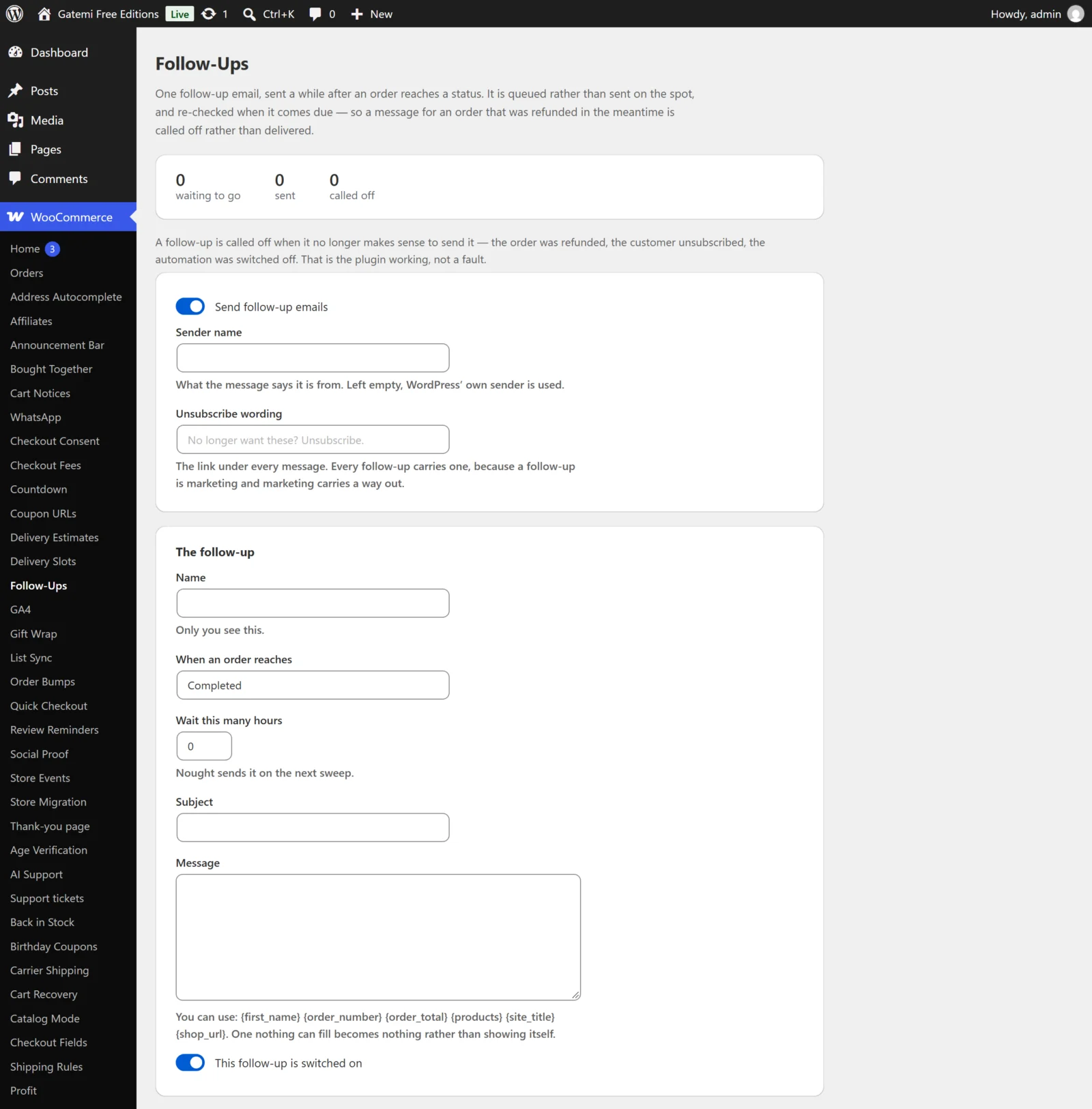
The outbox
At the top: how many messages are waiting to go, sent and called off. Read-only. "Called off" is a message that was queued but no longer made sense to send when it came due — see How it works.
General settings
Send follow-up emails (free) / Send follow-ups (full)
- Key:
enabled· Default: on (yes) - Turned off, nothing new is queued and nothing is sent. Messages already queued wait — they are not cancelled — and go out on the next sweep after the switch is turned back on. In the full edition the hourly sweep and the daily win-back scan are also unscheduled while it is off.
Sender name (free) / Send them from (full)
- Key:
from_name· Default: empty - When filled in, messages are sent as Sender name
<your WordPress admin email>in both editions; anything that could start a new mail header line is stripped from it. Left empty, WordPress's own sender is used. A mail plugin that sets the sender applies as usual.
Unsubscribe wording (free) / What the unsubscribe link says (full)
- Key:
optout_text· Default: empty, shown as "No longer want these? Unsubscribe." - The text of the link at the bottom of every follow-up. There is always a link; it cannot be switched off.
How many to send per hour — Full edition
- Key:
batch· Default:50· between 1 and 200 - How many due messages one hourly sweep considers. The free edition considers 25 per sweep.
The follow-up — free edition
One follow-up, triggered when an order reaches a status.
| Field | Key | Default | What it does |
|---|---|---|---|
| Name | name |
— | Only you see it. A follow-up with no name is not saved. |
| When an order reaches | status |
completed |
The order status that queues the message. Every status WooCommerce knows is listed, custom ones included. |
| Wait this many hours | delay |
0 |
Hours between the status change and the message. 0 sends on the next sweep. |
| Subject | subject |
— | Plain text, placeholders allowed. |
| Message | body |
— | HTML allowed (links, bold, paragraphs), placeholders allowed. |
| This follow-up is switched on | enabled |
on | Untick to keep it without sending. |
A follow-up with an empty subject or message is never sent.
If the stored follow-up was written by the full edition on a trigger the free edition does not offer, the screen shows it read-only and leaves it exactly as it is.
Automations — Full edition
Each card is one automation. Leave the name empty to delete it.
| Field | Key | Default | What it does |
|---|---|---|---|
| Active | enabled |
on | Untick to keep it without queueing or sending. |
| What you call it | name |
— | Required. Also the source of its id. |
| When | trigger |
An order reaches a status | See below. |
| Status | status |
completed |
The status slug without wc-, for example processing or completed. Used by the two order triggers. |
| Quiet for (days) | days |
90 |
For the win-back trigger. |
| Then wait (hours) | delay |
24 for a new card |
Hours after the trigger before the message is due. |
| Subject / Message | subject / body |
— | As above. |
| Conditions | conditions |
none | One or more; every one must hold. |
Triggers
- An order reaches a status (
order_status) — queued when an order changes to Status. - A customer's first order (
first_order) — the same, but only when this order is the customer's earliest by billing email. A guest's history counts; creating an account later does not make somebody new again. - A customer has not ordered for a while (
inactive) — a daily scan queues the customers whose order was placed exactly Quiet for (days) days ago. Add the condition The customer still has not ordered (with the same number of days) so that somebody who has ordered since is not written to — the scan itself does not check.
Conditions
Typed as a condition and a value. Lists are comma-separated.
| Condition | Key | Value |
|---|---|---|
| The order was worth at least | min_total |
A number |
| The order was worth at most | max_total |
A number |
| The order is still in one of these statuses | status_is |
Status slugs, e.g. completed |
| The order contains one of these products | has_product |
Product or variation ids |
| The order contains something from these categories | has_category |
Category ids (the category itself, not its children) |
| The customer's role is one of | user_role |
Role slugs; guest for an address with no account |
| The customer still has not ordered | still_inactive |
Days |
Conditions are judged when the message is due, not when it was queued. You do not need a condition to stop a thank-you for an order refunded in the meantime: an order now refunded, cancelled or failed is called off on its own (see How it works). The order is still in one of these statuses is for anything narrower — for example only orders still completed.
License & updates — Full edition
Your licence key, stored in gmfu_license. Below it, Filters lists the filters described in the Developer reference.