
The store-wide settings are on WooCommerce → Delivery Estimates, in one option, gmde_settings, shared by both editions. Press Save changes at the bottom. Lead times for a single product live on the product (and, in the full edition, on a category).
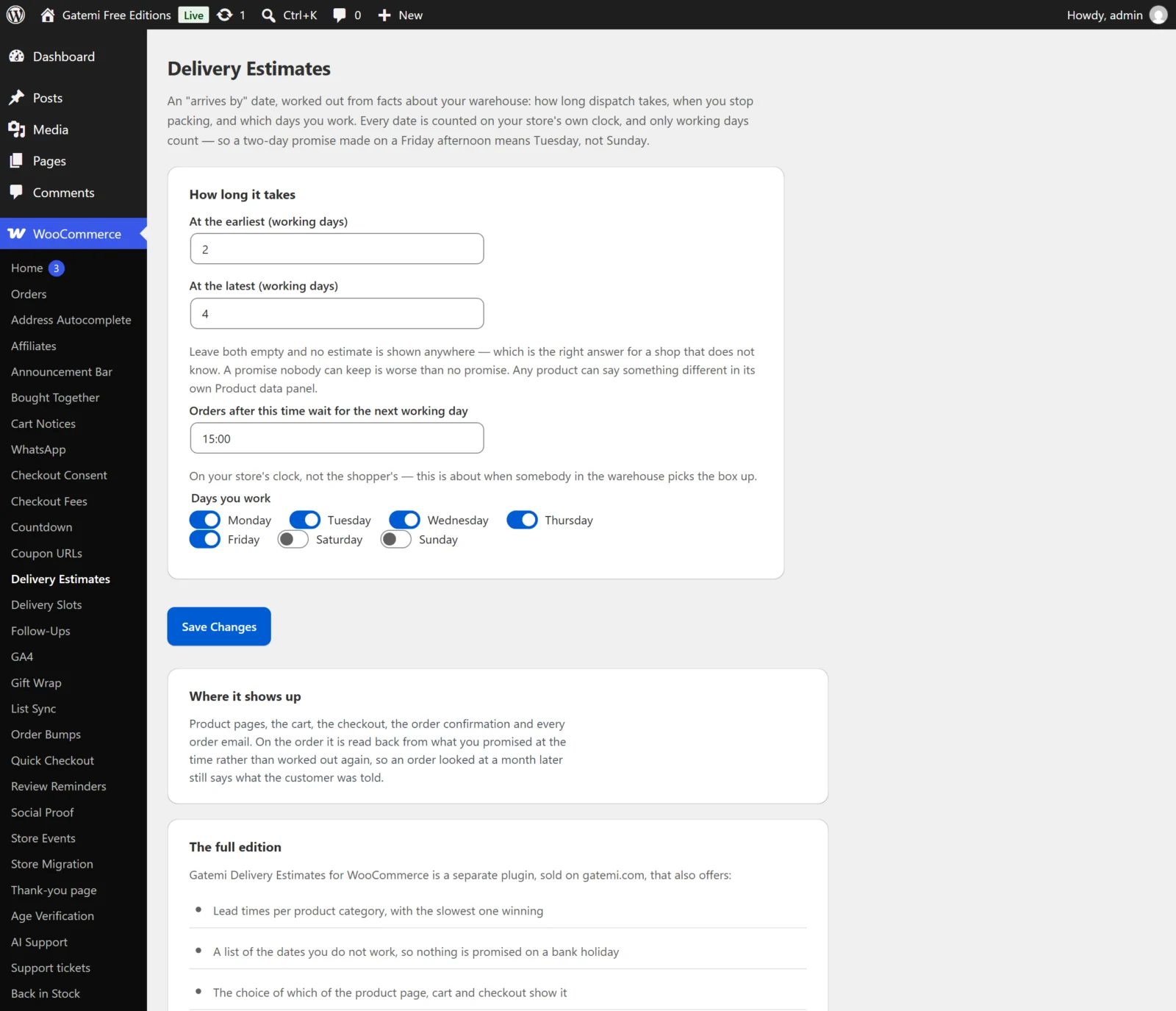
How long it takes
At the earliest (working days)
- Key:
min_days· Default: empty - The fewest working days from the start day (see the cutoff below) to arrival. A whole number;
0means it arrives the same working day.
At the latest (working days)
- Key:
max_days· Default: empty - The most working days. Empty means the same as the earliest. A latest below the earliest is read as the earliest — the typo it almost always is.
Leave both empty and no estimate is shown anywhere. A promise nobody can keep is worse than no promise.
0 and empty are different: 0 is a real answer (same day), empty means "nobody has said".
When you pack
Orders after this time wait for the next working day
- Key:
cutoff· Default: empty (no cutoff) - A 24-hour time such as
15:00or9:30. Anything else is saved as empty, and an empty cutoff never moves the start day. - At or after this time on your store's clock, counting starts from the next working day.
Days you work
- Key:
working_days· Default: Monday to Friday (1,2,3,4,5) - Tick the days somebody packs. Stored as day numbers, Sunday
0to Saturday6. Days you do not tick are skipped, both for the start day and when counting.
Days you do not — Full edition
- Key:
holidays· Default: empty - One date per line, written
2026-12-25. Spaces and commas also separate dates. A holiday is skipped like a weekend. - A line that is not a date in that exact form is ignored, rather than guessed at — a holiday nobody could read would quietly become a working day.
What a shopper sees
Show it on — Full edition
- Key:
placements· Default: all three (product,cart,checkout) - Product pages, The cart, The checkout. Untick one to hide the estimate there.
- The order confirmation and the order emails always show the date that was recorded on the order.
Free edition: shown on all three, and on the order confirmation and emails.
Your own wording — Full edition
- Key:
wording· Default: empty - Your own sentence, with
{earliest}and{latest}for the two dates — for exampleOrder today, with you between {earliest} and {latest}. - When both dates fall on the same day,
{latest}is replaced with the same date as{earliest}, so write wording that reads well both ways. - Empty uses "Arrives between {earliest} and {latest}", or "Arrives {earliest}" when the two are the same day.
Free edition: always uses those two built-in sentences, translated into your site's language.
Date format — Full edition
- Key:
date_format· Default: empty (your site's date format) - A PHP date format, such as
l j Ffor "Wednesday 18 March". Empty uses Settings → General → Date Format. - Month and day names come out in your site's language.
On a product
Product data → Inventory on the product edit screen:
| Field | Meta key | |
|---|---|---|
| Dispatch: earliest (days) | _gmde_min_days |
Working days, as above. |
| Dispatch: latest (days) | _gmde_max_days |
Empty means the same as the earliest. |
Leave both empty to follow the shop's setting (full edition: the product's categories first, then the shop's). A product's own lead time beats every other. Clearing the fields removes the values.
The fields are set on the product itself. A variation does not have its own: a variation in the cart uses its product's lead time.
On a category — Full edition
Products → Categories → edit a category:
| Field | Term meta key |
|---|---|
| Dispatch: earliest (days) | _gmde_min_days |
| Dispatch: latest (days) | _gmde_max_days |
A product with no lead time of its own takes the slowest of its categories, parent categories included: a product filed under both "In stock" and "Made to order" is made to order. The fields are on the category edit screen, not the "Add new category" form — add the category first, then edit it.
License & updates — Full edition
Paste your key and press Activate. The card shows the status and a Deactivate on this site button; a failed connection to gatemi.com never changes the status. Stored in gmde_license.
For developers — Full edition
A table of the filters the plugin applies. See the Developer reference.
What the free edition keeps
Saving in the free edition rewrites only the lead time, the cutoff and the working days. The holidays, placements, wording and date format the full edition wrote are kept in the option untouched, and the free edition does not use them.