
All settings are on WooCommerce → Catalog Mode, and both editions store them in the same option, gmcm_settings. The free edition has four settings; the full edition has seven, plus a field on every product. Settings only the full edition has are marked Full edition.
When you save in the free edition, the full edition's keys (roles, categories, the enquiry address) are kept in the option as they were. The free edition never reads them.
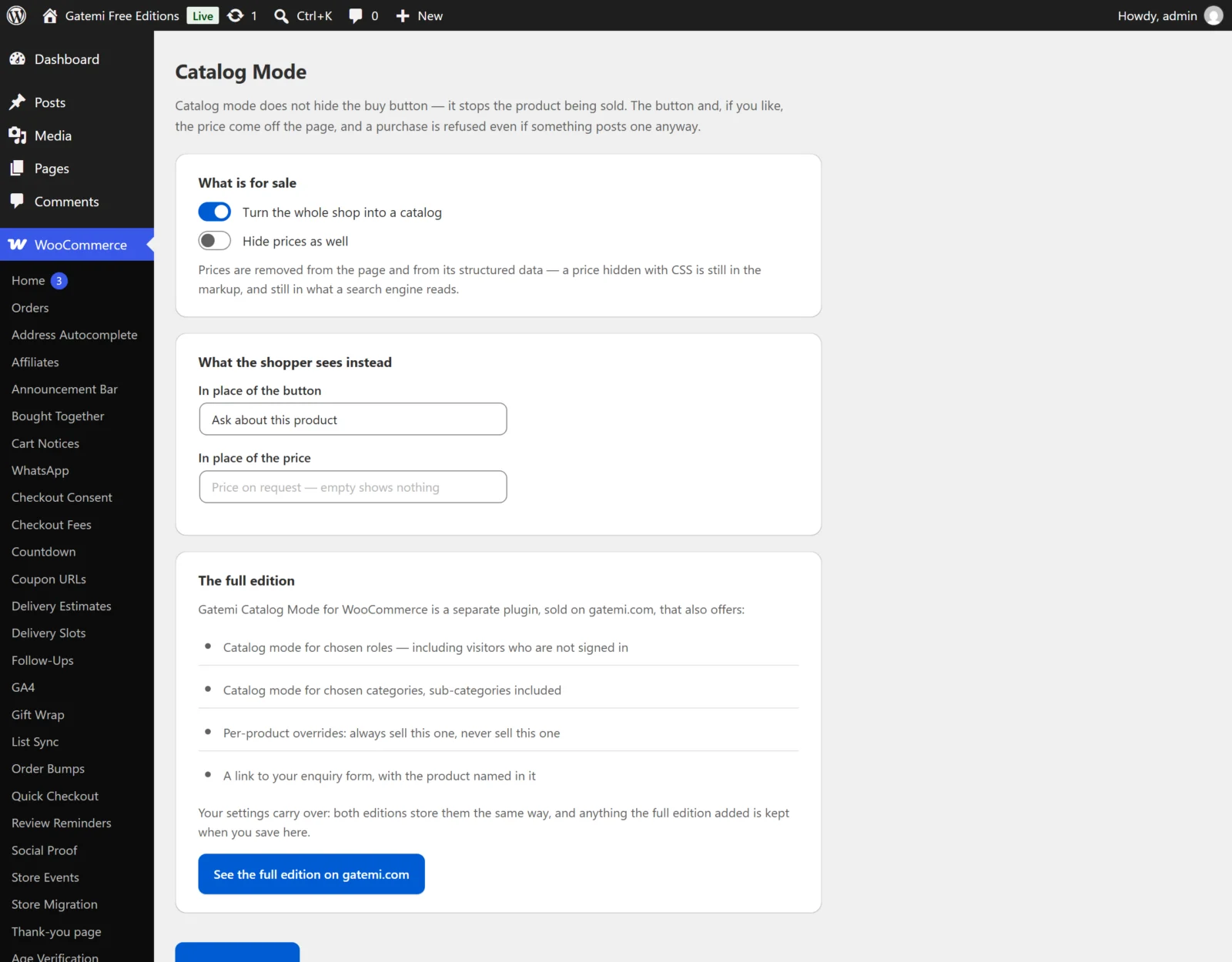
What is for sale
Turn the whole shop into a catalog
- Key:
enabled· Default: off (no) - Labelled Turn the shop into a catalog in the full edition.
- On: products cannot be bought. The add-to-cart buttons are replaced, adding to the cart is refused, and products already in a cart are removed from it.
- In the full edition, Only for these roles and Only these categories narrow what "the shop" means.
Hide prices as well
- Key:
hide_price· Default: off (no) - On: the price is removed wherever WooCommerce prints it (shop, category and product pages, variation prices) and from the product's structured data (the
offersblock search engines read). - It applies only to products that are in catalog mode. Off: shoppers see prices but cannot buy online.
Only for these roles — Full edition
- Key:
roles· Default: empty (everyone) - Comma-separated WordPress role names, for example
guest, customer. guestmeans visitors who are not signed in.guestalone is how a wholesale store hides prices from the public while its signed-in trade accounts buy as normal.- A signed-in customer with several roles is in catalog mode when any of their roles is listed.
Only these categories — Full edition
- Key:
categories· Default: empty (the whole shop) - Comma-separated product category ids. Sub-categories are included: listing "Machinery" also covers "Machinery → Lathes".
- A variation follows its parent product's categories.
What the shopper sees instead
In place of the button
- Key:
button_label· Default:Contact us about this product - Shown where the add-to-cart button was, on shop listings and the product page.
- Empty shows nothing at all — a pure shop-window catalog.
- Without an address in Where it goes, it is plain text (
<span class="gmcm-notice">,gmcmf-noticein the free edition), not a link.
Where it goes — Full edition
- Key:
button_url· Default: empty - An address for your enquiry page. With one set, the replacement becomes a button linking to it.
- The product goes into the link so the enquiry says what it is about:
- an ordinary address gets
?gmcm_product=123(the product id); - a
mailto:address gets the product name as the email subject, for examplemailto:sales@example.com?subject=Industrial lathe.
- an ordinary address gets
- Saved through
esc_url_raw(), so ajavascript:address is never stored.
In place of the price
- Key:
price_text· Default: empty (shows nothing) - Shown instead of the price when Hide prices as well is on, for example "Price on request". Plain text.
On each product — Full edition
Products → Edit product → Product data → General → Catalog mode
- Meta key:
_gmcm_mode - Follow the store setting (default — no meta is stored at all), Never sell this one (
catalog), or Always sell this one (sellable). - Always sell this one beats every store rule: the one sellable sample in a catalog shop.
- Never sell this one puts the product in catalog mode even when the shop-wide switch is off — one product held back in a shop that otherwise sells. It still respects Only for these roles.
- Variations follow their parent product's choice.
The free edition has no per-product field and does not read _gmcm_mode. A product the full edition marked Always sell this one is in catalog mode in the free edition like every other product — the free edition never puts a product back on sale.
License & updates — Full edition
Enter the gatemi.com licence key in the License & updates card to switch on updates. The plugin keeps working if the licence expires. Licence state is stored in gmcm_license.