
Everything is on one screen, WooCommerce → Affiliates (capability manage_woocommerce). Both editions store the settings in one option, gmaf_settings, so upgrading keeps them. The free edition writes back any full-edition keys it finds without reading them, so nothing is blanked.
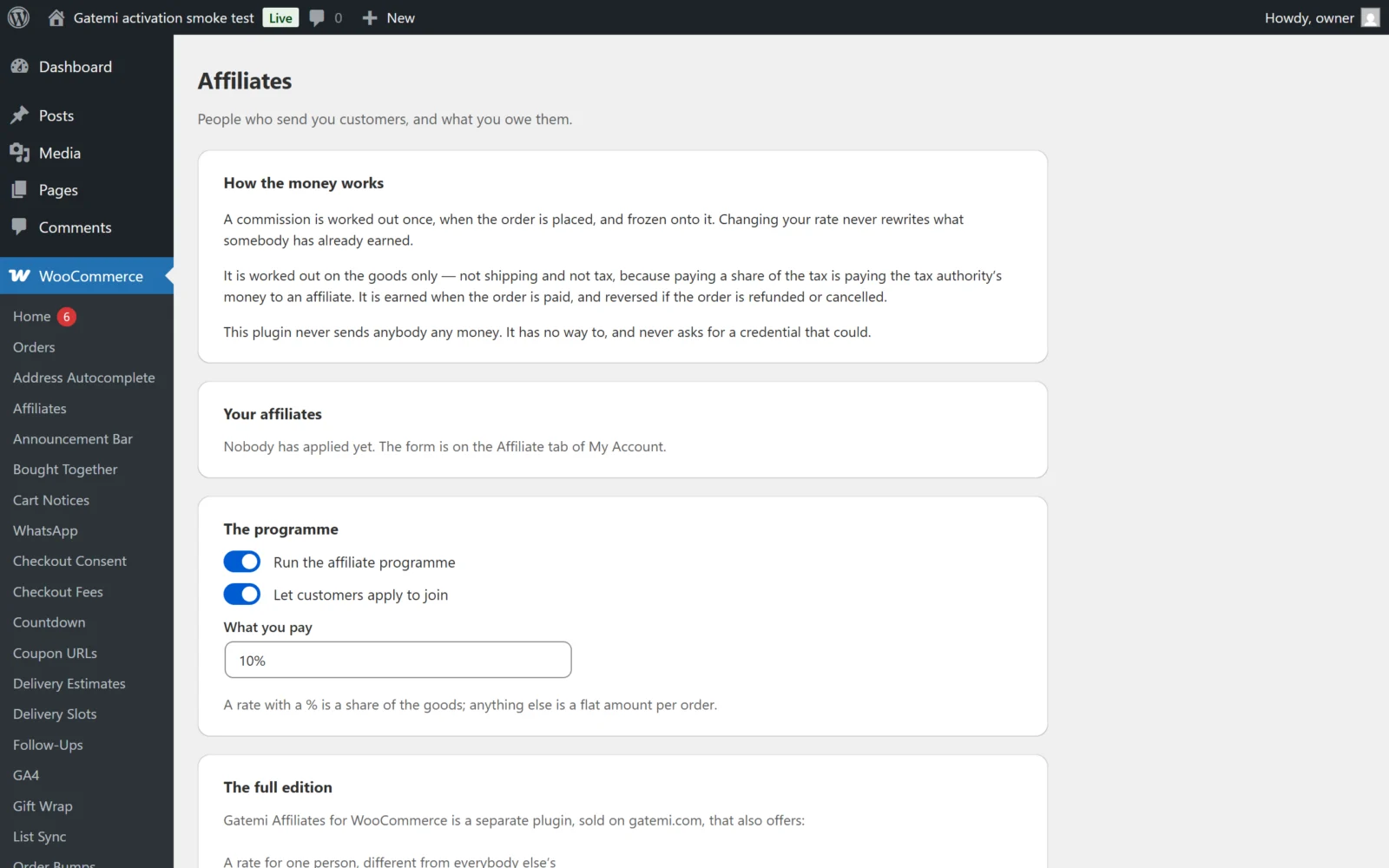
The screen has four parts: How the money works (a plain summary), Your affiliates (the people), The programme (the settings) and, in the full edition, For developers and License & updates.
The programme
Run the affiliate programme
- Key:
enabled· Default: on (yes) - Off: referral links set no cookie, new orders are not attributed, order status changes do not move commissions, and the Affiliate tab disappears from My Account. Existing commissions stay in the ledger.
Let customers apply to join
- Key:
open· Default: on (yes) - Off: the Affiliate tab tells a customer who has not applied that the programme is not open to new applications. Existing affiliates keep their dashboard.
Approve applications automatically — Full edition
- Key:
auto_approve· Default: off (no) - On: an application is approved the moment it is made. Off — and always in the free edition — an application waits for you to press Approve. A rejected or suspended affiliate who applies again always waits for you, whatever this setting says.
What you pay
- Key:
rate· Default:10% - A value with
%is a share of the order's goods:10%,7.5%,7,5%. Percentages are capped at 100%. - A value without
%is a flat amount per order, in your shop currency:5,4.50,4,50. Amounts are read the way people type them, so1.250,00is 1250. - The rate in force when the order is placed is written onto the order. Changing it later only affects new orders.
Remember a referral for (days) — Full edition
- Key:
cookie_days· Default:30· Range: 1–365 - How long the referral cookie lasts. Free edition: always 30 days.
Who gets the credit — Full edition
- Key:
attribution· Default:first - The first to send them (
first): once a visitor has a referral cookie, a second affiliate's link does not replace it. Rewards discovery. - The last to send them (
last): each new affiliate link replaces the cookie. Rewards the final push. - Free edition: always the first.
Earned at these statuses — Full edition
- Key:
earning· Default:processing,completed - Order statuses, comma-separated, without the
wc-prefix. When an order reaches one, its commission moves from Waiting on payment to Earned. - Free edition: always
processingandcompleted.
Reversed at these — Full edition
- Key:
reversing· Default:refunded,cancelled,failed - When an order reaches one, a commission that is waiting or earned becomes Reversed. A commission already marked paid is never reversed.
- Free edition: always
refunded,cancelledandfailed.
Programme terms page (id) — Full edition
- Key:
terms_page· Default:0(none) - The ID of a page holding your programme terms. When set, a link to it is shown above the Apply to join button.
Your affiliates
A table of everyone who has applied:
| Column | |
|---|---|
| Who | Display name and their referral link |
| Status | pending, active or rejected |
| Visits | Visits counted through their link |
| Earned | Their earned, not-yet-paid total |
| Rate — Full edition | Their own rate, if set |
| Do | Actions |
Actions:
- Approve / Reject for a pending or rejected affiliate; Suspend for an active one (it sets the status to
rejected). A suspended affiliate's link stops setting cookies and their dashboard closes; they are offered the application form again, and applying puts their row back topending. - Set a personal rate — Full edition. Type a rate in the same format as What you pay, or leave it empty to use the shop's rate.
- Record payout — shown when the affiliate has an earned balance (both editions). Marks every earned commission as Paid out with today's date. It does not send money.
License & updates — Full edition
Enter the GM-XXXXX-… key from your gatemi.com account and press Activate. The card shows the status, the renewal date and how many sites use the key. A network failure during a check never changes the licence state.