
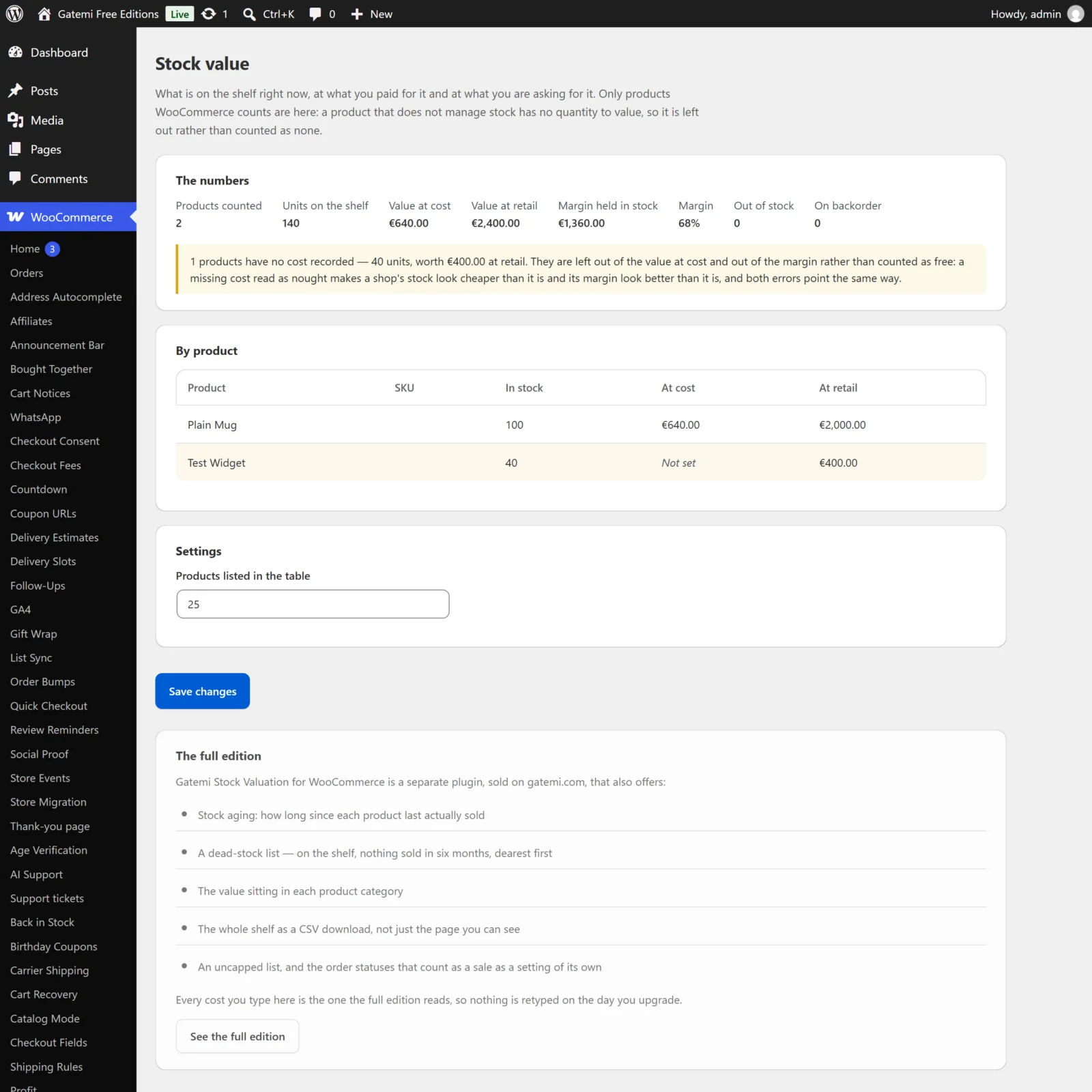
Both editions have one screen, WooCommerce → Stock value (capability manage_woocommerce), with the report at the top and a small Settings card below it. The settings are stored in one option, gmsv_settings, shared by both editions.
The cost field (both editions)
The most important input is not on this screen but on each product.
Cost per unit
- Where: Product data → General, beside the price fields; and in each variation's pricing area.
- Meta key:
_gmcg_cost(shared with Gatemi Profit Reports and Gatemi Cost of Goods) - Default: empty (unknown)
- What it does: the cost of one unit, used to value the stock at cost.
- An emptied box deletes the cost rather than storing
0. Nought is a real answer — a sample, a gift — and conflating "free" with "nobody said" is exactly the error this plugin exists to avoid. - Amounts are read the way spreadsheets read them: when both a comma and a dot appear, the rightmost is the decimal point (
1.250,00= 1250). A single comma followed by exactly three digits is a thousands separator (1,250= 1250); otherwise it is the decimal point (4,20= 4.20). - On a variation, empty means "cost what the parent product costs".
The Products list shows the value in a Cost column, or Not set.
Free edition settings
Products listed in the table
- Key:
rows· Default: 25 · Range: 10–25 - How many products the By product table shows. The totals at the top always cover every counted product; only the table is shortened, and a line says how many more were not listed.
Note that this key is shared with the full edition's Products listed in each table, so saving it here also sets the full edition's list length.
Everything else is fixed in the free edition, and the full edition's statuses and look-back are kept in the option untouched.
Full edition settings
Order statuses that count as a sale — Full edition
- Key:
statuses· Default:processing, completed - Comma-separated order statuses (without
wc-). Used only by the aging report: an order in one of these statuses is the moment a product last moved.
Products listed in each table — Full edition
- Key:
rows· Default:50· Range: 10–500 - The length of the By product and Dead stock tables on screen. The CSV download is always the whole shelf.
How far back the aging pass looks, in days — Full edition
- Key:
look_back· Default:730· Range: 30–3650 - How many days of orders the aging report reads to find each product's last sale. A product whose last sale is older than this reads as never sold — and is then aged from the day it was listed — so keep it comfortably longer than the oldest sale you would still call recent.
Download the whole list as CSV — Full edition
A button at the top of the screen. It downloads stock-value-YYYY-MM-DD.csv with every counted product, not only the rows shown:
| Column | |
|---|---|
| Product | Name |
| SKU | |
| In stock | Quantity (negative for backorders) |
| Unit cost | Empty when no cost is recorded — never 0 |
| Price | Current price |
| Value at cost | Empty when no cost is recorded |
| Value at retail | Price × quantity |
Every cell is protected against spreadsheet formula injection.
License & updates — Full edition
Enter the GM-… key from your gatemi.com account and press Activate. If gatemi.com cannot be reached during a check, the licence state is left unchanged and the check retries on its own.
For developers — Full edition
A table of the filters the plugin applies, documented in the developer reference.
What is not a setting
These are rules rather than choices, in both editions:
- Only products with Manage stock on are valued.
- A product with no cost is counted apart, never at nought.
- The margin is measured only over stock that has a cost.
- A negative quantity (a backorder) is valued negatively, because it is stock the shop owes.
- The table is sorted by retail value, dearest first, then by name.