
Both editions keep their settings on WooCommerce → Quick Checkout (capability manage_woocommerce), in one shared option, gmqc_settings. Switches are stored as yes or no.
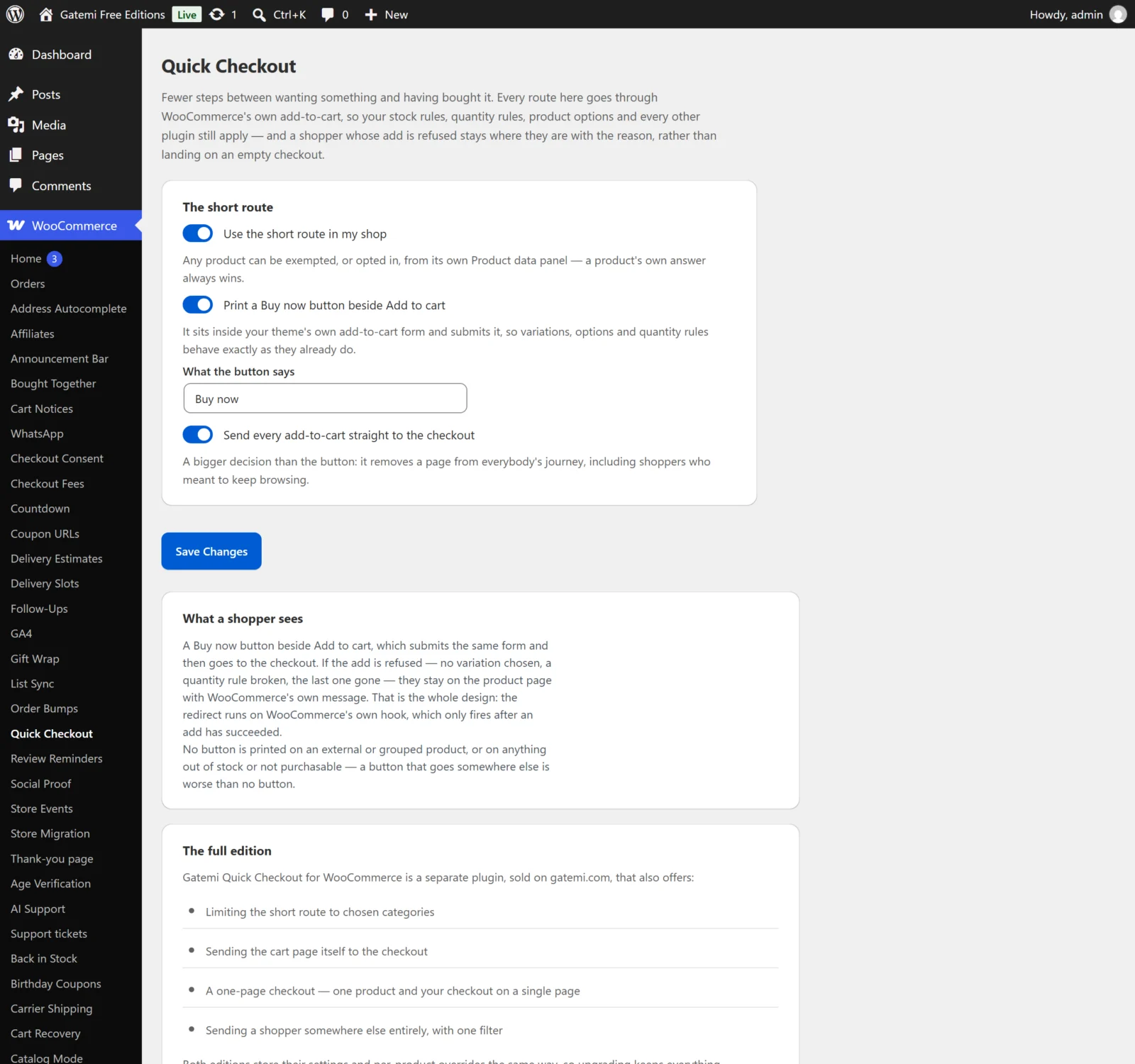
The short route
Use the short route in my shop
- Key:
enabled· Default: on - Decides whether products follow the short route when they have no per-product answer of their own. Off: only products set to Always take the short route get the Buy now button and the skip-the-cart redirect.
Only in these categories — Full edition
- Key:
categories· Default: empty (the whole shop) - Product category IDs, separated by commas. Sub-categories count: naming Clothing covers Shirts filed under it. A product's own Quick checkout answer still wins.
The free edition does not offer this field. If the full edition stored categories here, the free edition does not try to read them: it treats the short route as off for every product that has no answer of its own, rather than guessing which products the list meant.
The Buy now button
Print a Buy now button beside Add to cart
- Key:
buy_now· Default: on - Prints the button on the product page, inside the theme's own add-to-cart form (WooCommerce's
woocommerce_after_add_to_cart_buttonhook). Shown only where the short route applies and the product can be bought.
What the button says
- Free label: "What the button says" · Full label: "What it says"
- Key:
buy_now_label· Default: empty, shown as "Buy now"
Skipping the cart page
Send every add-to-cart straight to the checkout
- Key:
skip_cart· Default: off - After a successful Add to cart (not only Buy now), the shopper goes to the checkout. A product set to Never — use the normal cart — or, in the full edition, outside the chosen categories — keeps its normal route.
- This is a bigger decision than the button: it removes a page from everybody's journey, including shoppers who meant to keep browsing. Shops selling one thing at a time want it; shops selling several rarely do.
Send the cart page itself to the checkout — Full edition
- Key:
cart_to_checkout· Default: off - A visit to the cart page goes to the checkout instead — useful for a bookmark or an old link. An empty cart is left on the cart page, where "your cart is empty" belongs. Never applied to AJAX or REST requests.
Per product: Quick checkout
Products → Edit → Product data → Advanced → Quick checkout, stored in the product meta _gmqc_mode:
| Choice | Stored | Effect |
|---|---|---|
| Follow the shop | no meta at all | The shop-wide settings decide |
| Always take the short route | quick |
Buy now and skip-the-cart apply, even with Use the short route in my shop off |
| Never — use the normal cart | normal |
No Buy now button; Add to cart keeps the normal route |
"Follow the shop" is the absence of a value, not a third value, so a product moves with the shop when you change the shop-wide setting.
A one-page checkout — Full edition
Not a setting, but described on the screen: the [gatemi_quick_checkout product="123"] shortcode. See How it works.
For developers — Full edition
The screen lists the filters behind the settings. See the developer reference.
License & updates — Full edition
Enter the key from your gatemi.com account and press Activate. The card shows the status and a Deactivate on this site button. Stored in gmqc_license. If gatemi.com cannot be reached at a check, the licence is left unchanged. Without a key the plugin makes no external requests.
Moving between editions
Both editions read the same option and the same _gmqc_mode meta. Saving the free edition's screen keeps the full edition's categories and cart_to_checkout values as they were, so upgrading brings them straight back.