
Three rules
1. Skipping the cart never skips the cart's rules
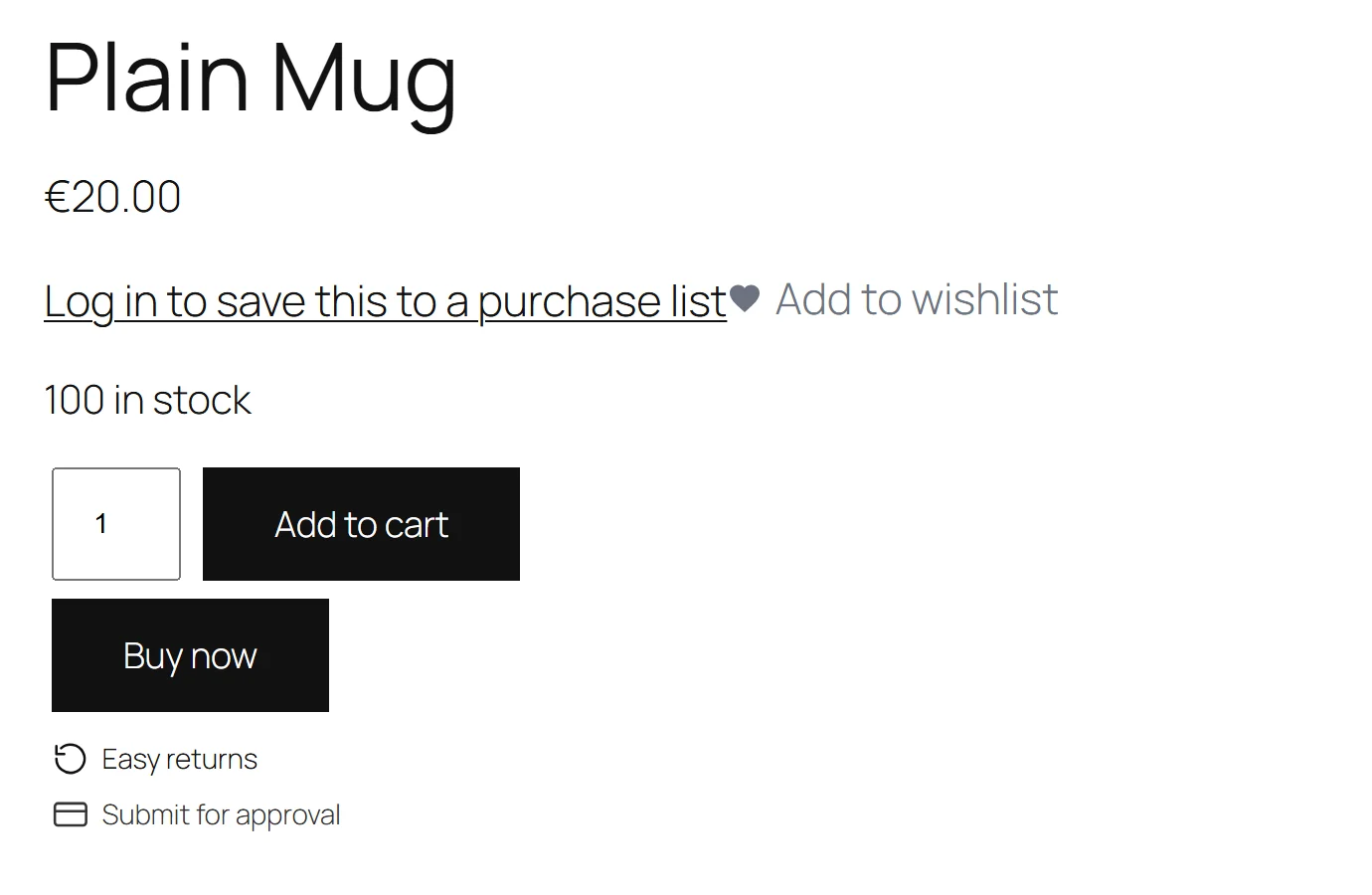
The Buy now button is an ordinary submit button printed inside your theme's own add-to-cart form. Pressing it submits that form, exactly as Add to cart would, plus one extra field (gmqc_buy_now=1) that says "then go to the checkout".
So everything the form carries goes with it: the chosen variation, the quantity, product add-on fields, subscription terms. And everything that checks an add-to-cart still runs: stock, minimum and maximum quantities, purchasability, and every other plugin's validation.
Plugins that instead build a hidden ?add-to-cart=123 link buy the wrong thing as soon as a product has options — or buy one of something you sell in sixes.
2. A refusal never lands on the checkout
Where the shopper goes next is decided on WooCommerce's own woocommerce_add_to_cart_redirect filter. WooCommerce applies that filter only after an add has succeeded. So when the add is refused — no variation chosen, a quantity rule broken, the last unit sold while they were reading — the shopper stays on the product page with WooCommerce's own message.
The plugin has no add-to-cart handler of its own. Plugins that redirect from their own code send a refused shopper to a checkout that says "your cart is currently empty".
3. Never where the promise cannot be kept
No Buy now button on:
- an external/affiliate product (the button would go somewhere else);
- a grouped product;
- a product that is out of stock or not purchasable.
A button that does something other than what it says is worse than no button. Variable products do get the button, because it submits the product's own form.
Which products take the short route
One decision answers the button, the redirect and (in the full edition) the one-page checkout, asked in the order a merchant would say it:
- The product's own answer. Always take the short route → yes. Never — use the normal cart → no.
- The shop switch. With Use the short route in my shop off → no.
- Full edition — categories. With Only in these categories filled, the product must be in one of them or in a sub-category of one. Empty means the whole shop → yes.
On top of that, the Buy now button needs Print a Buy now button beside Add to cart on and a product that can be bought (rule 3).
What happens after an add
| The shopper pressed | Skip-the-cart off | Skip-the-cart on |
|---|---|---|
| Buy now | Checkout | Checkout |
| Add to cart, product takes the short route | WooCommerce's normal route | Checkout |
| Add to cart, product does not | WooCommerce's normal route | WooCommerce's normal route |
"WooCommerce's normal route" is staying on the product page, or going to the cart if WooCommerce → Settings → Products → Redirect to the cart page after successful addition is on.
Adds that happen without a page load — the AJAX add-to-cart buttons on shop and category pages, or the Product Collection block — do not go through this redirect, so they stay on the page.
Full edition: sending the cart page on
With Send the cart page itself to the checkout on, any visit to the cart page goes to the checkout — but only when the cart has something in it, and never during an AJAX or REST request.
Full edition: a one-page checkout
[gatemi_quick_checkout product="123"]
Put this on any page. It shows two parts:
- The product, printed through WooCommerce's own product summary hook (
woocommerce_single_product_summary), so the price, the add-to-cart form, variations and anything other plugins add come out as they do on the product page. - WooCommerce's own checkout (
[woocommerce_checkout]), rendered by WooCommerce, so every payment gateway and checkout field you set up works as on the real checkout.
Opening the page does not put the product in anybody's cart — a page view is not a purchase, and a page that filled the cart would fill it again on every refresh. Instead, the product's add-to-cart form on this page posts back to this page: WooCommerce adds the product through its own add-to-cart, and the shopper lands here again with the checkout below it. A hidden gmqc_one_page field carries the page's address, and the redirect follows it only when it is an address on your own site. That return comes before the Buy now and skip-the-cart destinations.
Until the cart has something in it, the checkout part shows one line — "Add the product above and the checkout appears here." — rather than WooCommerce's "your cart is currently empty".
If the product does not exist or cannot be bought, the shortcode shows nothing.