
Both editions are built around one promise: never sell something the stock cannot deliver. A kit or bundle whose parts have run out must be refused at add-to-cart, with a message that says why — not discovered at the packing bench.
The free edition: a kit
A kit is an ordinary product with a contents list.
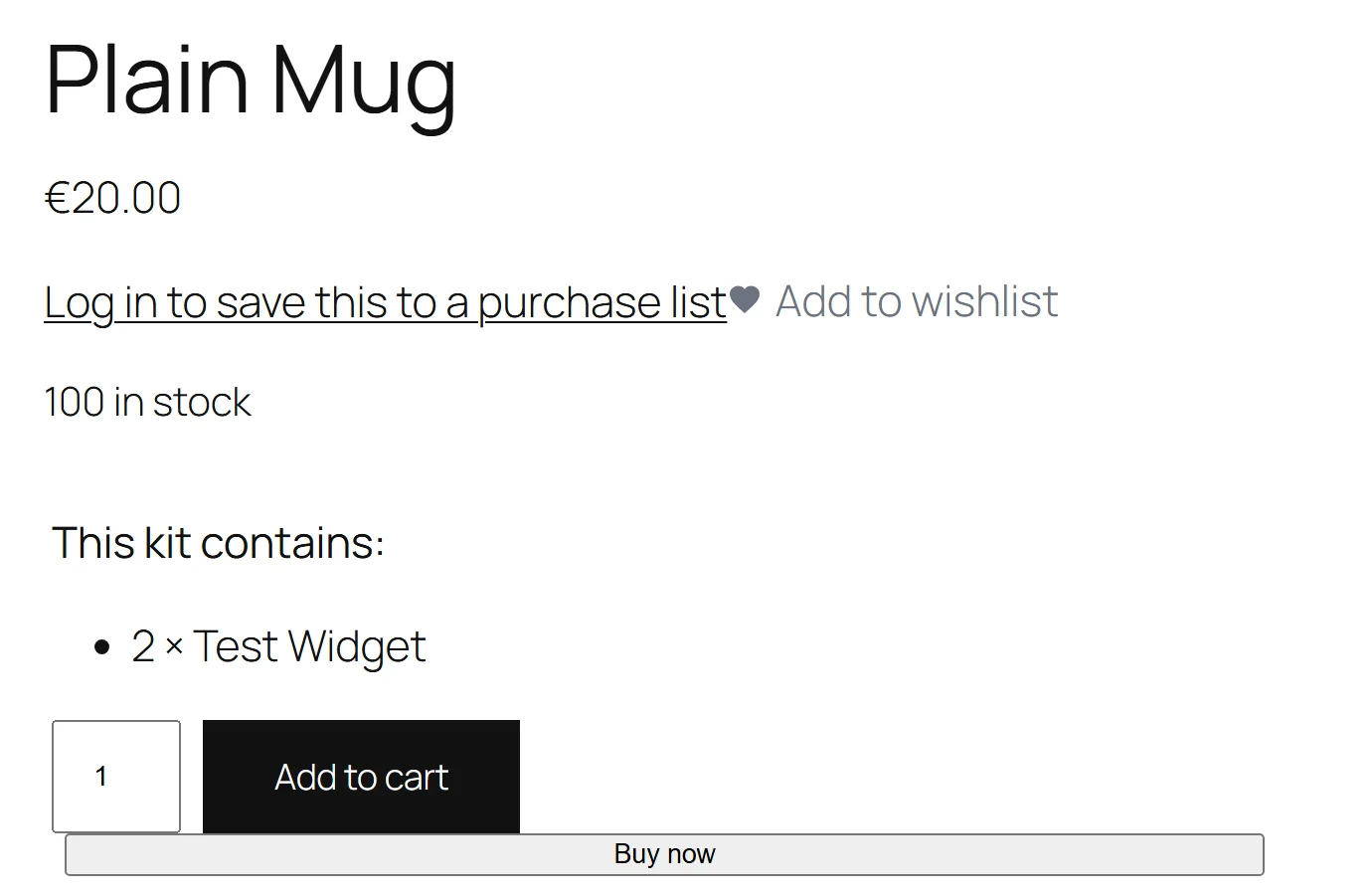
On the product page
Above the add-to-cart button (WooCommerce's woocommerce_before_add_to_cart_button hook) the kit prints:
This kit contains:
- 2 × Glass jar
- 1 × Wooden lid (out of stock)
Each part is listed with its quantity. A part that is out of stock is marked, so the shopper sees the problem before pressing the button.
At add-to-cart: the stock check
When the kit is added, the plugin works out how many kits the shopper will have in the cart: the quantity being added plus the kits already in the cart. For every part it multiplies the part's quantity by that number and checks:
- The part is in stock at all. If not, the kit is refused.
- If the part manages stock, its stock quantity covers what is needed. If not, the kit is refused.
The refusal names the part: This kit cannot be added: "Wooden lid" has 1 in stock but the kit(s) need 2.
Worked example. A kit contains 2 × Glass jar, and 5 jars are in stock. Adding 2 kits needs 4 jars — allowed. With those 2 kits in the cart, adding 1 more needs 6 jars — refused, even though 1 kit on its own would fit. That is why the kits already in the cart are counted.
A part that does not manage stock but is marked in stock always passes.
Price and order
The kit sells as one line, at the kit product's own price. When the order is placed, the line gets a Contains row — for example 2 × Glass jar, 1 × Wooden lid — which shows on the order screen, the packing slip and the emails.
Buying a kit does not reduce the parts' stock. Only the kit product's own stock (if it manages stock) goes down. The check refuses kits the parts cannot cover; it does not take the parts out of stock.
Full edition: a bundle product
Full edition. The Product bundle type is a product of its own whose contents are real products.
One configuration, checked in one place
What a shopper chooses — each item's quantity, whether an optional item is included, which variation — is one array. The product page posts it, the cart stores it on the bundle line and on every item line, the order records it, and the Store API (the block cart and checkout) checks the very same array. Checking it in one place is what stops a bundle being offered on the product page and then refused in the cart.
Every rule produces a sentence the shopper reads, such as The quantity of "Mug" in "Gift set" cannot be higher than 2. or Please choose at least 3 items for "Pick any 3".
Money is worked out once
The bundle's price is the base price plus each priced individually item at its price less its Discount %. The discount is taken off the item's current price, so it adds to a sale on that product. An item that is not priced individually is worth exactly 0, so its cart line, its price and the bundle total can never disagree.
The catalog price follows from the same sums:
- No individually priced items: the base price.
- A fixed range: "£20 – £35".
- An open range (no maximum, or the shopper chooses quantities): "From: £20".
- Discounted items: the regular figure struck through.
The lowest total a shopper could pay is written to the product's ordinary price fields, so catalog sorting and price filters use the number a shopper actually pays. With a Min bundle size, that lowest total is the cheapest legal choice. It is recalculated whenever a bundled product's price or stock changes — including through an import, a bulk edit or the REST API.
On the product page the Total updates as quantities change, from unit prices the server already worked out.
Items are real lines that answer to the bundle
When the bundle is added, each item is added to the cart as its own line — taxed, reported and stock-managed by WooCommerce. That is why refunds and restocks need nothing special. But the item lines follow the bundle:
- Changing the bundle's quantity changes every item in step.
- A mandatory item cannot be removed on its own.
- Removing the bundle removes everything it brought; undoing the removal brings it all back.
- An admin cannot delete a bundled item from an order on its own.
Stock in three layers
- The bundle's own stock, if it manages stock.
- The contents: out of stock as soon as a required item cannot cover its minimum quantity.
- Together: a bundle can be fine itself while its contents are not. That is shown as Insufficient stock.
At add-to-cart every item is checked at the quantity actually chosen. When two items are the same stock-managed product, their quantities are added together and checked once, and what the cart already holds is counted. A secret item (hidden on the product page, the cart and orders) is never named in a stock message.
Shipping
An assembled item (not Shipped individually) is made virtual in the cart, and its value is added to the bundle line in the shipping package, so rates based on order value see the whole bundle. With Aggregate weight on, its weight is added to the bundle's weight too. A shipped-individually item keeps its own weight and its own package line.