
All settings are on WooCommerce → Order Approval. Only users who can manage WooCommerce (manage_woocommerce) can open or save the screen.
Both editions store their settings in one option, gmoa_settings. The free edition has one setting, Hold orders for approval. When it saves, it changes only that key and leaves everything else in the option as it was, so conditions or wording the full edition wrote are still there if you upgrade again. The free edition does not read those other keys: every order is held in its own words.
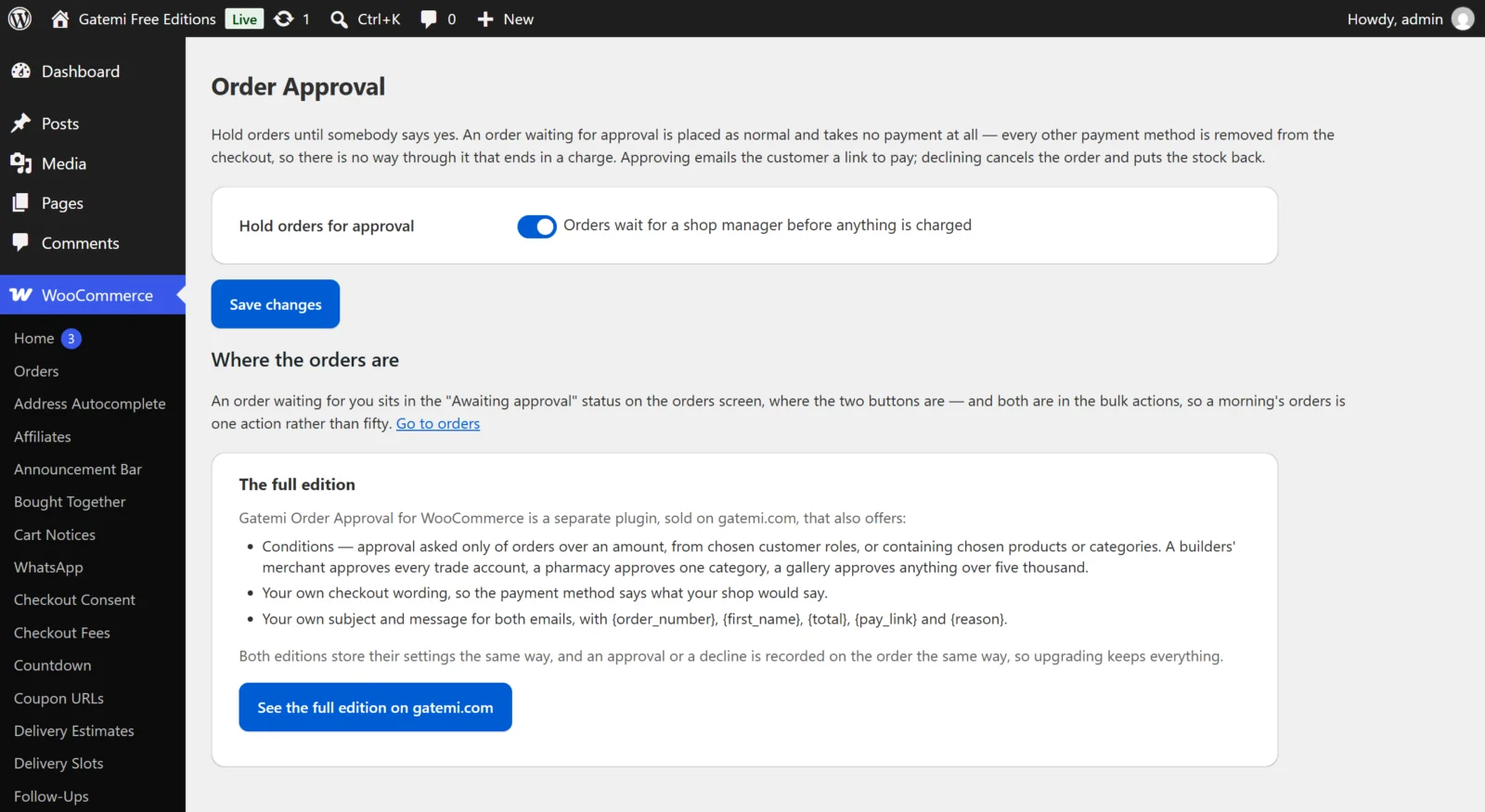
When an order needs approving
Hold orders for approval
- Key:
enabled· Default: on (yes) - On: orders that need approving get the approval method at the checkout and nothing else. Off: the checkout behaves as if the plugin were not there and the approval method is never offered.
- Orders already waiting stay waiting when you switch it off; approve or decline them as usual.
Which orders — Full edition
- Key:
when· Default:all - One of:
- Every order (
all) — the free edition's behaviour. - Orders over an amount (
over) — uses Over this amount. - Orders from chosen customer roles (
roles) — uses From these customer roles. - Orders containing chosen products or categories (
items) — uses Containing these products and Or in these categories.
- Every order (
- Only one condition applies at a time. An unknown value is saved as
all.
Over this amount — Full edition
- Key:
threshold· Default:0 - Strictly over: an order for exactly this amount goes straight through. A merchant who typed £500 meant orders bigger than that.
- Measured against the products in the cart: each product's current price times its quantity, added up. Shipping, fees and coupons are not counted.
- Typed amounts are read the way spreadsheets read them:
1.250,00and1,250.00are both 1250, and12,50is 12.50. 0(or empty) with this condition holds nothing.
From these customer roles — Full edition
- Key:
roles· Default: none - A checkbox for every role on your site (Customer, Subscriber, any wholesale role a plugin added…).
- Every role a customer holds is checked, not just the first — WordPress users can have several, and a customer upgraded to a trade role usually keeps "Customer" too.
- A guest has no role, so a role condition never holds a guest. Choose Every order if guests should be held as well.
Containing these products / Or in these categories — Full edition
- Keys:
productsandcategories· Default: none - Product ids and category ids, separated by commas, spaces or new lines.
- An order is held when any product in the cart is in the list, or is in one of the categories or any of their sub-categories.
What the shopper sees at the checkout — Full edition
The button and method name
- Key:
gateway_title· Default: empty, shown as "Submit for approval"
What it says underneath
- Key:
gateway_text· Default: empty, shown as "We will review your order and email you a link to pay once it is approved. Nothing is charged now."
The free edition always uses these two default texts.
The approval email — Full edition
Leave a box empty to use the shipped wording. Keep {pay_link} in the message — it is how the customer pays.
- Subject — key
approved_subject, default "Your order {order_number} is approved — please complete your payment". - Message — key
approved_body, default:
Hello {first_name},

Good news — your order {order_number} has been approved.

Nothing has been charged yet. To complete it, pay here:
{pay_link}

The total is {total}.

Thank you,
{site_title}
The decline email — Full edition
- Subject — key
declined_subject, default "About your order {order_number}". - Message — key
declined_body, default:
Hello {first_name},

We are sorry — we are not able to accept your order {order_number}, and
nothing has been charged.

{reason}

Please get in touch if you would like to talk it over.

{site_title}
Placeholders
| Placeholder | Becomes |
|---|---|
{order_number} |
The order number |
{first_name} |
The customer's billing first name |
{total} |
The order total, formatted by WooCommerce |
{pay_link} |
WooCommerce's own pay-for-order link — approval email only |
{reason} |
What you typed when declining — decline email only |
{site_title} |
Your store's name |
Both emails are plain text and go to the order's billing email. The free edition sends exactly the default subjects and messages above.
How the money works — Full edition
A card on the screen restating the guarantee; there is nothing to set. See How it works.
License & updates — Full edition
Enter your gatemi.com licence key and click Activate; Deactivate on this site frees it. The licence is kept in gmoa_license. A failed check never changes your licence state.
The payment method in WooCommerce's settings
Both editions add a payment method, Order approval (id gmoa_approval), to WooCommerce → Settings → Payments. It has no settings of its own there. If you disable it in WooCommerce, the plugin cannot offer it, and to avoid a checkout with no payment methods at all it leaves your ordinary methods in place — so orders are not held. Leave it enabled.