
Everything is on WooCommerce → Cart Recovery. The free edition stores its settings in the option gmcrf_settings; the full edition in gmcr_settings. They are separate options.
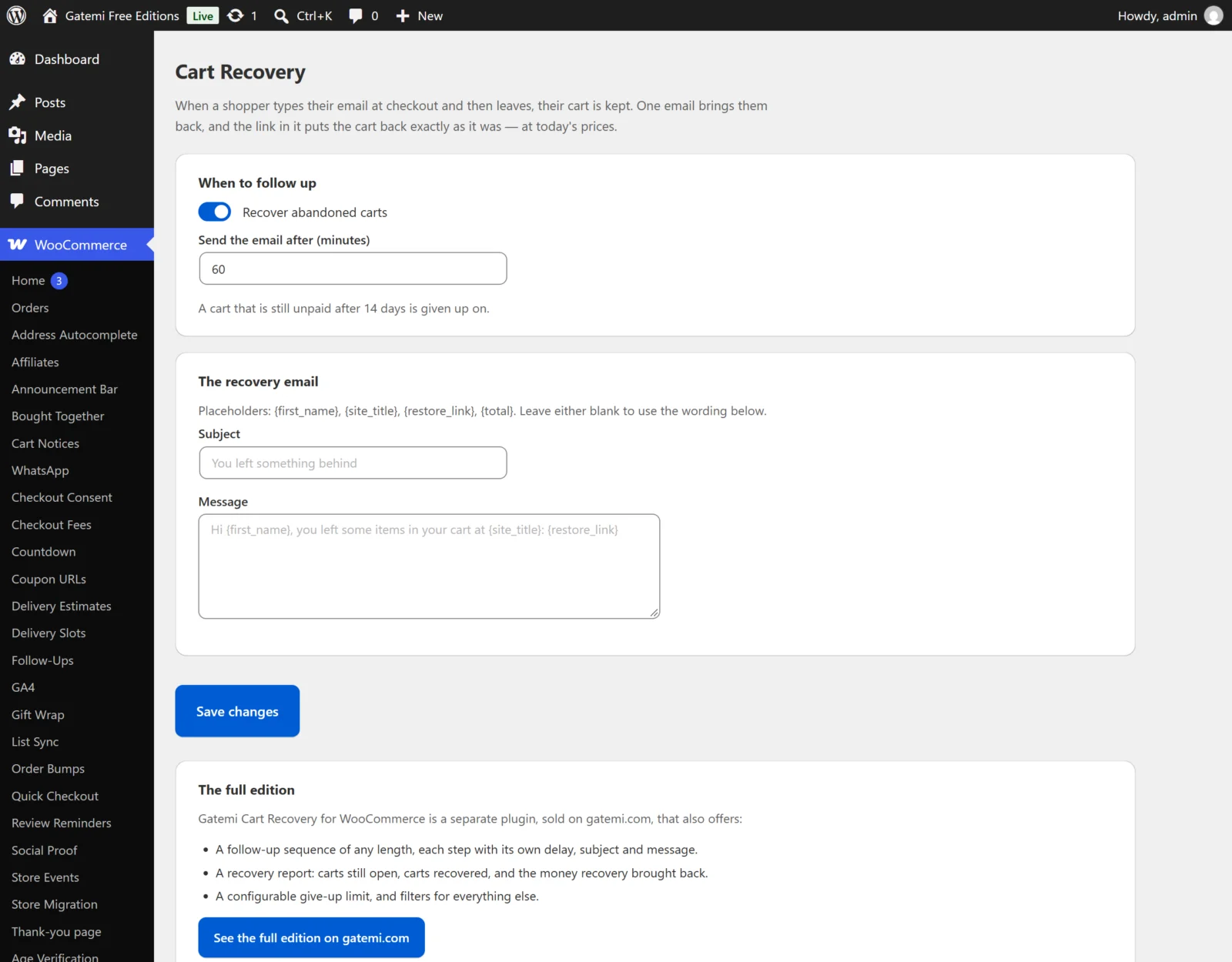
Free edition
When to follow up
| Label | Key | Default | What it does |
|---|---|---|---|
| Recover abandoned carts | enabled |
on | Off: no carts are captured, no emails are sent, and the hourly job is removed. |
| Send the email after (minutes) | wait_minutes |
60 |
Minutes after the shopper's last activity on the checkout. At least 1. |
A cart still not ordered 14 days after it was first captured is given up on, whether or not it has had its email; its restore link stops working. This limit is fixed in the free edition.
The recovery email
| Label | Key | Default |
|---|---|---|
| Subject | subject |
empty — "You left something behind" |
| Message | body |
empty — the default below |
The default message:
Hi {first_name},
You left some items in your cart at {site_title}. Pick up where you left off:
{restore_link}
Each cart gets one recovery email.
Full edition
When to follow up
| Label | Key | Default | What it does |
|---|---|---|---|
| Recover abandoned carts | enabled |
on | As above. |
| A cart counts as abandoned after (minutes) | wait_minutes |
60 |
A cart is not looked at until this long after the shopper's last activity. |
| Stop chasing after (days) | give_up_days |
14 |
Days after the cart was first captured. After that, no more emails, and the cart is counted as given up on. |
The follow-up sequence
A list of steps (key steps). Each step has:
| Label | Key | Default |
|---|---|---|
| Send after (minutes from abandonment) | delay_minutes |
60 |
| Subject | subject |
empty — "You left something behind" |
| Message | body |
empty — the default above |
- Add a step adds one; Remove step removes it.
- Steps are sent in order of their delay, shortest first, whatever order you enter them in. A step with no delay (or 0) is not saved. If you remove every step, one default step at 60 minutes is kept.
- Each step goes out once per cart.
- The delay is counted from the shopper's last activity on the checkout, like A cart counts as abandoned after. A step whose delay is shorter than that waits until the cart counts as abandoned.
Example sequence: 60 minutes "Did something go wrong?", 1440 minutes (one day) "Your cart is still here", 4320 minutes (three days) "Last chance".
How recovery is going
A report card with Carts still open, Recovered (bought after a reminder), Value recovered, Given up on and Bought before a reminder (closed, but not credited to the plugin), counted from the plugin's table.
License & updates
Your gatemi.com licence key. Stored in gmcr_license.
Placeholders (both editions)
| Placeholder | Becomes |
|---|---|
{first_name} |
The billing first name typed at checkout (or the account's first name); "there" if none |
{site_title} |
Your site title |
{restore_link} |
The one-click link that puts the cart back |
{total} |
The cart's total when it was last captured, formatted as money |
Emails are plain text, sent through wp_mail() with your site's default sender.