
Both editions keep their settings on WooCommerce → Quote settings (capability manage_woocommerce), in one shared option, gmrq_settings.
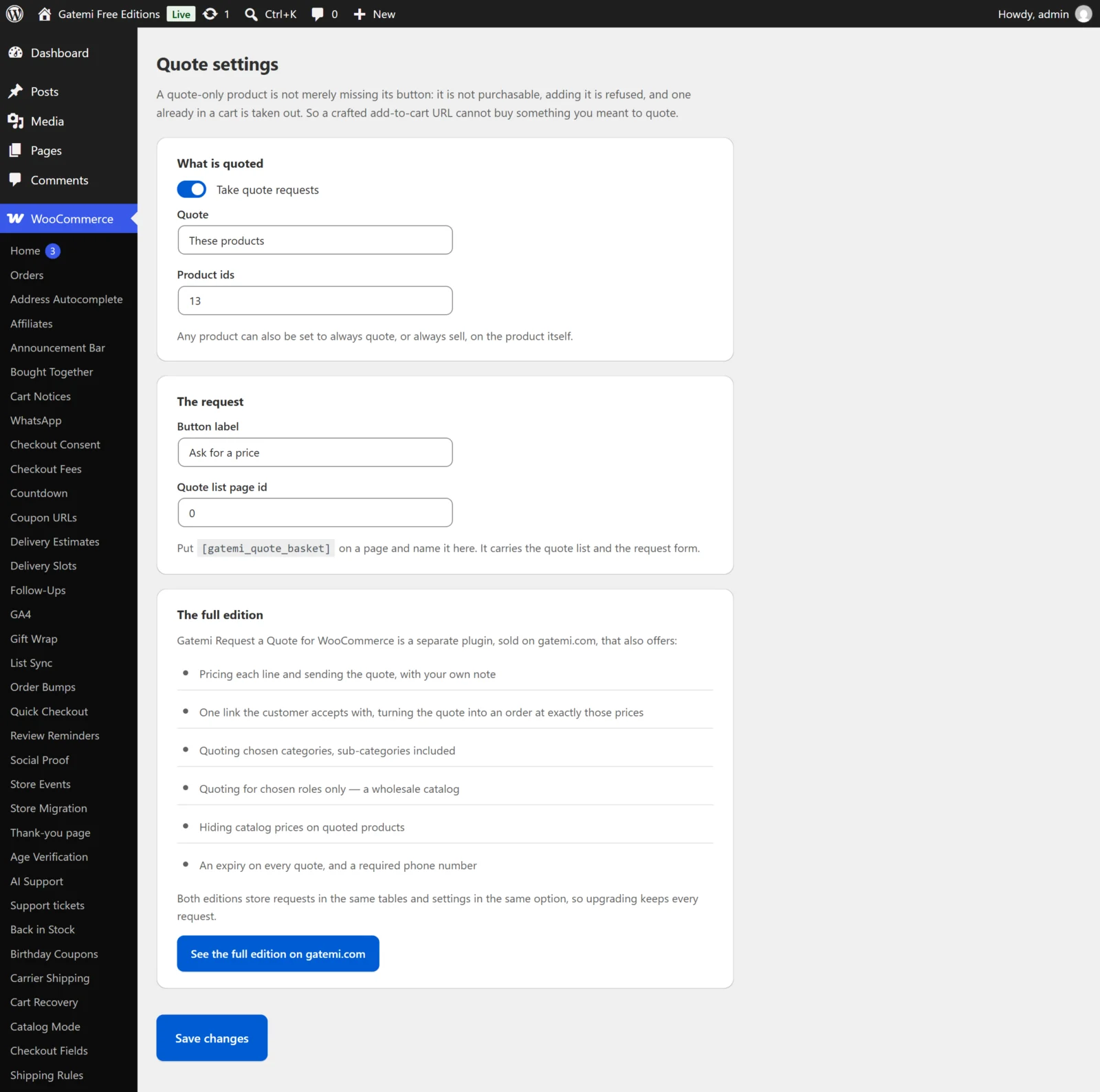
What is quoted
Take quote requests
- Key:
enabled· Default: off (no) - The master switch. Off: no product is quote-only, whatever else is set — including products set to Always quote this one. The requests already received stay on the requests screen.
Quote
- Key:
scope· Default:all - Everything in the shop (
all) — every product is quote-only. - These products (
products) — only the IDs in Product ids. - These categories (
categories) — Full edition. The IDs in Category ids; sub-categories count.
In the free edition, a categories scope saved by the full edition is kept as it is, and while it is stored no product is quote-only (other than those set to Always quote this one). The free edition cannot read the category list, so it quotes nothing rather than guess at what was meant.
Product ids
- Key:
products· Default: none - Product IDs separated by commas. Used with These products. A variation follows its parent product.
Category ids — Full edition
- Key:
categories· Default: none - Product category IDs separated by commas. Used with These categories.
Only for these roles — Full edition
- Key:
roles· Default: none (everybody) - User role keys separated by commas, such as
wholesale_customer. Useguestfor visitors who are not signed in. With roles listed, products are quote-only only for visitors holding one of them — everybody else can buy them as normal. That is how a shop quotes its trade customers and sells to the public from one catalogue. A customer with several roles is matched if any one of them is listed.
Hide the catalog price on quoted products — Full edition
- Key:
hide_price· Default: off - Removes the price from quoted products wherever WooCommerce prints it (the shop loop, the product page).
The request
Button label
- Key:
button_label· Default: "Request a quote" - What the button that replaces Add to cart says. An empty box shows "Request a quote".
Quote list page id
- Key:
basket_page· Default: 0 (none) - The ID of the page holding
[gatemi_quote_basket]. Used for the Already on your quote list link. Full edition: it is also the page a customer's quote link opens; without one, the link opens the home page.
Require a phone number — Full edition
- Key:
require_phone· Default: off - Makes Phone required on the request form.
A quote stands for … days — Full edition
- Key:
expiry_days· Default: 14 (0–365; 0 means it never expires) - Counted from the moment you send the quote. An expired quote can no longer be accepted; the customer is asked to request a new one.
Per product: Quoting
Products → Edit → Product data → General → Quoting, stored in the product meta _gmrq_mode:
| Choice | Stored | Effect |
|---|---|---|
| Follow the store setting | no meta | The settings above decide |
| Always quote this one | quote |
Quote-only, while Take quote requests is on |
| Always sell this one | sell |
Never quote-only |
A product's own choice beats the scope, the categories and (full edition) the roles.
The request form
The form on the quote list page always asks for:
| Field | Required |
|---|---|
| Your name | yes |
| Email address | yes (must be a valid address) |
| Phone | no (yes with Require a phone number, full edition) |
| Company | no |
| Anything we should know? | no |
A signed-in customer's name and email are filled in for them.
License & updates — Full edition
Enter the key from your gatemi.com account and press Activate. The card shows the status, how many of your sites are in use, and a Deactivate on this site button. Stored in gmrq_license. Without a key the plugin makes no external requests.
Moving between editions
Both editions read the same option. Saving the free edition's screen keeps the full edition's categories, roles, price hiding, phone and expiry values exactly as they were, so upgrading restores them.