
A quote-only product cannot be bought by accident
Taking the add-to-cart button off is decoration. Anybody can request ?add-to-cart=123, and a page left open in somebody's tab from before you switched quoting on does it by accident. So a quote-only product is refused in four places at once:
- Not purchasable. The plugin answers WooCommerce's
woocommerce_is_purchasable(and the variation equivalent) with "no". That one answer is what the classic cart, the Cart and Checkout blocks and the Store API all ask, so every surface is covered. - Adding is refused, with a reason. An add-to-cart attempt fails with "Product is quoted rather than sold online — ask us for a price instead."
- Already in a cart, taken out. When the cart is checked, a quoted product sitting in it is removed with "Product is quoted rather than sold online, and has been removed from your cart."
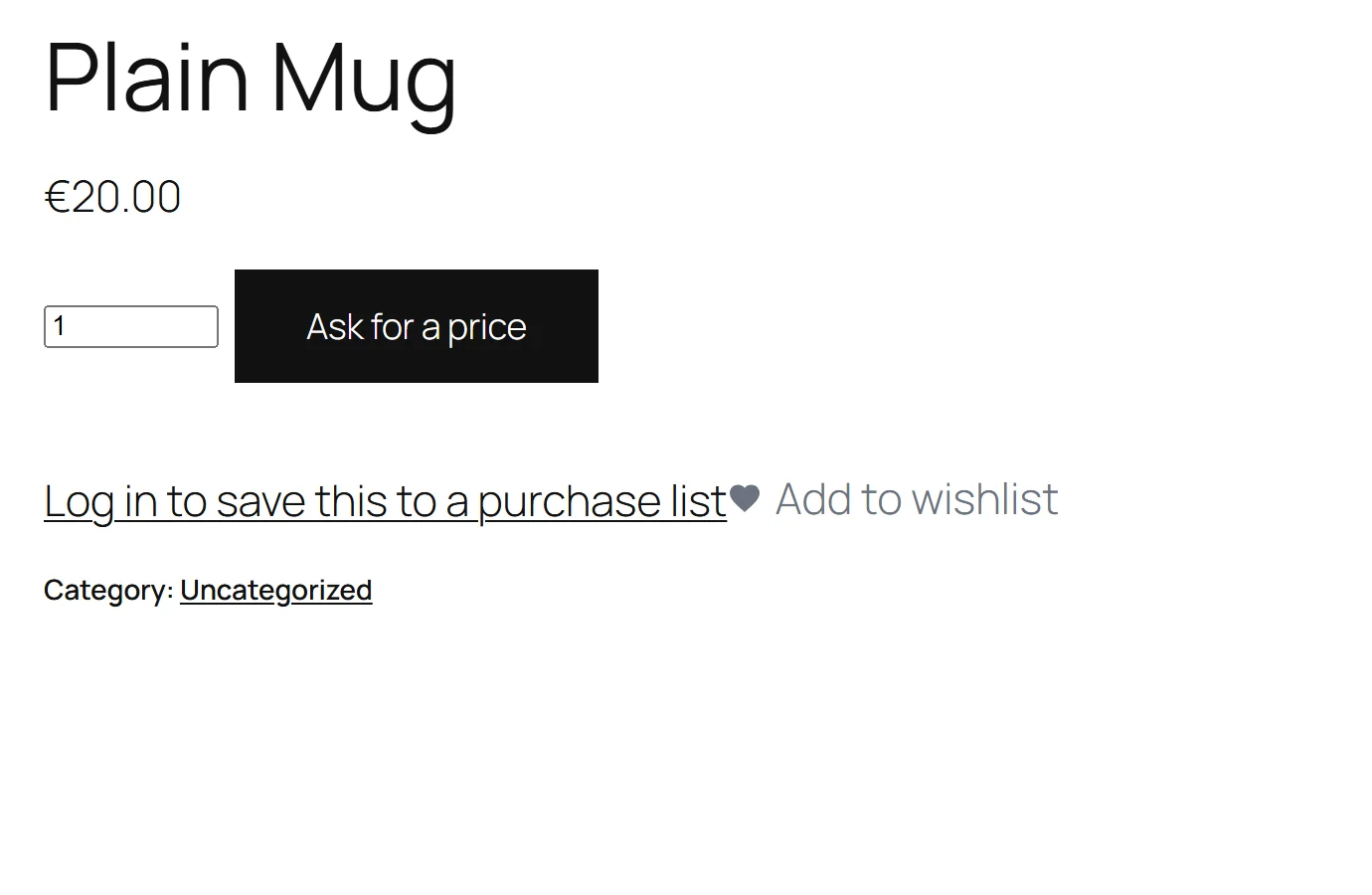
- The button is replaced. On shop pages the loop's add-to-cart link becomes the quote button; on the product page WooCommerce's add-to-cart form is swapped for a quantity box and Request a quote.
These checks also run in the admin and REST requests, because an import or an API call can add to a cart too.
Which products are quote-only
Asked in this order:
- Take quote requests is off → no product.
- The product's own Quoting: Always sell this one → no; Always quote this one → yes.
- Full edition: Only for these roles is filled and the visitor holds none of them (
guestfor signed-out visitors) → no, they can buy it. - The scope: Everything in the shop → yes; These products → only the listed IDs; These categories (full edition) → products in those categories or their sub-categories.
A variation is decided by its parent product.
The quote list is a cookie
The quote list is kept in a browser cookie, gmrq_basket, for 30 days — not in the WooCommerce cart and not in the database.
- Not the cart, because a quote-only product is not purchasable, and putting it in the cart would mean fighting every totals and checkout path in WooCommerce for something that is not a sale.
- Not the database, because a visitor who browses and leaves is not a lead you have any business keeping. Nothing about a visitor is written down until they type their name and press Send my request.
The same product added twice is one line with a higher quantity. A list holds up to 20 lines (free edition) or 50 (full edition); one more is refused with "Your quote list is full — please send this one first", never by silently dropping the first line.
There is no JavaScript. Adding, changing a quantity, removing and sending are ordinary form posts with a WordPress nonce, so they work before any script has loaded and on a page served from a cache.
Sending a request
- The shopper fills the form on the quote list page.
- The plugin checks there is a name and a valid email address (and, full edition, a phone number if you require one).
- It writes one row to
wp_gmrq_quoteswith status pending and a random 32-character token, and one row per product towp_gmrq_quote_itemswith the quantity. - The cookie is cleared, and an email "New quote request" goes to the site's admin address, listing the products and quantities with a link to the requests screen.
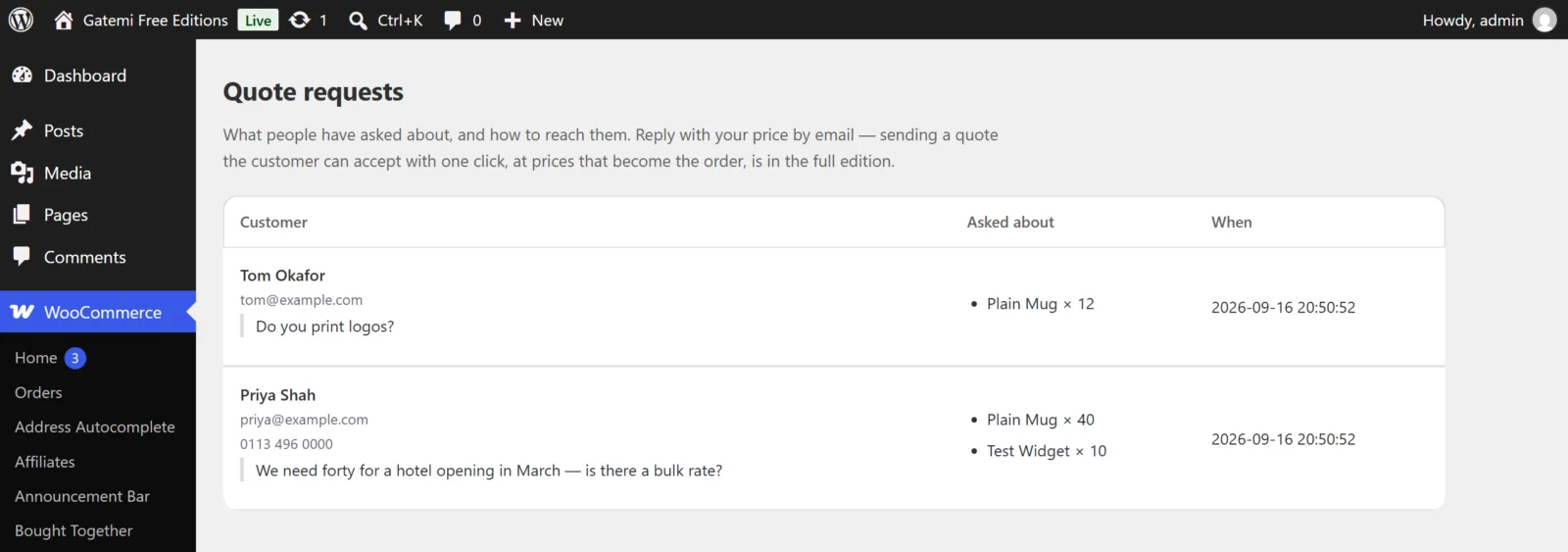
Free edition: that is the end of the plugin's part. The request is on WooCommerce → Quote requests; you reply with your price by email.
Full edition: pricing and sending a quote
- Open WooCommerce → Quotes. The header counts waiting, quoted and accepted quotes.
- Open a request. Each line shows the product, the quantity and a Price each box. Optionally type a Delivery charge and a Delivery label (empty means "Delivery"), and write A note for the customer.
- Press Send this quote. The prices are frozen on each line and the delivery on the quote, the total (lines plus delivery) is worked out, the expiry is set (A quote stands for … days), the status becomes quoted, and the customer is emailed "Your quote is ready" with every line, the delivery, the total, your note and a link.
The price you type is the price each line is charged at, before tax. Type it as you normally write money — 1250,00, 1.250,00 and 1,250.00 all read as 1250; when both a dot and a comma appear, the rightmost is the decimal separator. The catalogue can change afterwards; the quote does not.
The delivery charge is read the same way and is before tax, like a shipping rate. Leave both delivery boxes empty for no delivery line; a label with no charge, such as "Free delivery", is shown to the customer and goes onto the order as a shipping line of nothing.
Full edition: the customer accepts
The link opens your quote list page with ?gmrq_quote=<token>. The page shows the quote with Accept and order and Decline.
- The link carries the token, never the quote's number, so quotes cannot be found by counting. An unknown token shows the same "This quote is no longer available." as a used one.
- Decline marks the quote declined.
- An expired quote says "This quote has expired. Please ask us for a new one." — it is re-quoted rather than quietly honoured.
- Accept and order:
- claims the quote in one database statement (
… WHERE order_id = 0), so a double-click or a refreshed page cannot make two orders; - creates a pending WooCommerce order for the customer, with each line at exactly its quoted price (subtotal and total set from the quote), and the billing name, email, phone and company from the request;
- emails you "A quote was accepted";
- sends the customer to the order's payment page.
- claims the quote in one database statement (
A product deleted since the quote was sent is left out of the order rather than failing it. If the order cannot be created, the claim stays and the customer is asked to get in touch — retrying automatically is how one agreement becomes two orders.
The order is created with the quoted line prices. When tax is enabled in WooCommerce, the order adds your store's tax to them: a signed-in customer's saved billing and shipping addresses are copied onto the order (the name, email, phone and company from the request then fill the billing details) and the tax is worked out from those, or from your store's address settings for a guest. The delivery you quoted is added as the order's shipping line, at the quoted charge under the quoted label, and taxed the way WooCommerce taxes any shipping (your Shipping tax class setting, "based on cart items" included). A quote with no delivery has no shipping line.