
Gatemi Conditional Shipping takes a shipping or payment method off the checkout when a condition is met — no express delivery to the islands, no cash on delivery abroad, courier only once the cart is heavy — and leaves it exactly where it was the rest of the time.
It is a free plugin with no paid edition of its own. Its rules are written into the same table, in the same shape, as the Restrictions section of Gatemi Shipping, so a shop that later needs more installs that plugin and finds every rule already there.
Requirements
- WordPress 6.4 or later
- PHP 7.4 or later
- WooCommerce 8.0 or later (tested up to 10.9)
- Compatible with High-Performance Order Storage and the Cart and Checkout blocks (both declared to WooCommerce)
The plugin header carries Requires Plugins: woocommerce, so WordPress 6.5 and later will not activate it without WooCommerce.
Install
Gatemi Conditional Shipping is coming to wordpress.org. Until it is listed:
- Download the plugin zip.
- In WordPress go to Plugins → Add New Plugin → Upload Plugin, choose the zip and press Install Now.
- Press Activate.
Activating creates the rules table, {prefix}gmship_restrictions, if it is not already there. If Gatemi Shipping has run on this site before, the table already exists and nothing is changed.
Find your method ids
A rule names methods by id, not by the title the shopper sees. You need these before you write a rule.
- Shipping methods. WooCommerce gives every method in a zone an id made of the method and its instance number:
flat_rate:3,free_shipping:5,local_pickup:7. You can write the method alone —flat_rate— to cover it in every zone, or the full id to cover one instance. Carrier plugins that generate their own ids can be covered with a wildcard, such asfedex*. To find an instance number, open the cart with an address in that zone and inspect the shipping option: its radio button'svalueis the full id, for exampleflat_rate:3. - Payment methods. The gateway id:
cod(Cash on delivery),bacs(Direct bank transfer),cheque(Check payments). Other gateways show their id in the address bar of their settings section (…§ion=<id>).
Write your first rule
The example: never offer cash on delivery outside the United Kingdom.
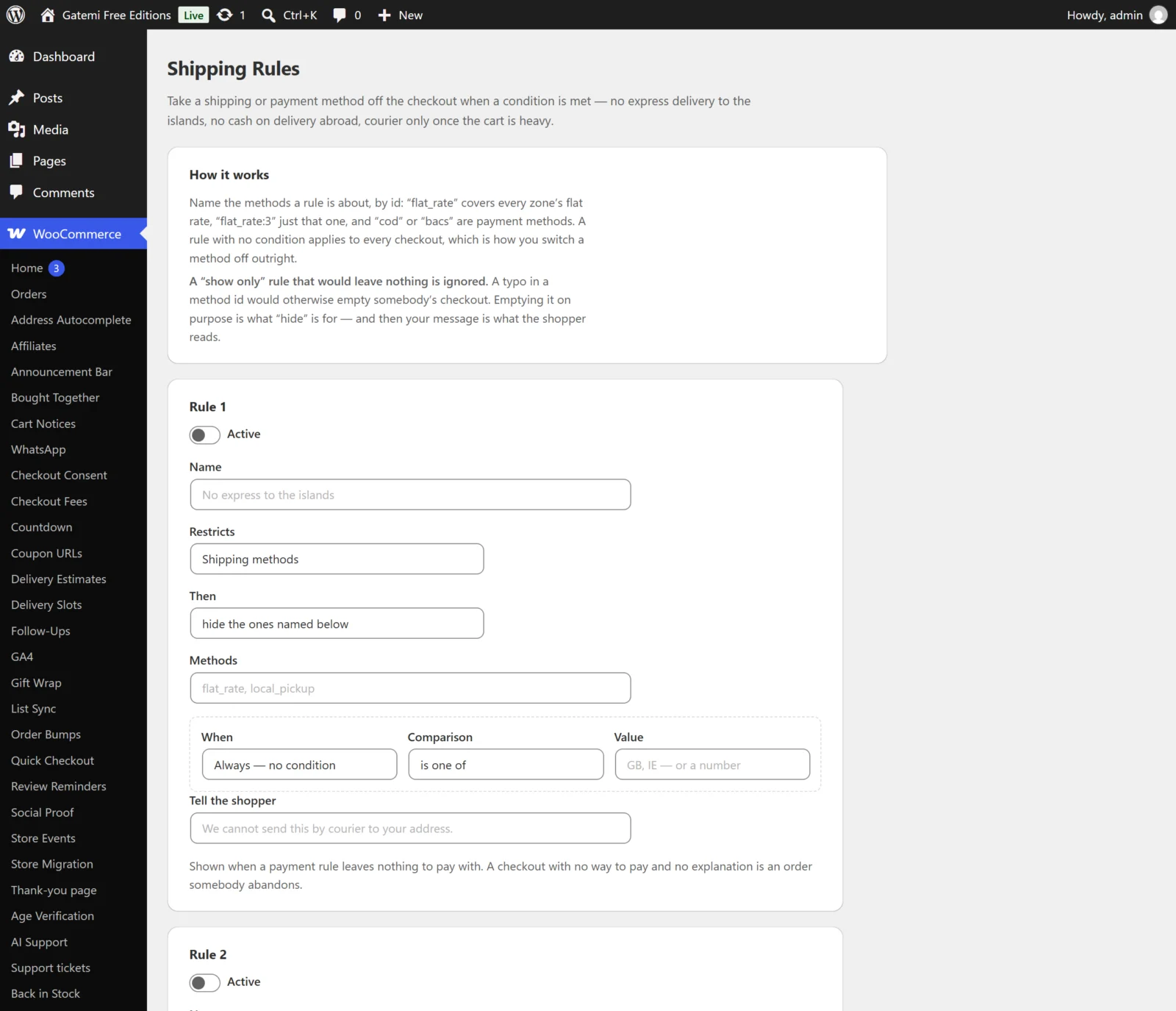
- Go to WooCommerce → Shipping Rules.
- In Rule 1, tick Active.
- Name:
No cash on delivery abroad. - Restricts: Payment methods.
- Then: hide the ones named below.
- Methods:
cod. - When: Shipping country. Comparison: is not one of. Value:
GB. - Tell the shopper:
Cash on delivery is only available in the UK. - Press Save rules.
Check that it works
- Open the shop in a private window and add something to the cart.
- Go to the checkout and enter a UK shipping address. Cash on delivery is offered.
- Change the country to France. Cash on delivery disappears as soon as the checkout refreshes.
- If cash on delivery was your only payment method, the checkout now shows your sentence instead of WooCommerce's "no payment methods available".
Shipping rules are checked the same way: change the address or the cart and watch the shipping options list.
Where next
- Settings — every field on the screen.
- How it works — the order rules run in, and the safeguards.
- FAQ and troubleshooting.