
These docs cover both editions:
- Gatemi Cart Notices — the free edition, coming to wordpress.org: three notices on the cart and checkout, one condition each.
- Gatemi Cart Notices for WooCommerce — the full edition, sold on gatemi.com: as many notices as you like, several conditions each, more condition types, the mini-cart and a shortcode.
Anything marked Full edition is only in the paid plugin.
A notice is a message plus the conditions under which it shows — "Add $12.00 more for free shipping", "Order by 3pm for same-day dispatch". It prints as WooCommerce's own notice, so it looks like every other message your shop already shows.
Requirements
| Free edition | Full edition | |
|---|---|---|
| WordPress | 6.4 or later | 6.4 or later |
| PHP | 7.4 or later | 7.4 or later |
| WooCommerce | 8.0 or later (tested up to 10.9) | 8.0 or later (tested up to 10.9) |
Both declare compatibility with HPOS and the Cart and Checkout blocks. Neither adds a stylesheet or a script to your storefront, and neither creates a table.
1. Install
Free edition: coming to wordpress.org; until then it is not available from Plugins → Add New.
Full edition: download the zip from your gatemi.com account, go to Plugins → Add New → Upload Plugin, upload and activate. Enter your licence key in the License & updates card on WooCommerce → Cart Notices to switch on updates.
If both are active, the free edition stands down and says so under its entry on the Plugins screen. Both use the same storage, so nothing is lost.
2. Write your first notice
Go to WooCommerce → Cart Notices.
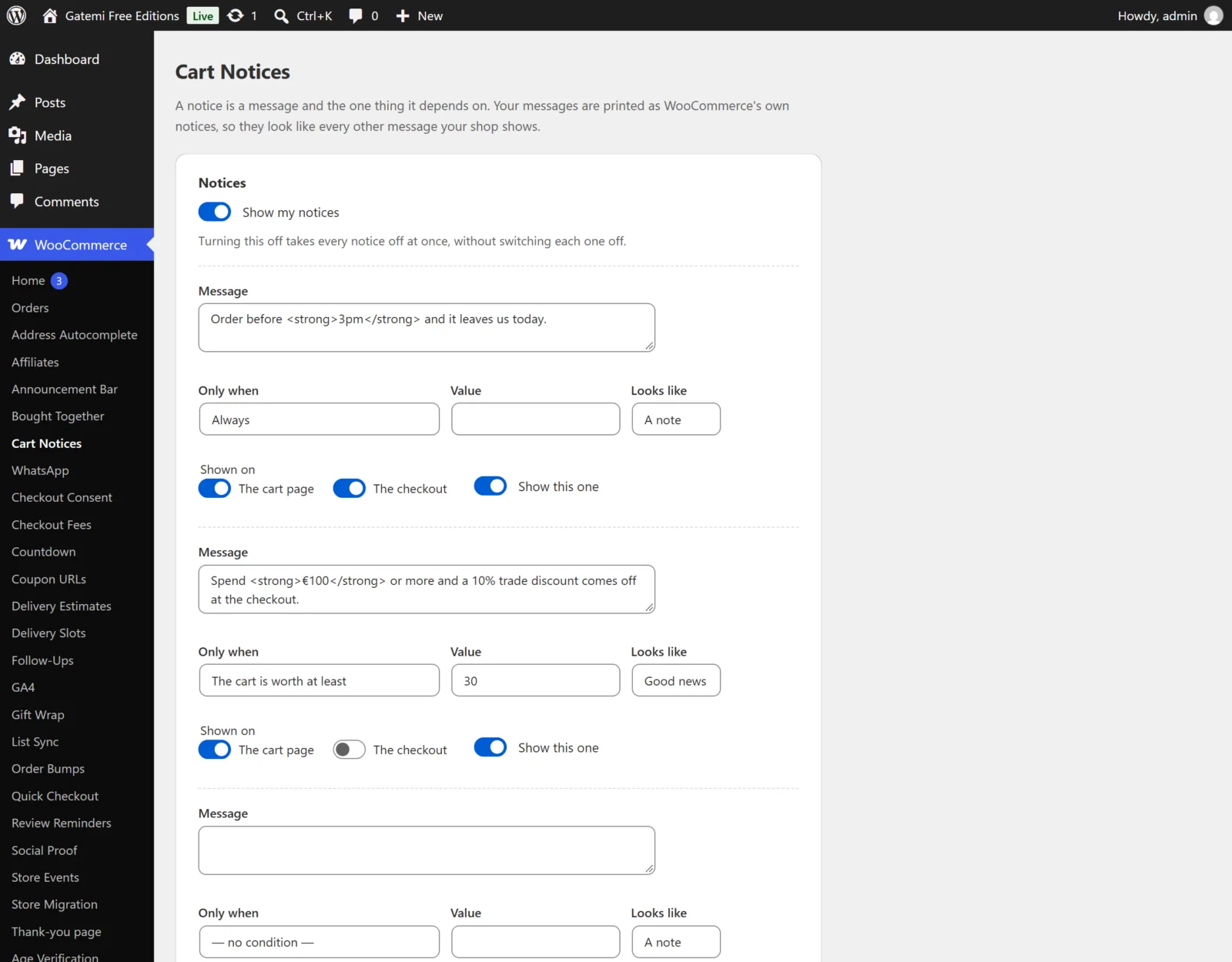
A free-shipping nudge, step by step:
- Make sure Show my notices is ticked.
- In the first notice, type the Message:
Add {remaining} more to your basket for free shipping. - Under Only when, choose Free shipping is close but not reached. Leave Value empty.
- Looks like: A note.
- Shown on: tick The cart page and The checkout.
- Tick Show this one.
- Save (Save Changes in the free edition, Save changes in the full edition).
Full edition: each notice can have several conditions — use Add a condition — and Add another notice adds more notices. Every condition on a notice must be satisfied for it to show.
The free-shipping figure comes from the Free shipping method in your own shipping zones, so that method needs A minimum order amount (or A minimum order amount AND a coupon) for this notice to appear. See How it works.
3. Check it works
- In a private window, add something to the cart worth less than your free shipping minimum.
- Open the cart. The notice appears with the amount filled in.
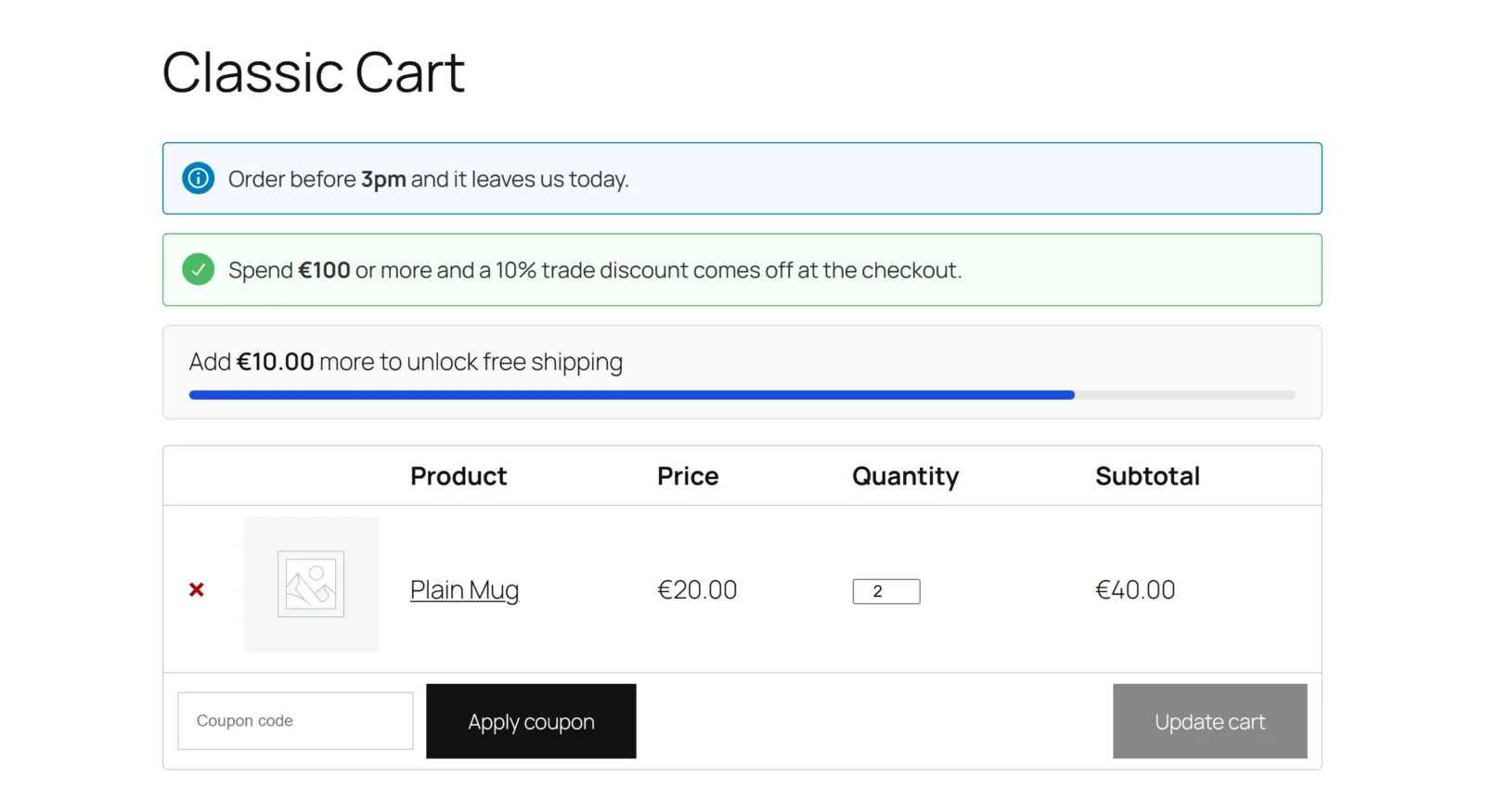
- Add more until the cart passes the minimum. Refresh: the notice is gone.
On the classic cart the notice prints above the cart; on the Cart block it prints straight after the block. If nothing appears, see FAQ and troubleshooting.