
Settings live in two places:
- WooCommerce → Bought Together — the wording of the box, the same on every product. In the full edition, also the category rules.
- Products → Edit product → Product data → Bought together — the set for that one product.
Both editions use the same option and the same product meta keys, so moving between editions keeps every set. Settings only the full edition has are marked Full edition.
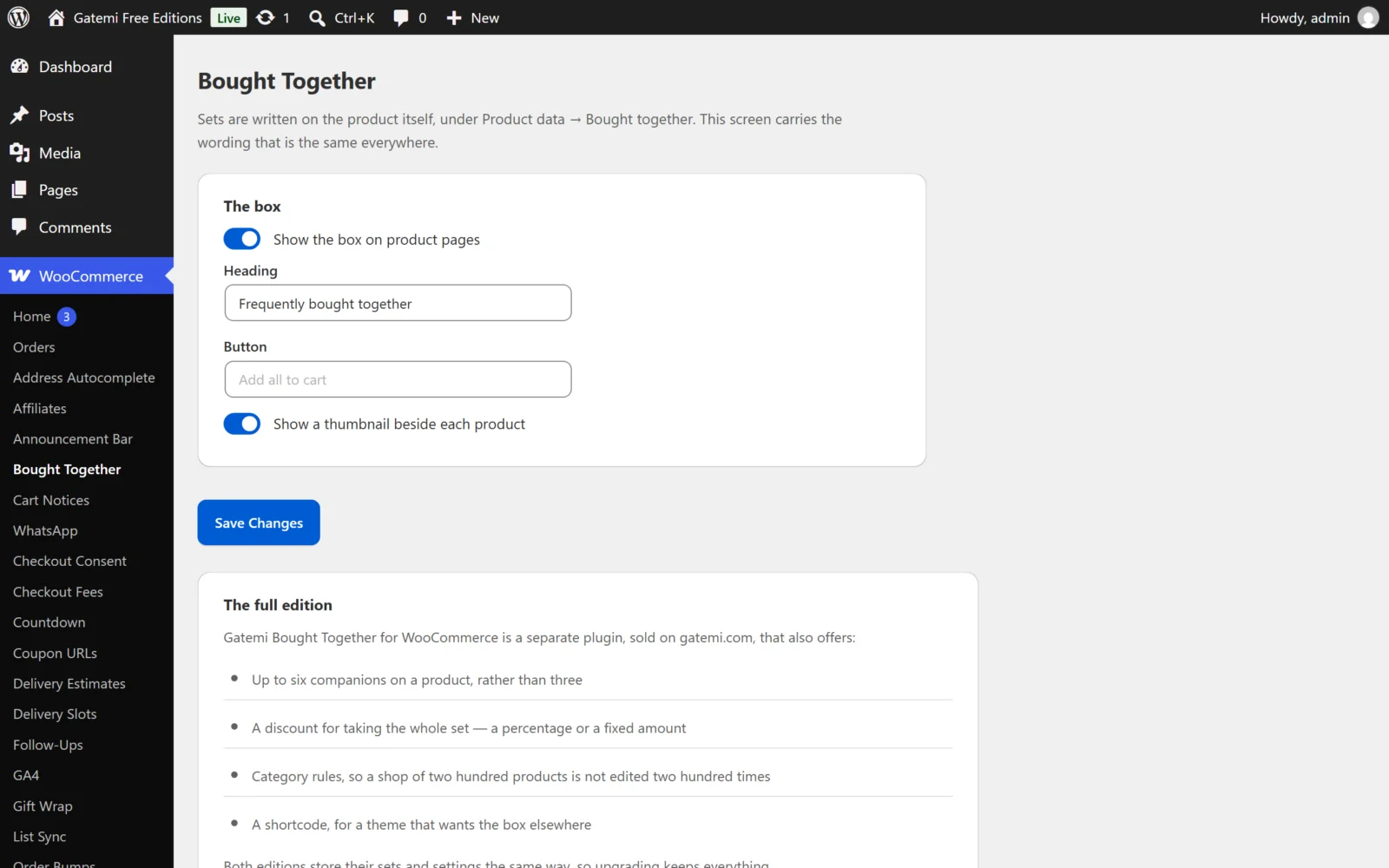
The box (WooCommerce → Bought Together)
All four are stored in the option gmbt_settings.
Show the box on product pages
- Key:
enabled· Default: on (yes) - Off takes every box off at once, without editing a single product. Your sets stay where they are, so switching it back on brings them all back.
Heading
- Key:
title· Default: empty, shown as "Frequently bought together" - The heading above the box. Plain text.
Button
- Key:
button_text· Default: empty, shown as "Add all to cart" - The wording on the one button. Plain text.
Show a thumbnail beside each product
- Key:
show_images· Default: on (yes) - Shows each product's own WooCommerce gallery thumbnail, so the store's image sizes,
srcsetand lazy-loading keep working. Turn it off in a narrow column.
The product's own set (Product data → Bought together)
Bought together with
- Meta key:
_gmbt_items(a list of product ids) · Default: empty - Product ids separated by commas, for example
112, 118, 240. The free edition shows up to 3 companions; the full edition up to 6. - Name simple products or specific variations. A variable, grouped or external product cannot be added in one click, so it is left out of the box rather than offered and refused.
- The product itself is ignored if you list it. Duplicates are dropped.
- Emptying the box removes the product's set.
- Free edition: if the full edition stored more than three companions, the extra ones are kept when you save the product here — they come back if you upgrade again. Only the first three that can be bought are shown.
No box on this product
- Meta key:
_gmbt_disabled(yes) · Default: off - Takes the box off this product. In the full edition it also stops a category rule from putting one here.
Discount for taking the set — Full edition
- Meta key:
_gmbt_discount· Default:none - No discount — just the suggestion (
none), A percentage off the whole set (percent), or A fixed amount off the whole set (fixed).
Amount — Full edition
- Meta key:
_gmbt_amount· Default: empty (0) - A number, read the way people type it (
12,50is 12.50). A percentage above 100 makes the set free, never negative. The discount is only earned while the whole set is in the cart. See How it works.
The free edition does not write, read or apply the discount. A discount the full edition stored stays on the product untouched.
Category rules — Full edition
Under WooCommerce → Bought Together → Category rules, each row gives every product in the chosen categories the same set. The rules are stored in the option gmbt_rules.
| Column | What it is |
|---|---|
| Categories | One or more product categories. Sub-categories are included. |
| Bought together with | Product ids, comma separated, up to 6. |
| Discount | As on the product: none, percentage or fixed amount. |
| Amount | The discount amount. |
- Use Add another rule for more rows.
- Rules are tried top to bottom, and the first that matches wins. Keep specific categories above general ones.
- A product with a set of its own ignores every rule.
- A product never appears as its own companion, even if a rule names its category.
- A rule naming no categories, or no products, is not saved.
License & updates — Full edition
The License & updates card takes your gatemi.com licence key and shows whether it is active, how many sites use it and when updates run until. An expired licence keeps the plugin working; only updates stop. The licence is stored in its own option, gmbt_license.